Matrix ETERNITY NE System Manual 1007
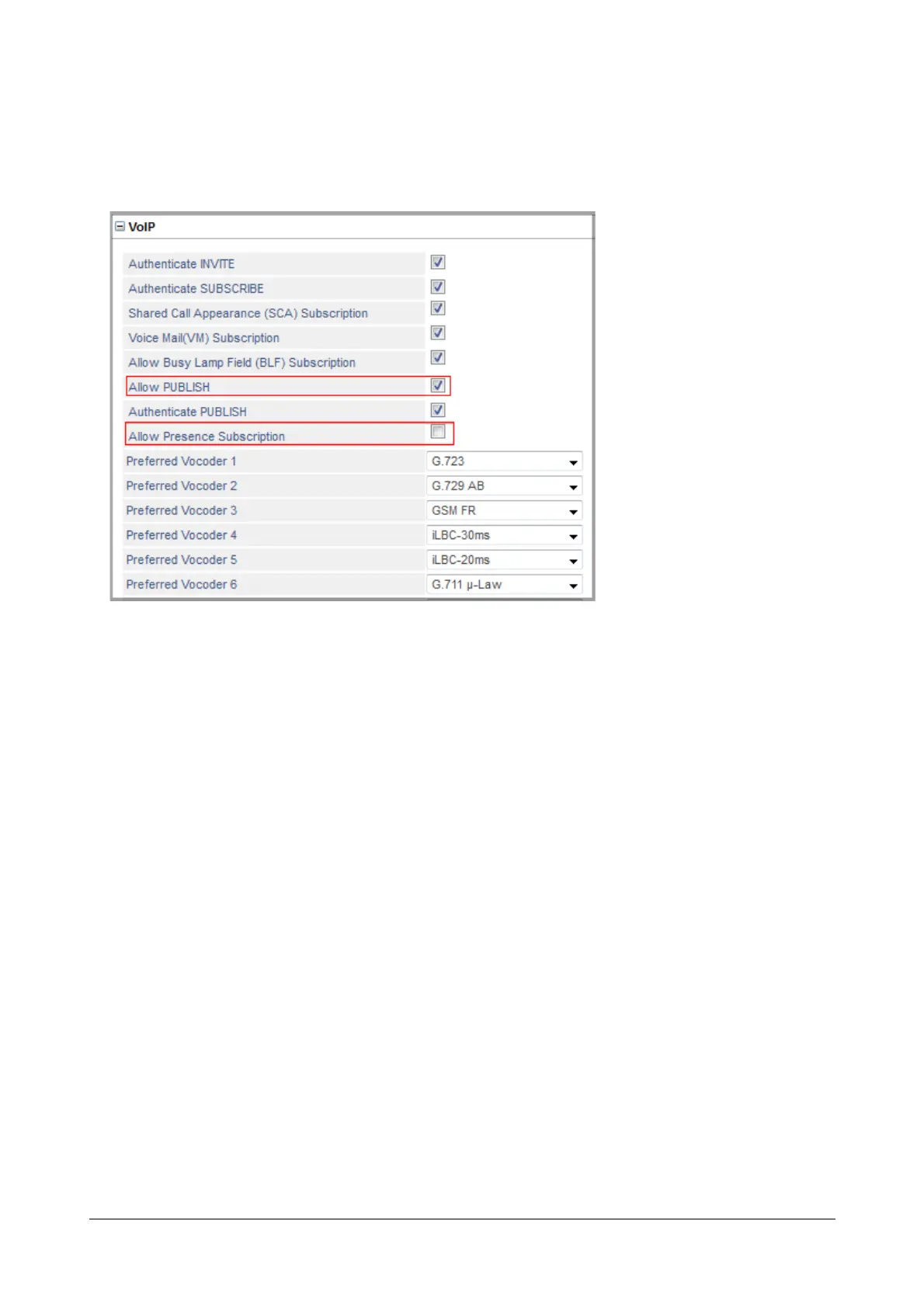
• Go to the desired SIP Extension number for which you want to enable the features PUBLISH and
Presence Subscription.
• Click VoIP to expand.
By default Allow Presence Subscription is disabled. To enable PUBLISH and Presence Subscription,
enable Allow PUBLISH and Allow Presence Subscription check boxes.
• Click Submit.
How to use
This feature requires you to dial your User Password. The default User Password 1111 is not accepted. Please
change the User Password first.
Publish Presence can be set for an extension also from the System Administrator mode.
For Extended IP Phone Users
Publishing Presence by Extension User
• Press DSS Key assigned to PUBLISH presence.
OR
• Dial 104
• Enter User Password on the prompt.
• Scroll to the desired Publish message from the menu:
• Absent
• Present
• Auto Detect
•Away
• On the Phone
• Do Not Disturb
• I am Mobile


 To Next Page
 Loading...

