1006 Matrix ETERNITY NE System Manual
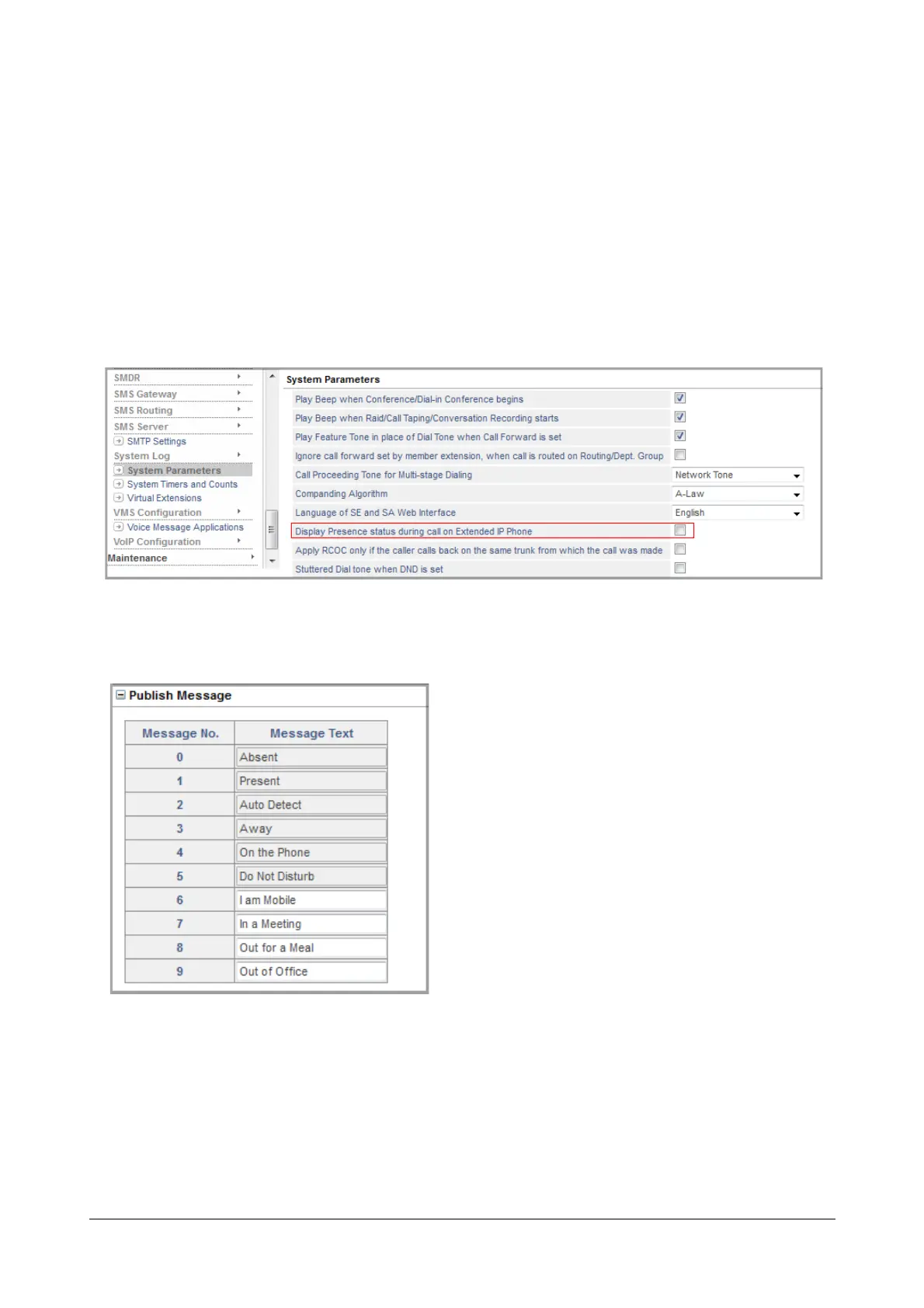
• Publish Messages: It is possible to customize the Publish Messages listed above from 6 to 9 viz.: 'I am
Mobile', 'In Meeting', 'Out for Meal', 'Out of Office'.
To configure,
• Login as System Engineer.
• Under Advanced Settings, click System Parameters.
• Click System Parameters to expand.
• Enable the check box Display Presence status during call on Extended IP Phone.
• Click Submit.
• Click Publish Message to expand.
• You can change message number 6 to 9 as desired. The string may consist of a maximum of 16
characters. All ASCII characters except < > and “(double quote) are allowed.
• Click Submit.
• Now, click SIP Extensions under Basic Settings.


 To Next Page
 Loading...

