1064 Matrix ETERNITY NE System Manual
• If you want all calls received using Auto Attendant that remained unanswered to be stored, select the
Store Unanswered calls from Built-In Auto Attendant check box.
• If you want calls made using DISA, select the Store DISA Calls check box.
• Click Submit.
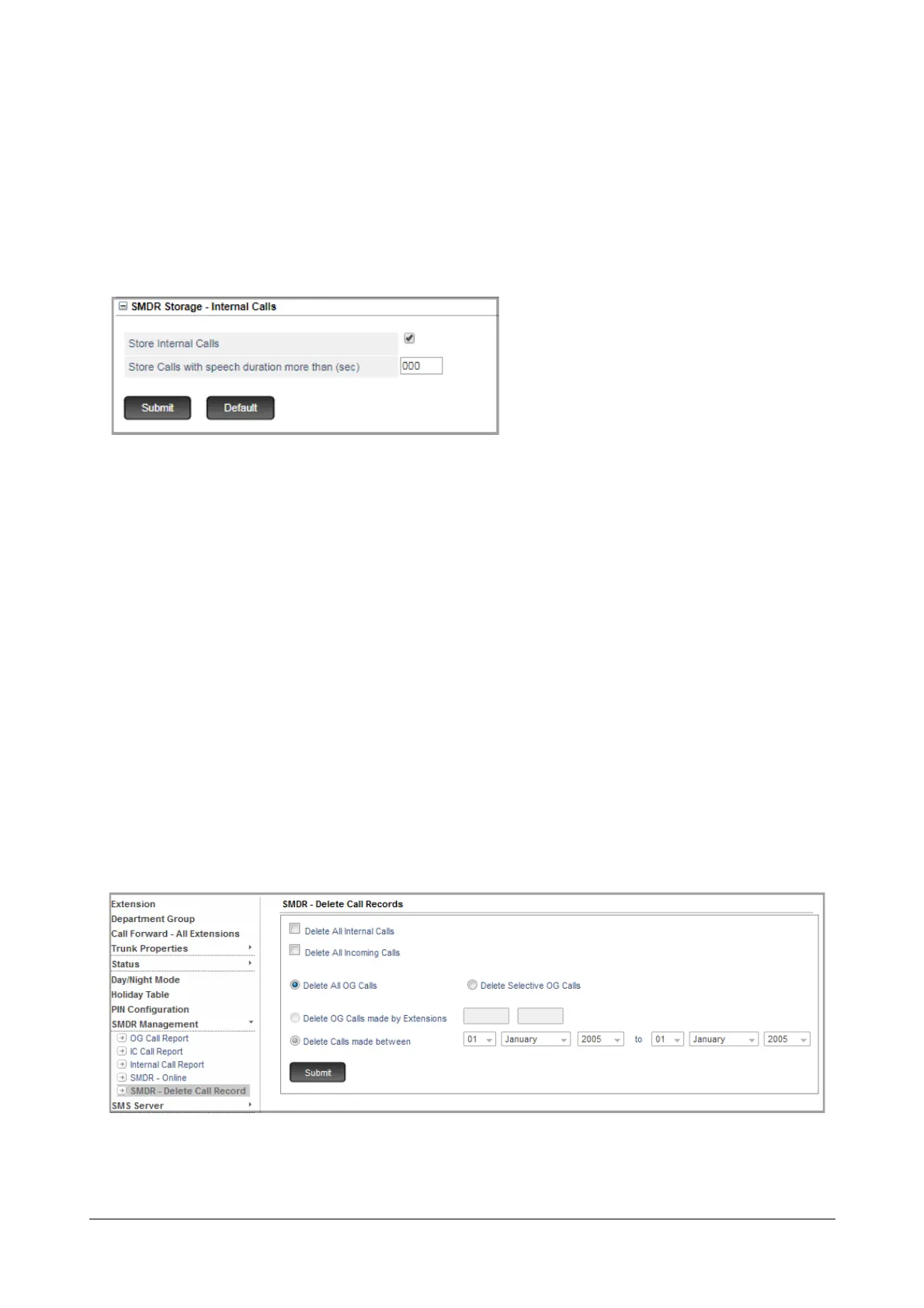
• To configure storage filters for internal calls, click SMDR Storage - Internal Calls to expand,
• Select the Store Internal Calls check box to enable storage of internal calls as per the filters you set.
• To store internal calls that exceed as certain duration, set the filter Store Calls with speech duration
more than (sec) to the desired duration. All internal calls with duration greater than this value, will be
stored.
• Click Submit.
How to use
The SMDR stored in the buffer can be cleared at any time from the System Administrator mode, using Jeeves or by
dialing SA commands from an extension phone.
To delete SMDR records using Jeeves,
• Login as System Administrator.
• Click SMDR Management to expand.
• Click SMDR - Delete Call Record.
• To delete all records in the internal SMDR buffer, select Delete all Internal Calls check box.



 To Next Page