Matrix ETERNITY NE System Manual 1075
Setting Print Filters
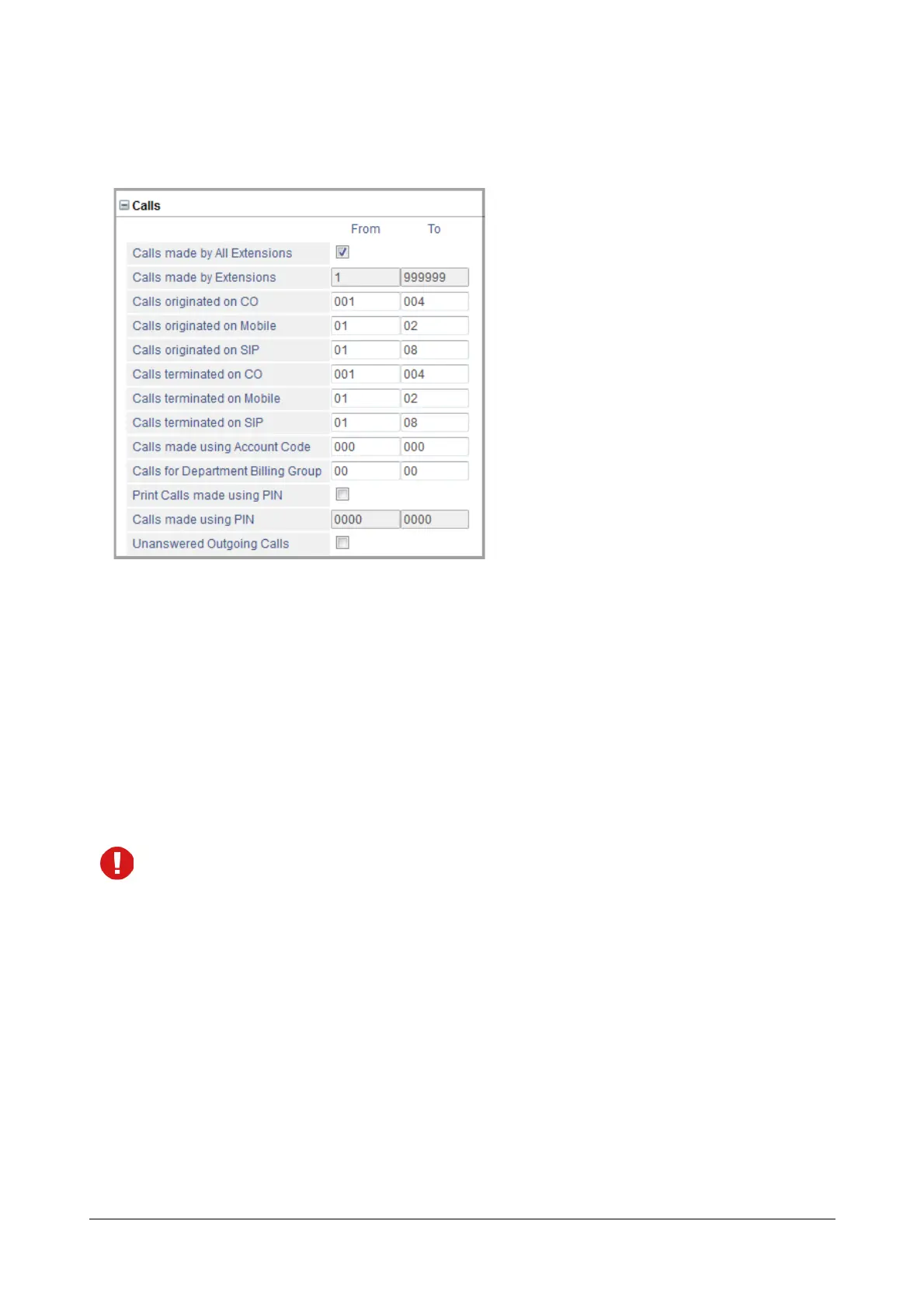
• Click Calls to expand.
• Set the following filters as desired. You can print reports of outgoing calls made by all extensions or by
specific extensions: Calls made by All Extensions, Calls made by Extensions. Default: Calls made
by All Extensions.
To print reports of specific extensions, clear the Calls made by All Extensions check box and enter
the desired extension range in From and To.
You can also print reports of outgoing calls originating and terminating on specific trunks: CO, Mobile,
SIP.
You can also print outgoing calls made using Account Code, PIN, Calls for Department Billing
Groups and Unanswered Outgoing Calls.
If you have extension numbers beginning with # or *, make sure the range you assign for “Calls made by
Extensions” in the From and To fields must also have # or *. A mix of both will not work. For example, if you
have extension numbers from *1 to *99 and you want to generate report of outgoing calls made by these
extensions, you must enter *1 in the From field and *99 in the To field.
• Click Submit.



 To Next Page