Matrix ETERNITY NE System Manual 1081
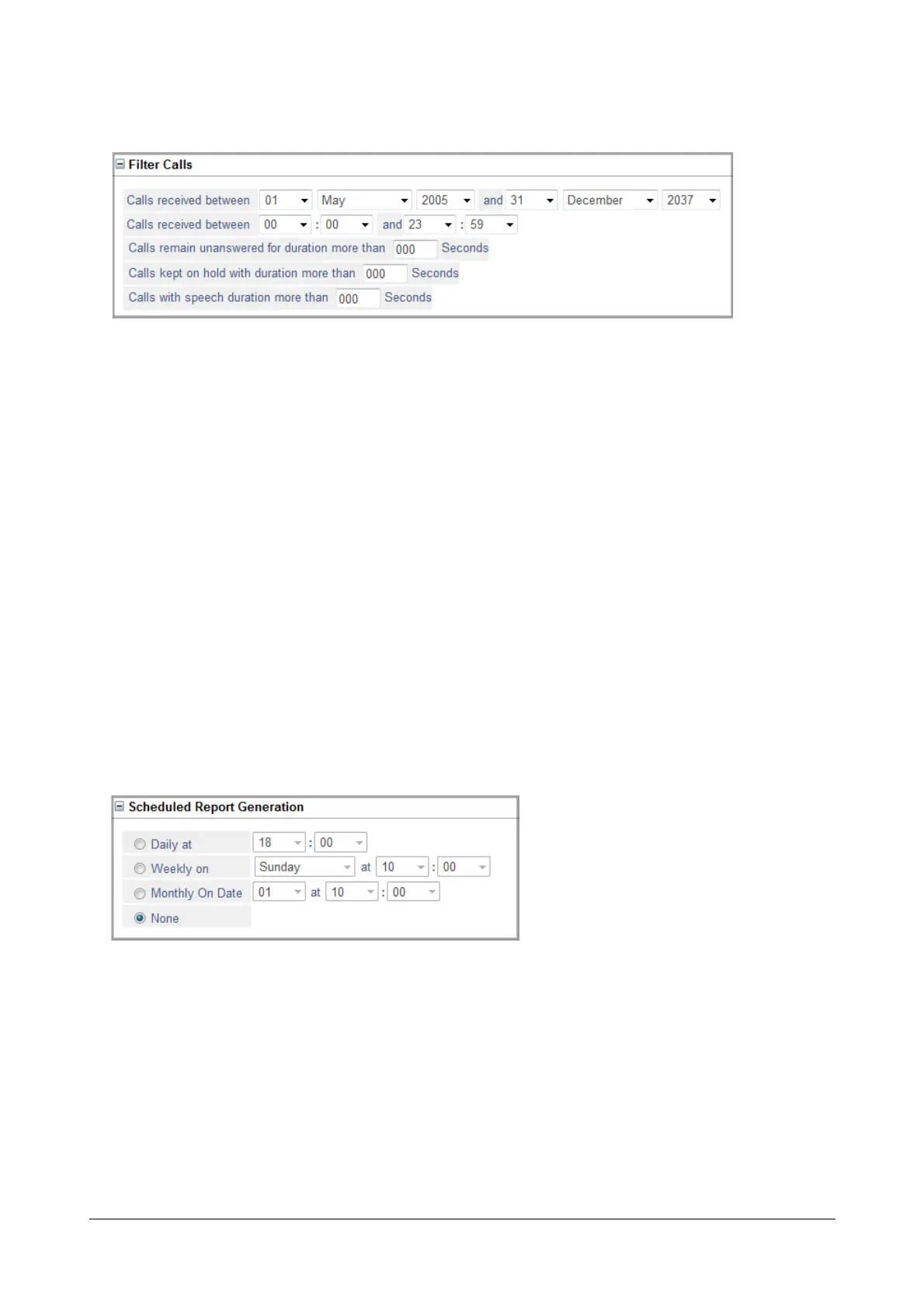
• Click Filter Calls to expand.
• To print incoming calls received on a certain date or between a certain time period, set the filter Calls
received between. To print calls made on a particular date, select the same Date, Month and Year in
both fields.
• To print incoming calls received at a particular time, set the Hours and Minutes in 24-hour format calI in
the filter Calls received between 00: 00 and 23:59.
• To print incoming calls that remained unanswered for more than a certain duration, set the filter Calls
remain unanswered for duration more than (sec).
• To print calls that were kept on hold for more than a certain duration, set the filter Calls kept on hold
with duration more than (seconds) to the desired value.
• To print calls with speech duration of a certain duration, set the filter Calls with speech duration more
than (seconds)
• Click Submit.
Scheduled Report Generation
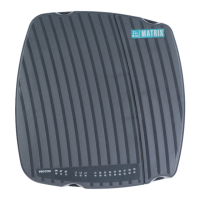
• Click Scheduled Report Generation to expand.
• To generate SMDR Report of incoming calls on a particular day, day of the week, or day of the month,
set Scheduled Report Generation, as required.
• Click Submit.


 To Next Page