1080 Matrix ETERNITY NE System Manual
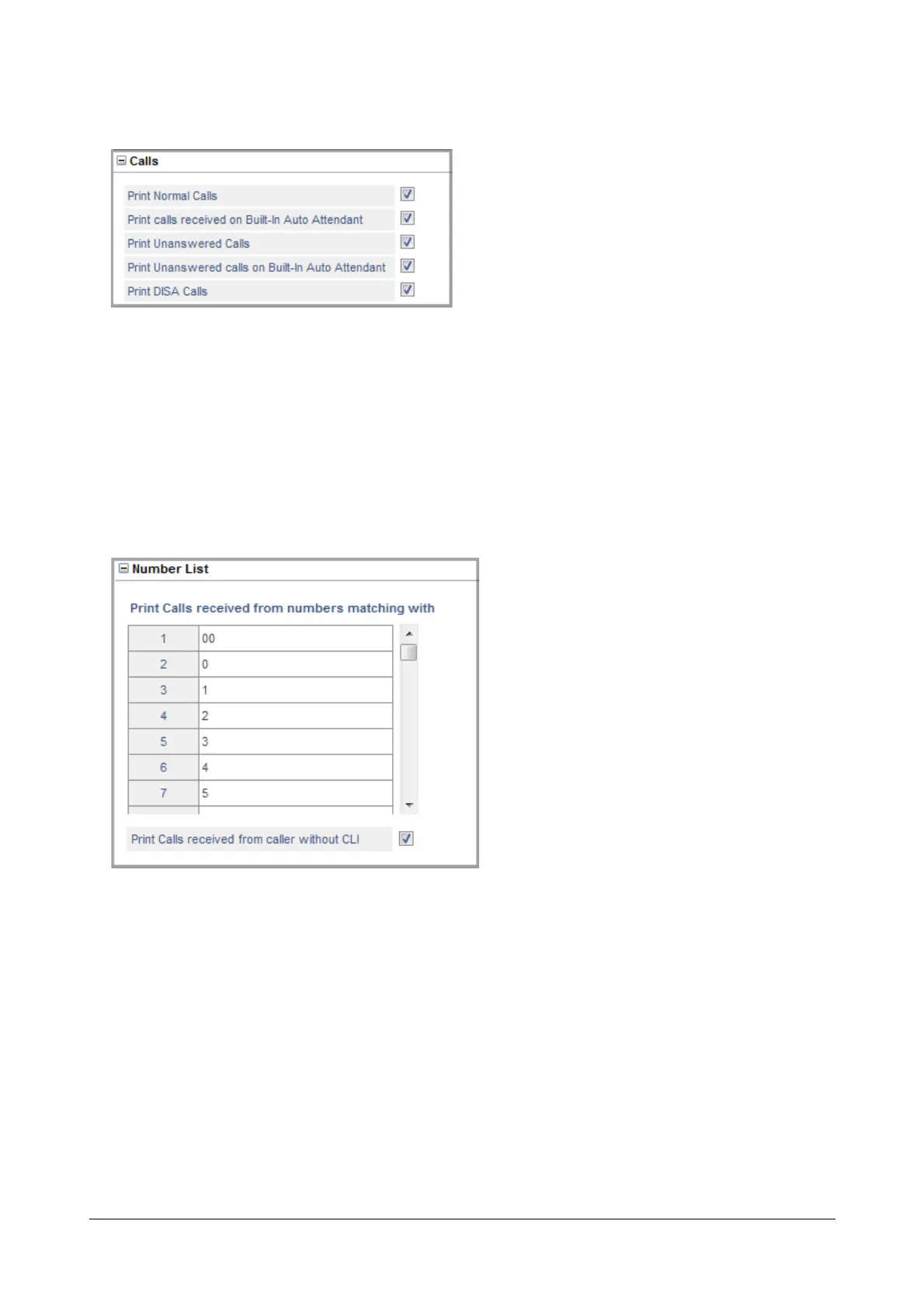
• Click Calls to expand.
• You can also print incoming calls of different Call Types: Normal calls, calls received using Built-In
Auto Attendant, calls that remained Unanswered, Unanswered calls on Built-In Auto Attendant,
and calls made using DISA.
By default, the report will contain all types of calls. To disable a particular option, clear its respective
check box.
• Click Submit.
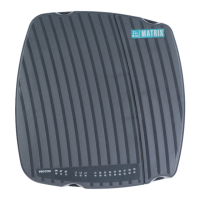
• Click Number List to expand.
• To print incoming calls received from certain numbers, enter the CLI of these numbers in the Print
Calls received with numbers matching with fields.
• To print calls received without CLI, select the Print Calls received from caller without CLI check box.
• Click Submit.


 To Next Page