1084 Matrix ETERNITY NE System Manual
Setting Print Filters
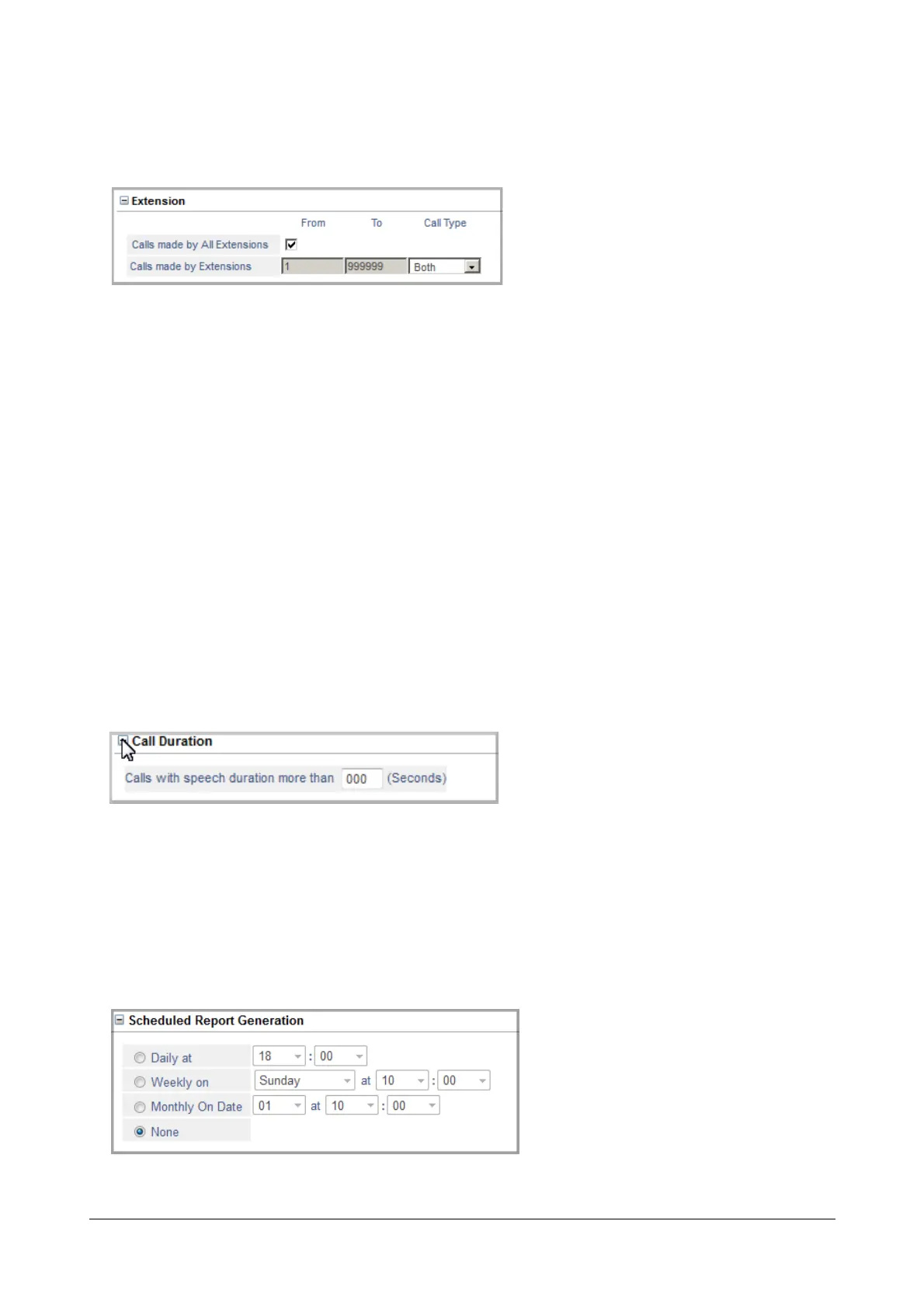
• Click Extension to expand.
• By default, Calls made by All Extensions check box is selected. Hence calls made and calls received by
all the extensions will be printed.
You can also print calls made and calls received by extensions by selecting the Call Type.
• Select Both as Call Type, to print calls made and received by the extensions.
• Select Caller as Call Type, to print only those calls that were made by the extension.
• Select Receiver as Call Type, to print only those calls that were received by the extension.
• Select None, if you do not want to use the Call Type filter.
To print calls made by a particular extension or a range of extensions, clear the Calls made by All
Extension and set the filter Calls made by Extensions, by entering the extension numbers in the From
and To fields.
If you want to print calls made by a particular extension only, enter the same extension number in both
From and To fields.
• Click Submit.
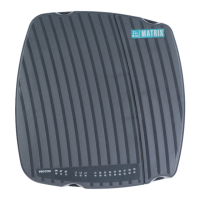
• Click Call Duration to expand.
• To print calls with speech duration of a certain duration, set the filter Calls with speech duration more
than (seconds).
• Click Submit.
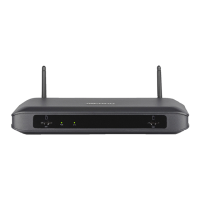
Scheduled Report Generation
• Click Scheduled Report Generation to expand.


 To Next Page