Matrix ETERNITY NE System Manual 1085
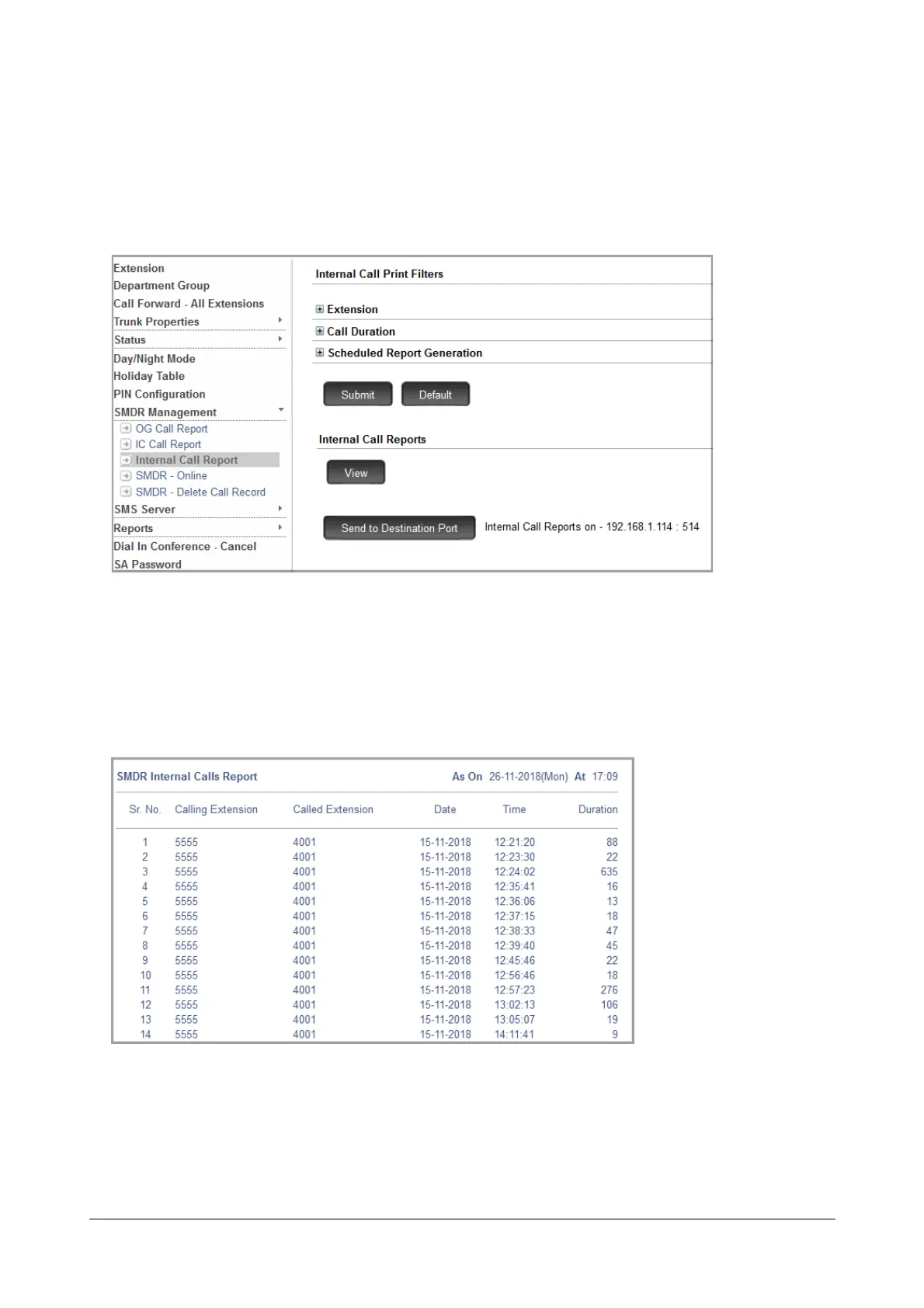
• To generate SMDR Report of internal calls on a particular day, day of the week, or day of the month, set
Scheduled Report Generation, as required.
• Click Submit.
Manual Report Generation
• You can print the SMDR Report of internal calls any time you want. You can print the report on a local
printer or the Destination Port of SARVAM UCS.
To view the report /print the report on the local printer,
• Click the View button.
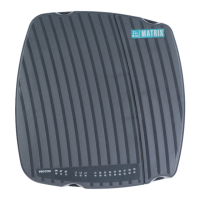
• A detailed report is displayed on the screen.
• Click Print to print the report.
To print the report on the Destination Port,


 To Next Page