1192 Matrix ETERNITY NE System Manual
• Click Voice Module Assignment to expand.
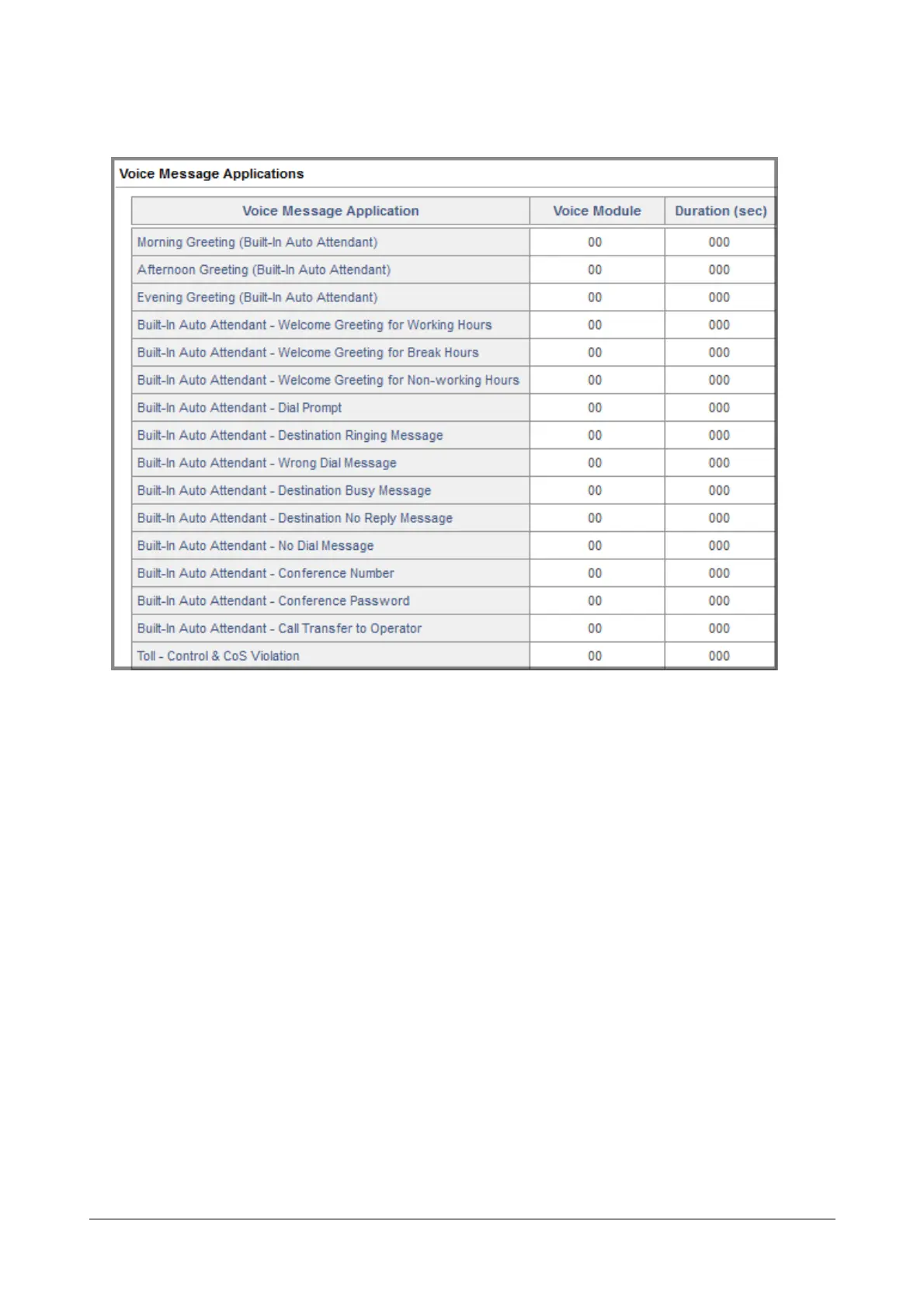
• Voice Message Application-Voice Module-Duration (sec): Go to the desired Voice Message Application
to assign the voice module number you recorded for this application. For example, you have recorded
Voice Module 08 as DND Notification Message. Enter this number against "DND Notification".
• By default, the following Voice Messages Applications have been assigned to Voice Modules 01 to 13
(see table below). If the default Message recorded in the module suits your purpose, simply assign the
Voice Module number to the relevant Voice Application. The system will automatically set the duration
of the Voice Message Application.
If you want to change the duration of a recorded Voice Module, you can do so, by changing the
duration manually for the particular recorded message.
• For example, if you want to use Morning, Afternoon and Evening Greetings. You may simply assign the
default Voice Modules 02, 03, and 04.
• Refer the following table for Voice Message Applications assigned by default to the Voice Modules:



 To Next Page