1206 Matrix ETERNITY NE System Manual
How to configure
The VMS allows you to enable/disable the Alarm Verification for alarms and reminders, allowing extension users
who want to use alarms and reminders to confirm:
• Time set for an alarm
• Date and time set as a reminder.
When Alarm Verification is disabled, the VMS will not confirm the alarm and reminder set by the extension user.
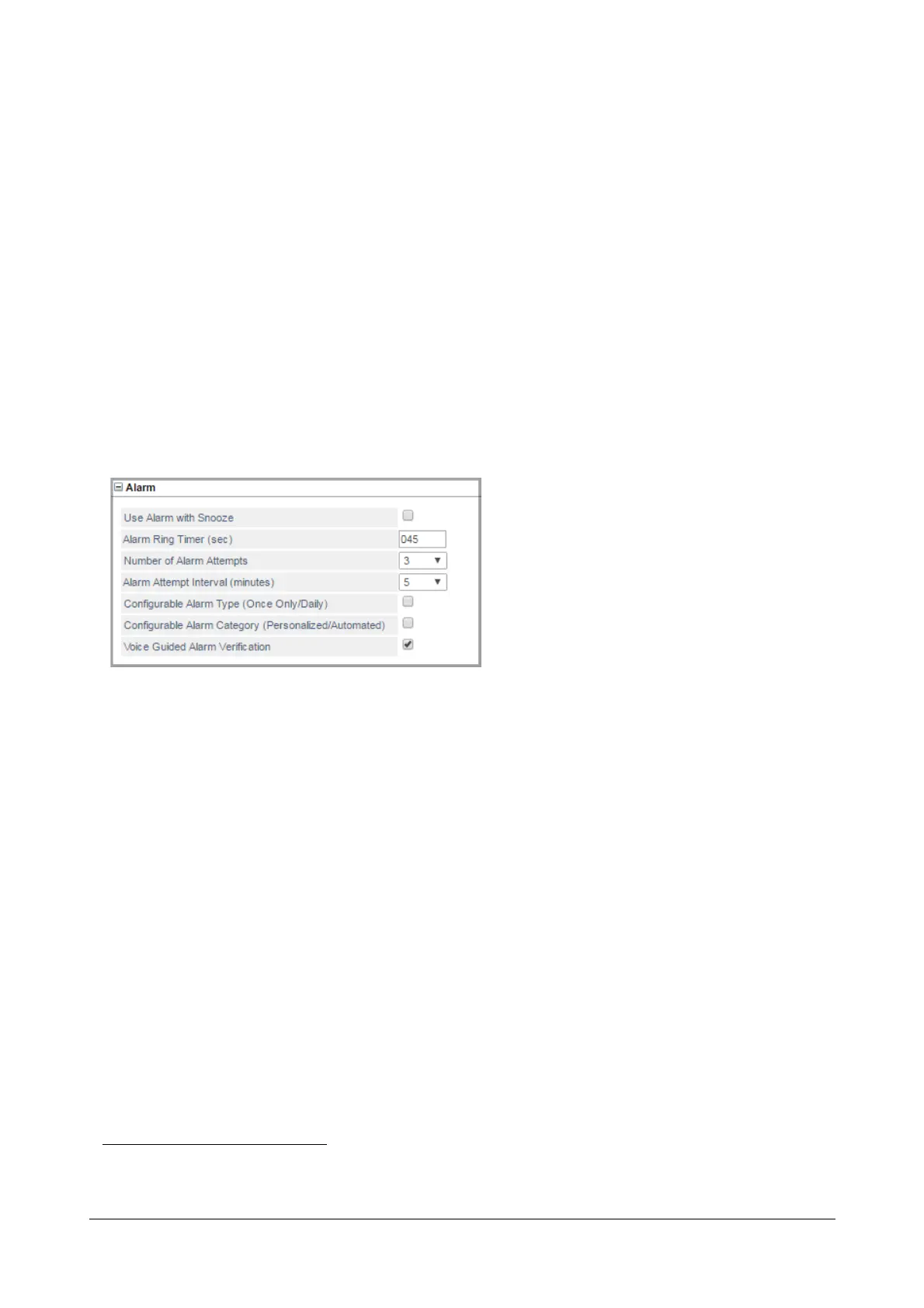
To configure Alarm Verification,
• Login as System Engineer.
• Under Advanced Settings, click System Parameters.
• On the System Parameters page, click Alarm to expand.
• Select the Voice Guided Alarm Verification check box to enable Alarm Verification. Default: Enabled.
• Click Submit.
How to use
Alarm set by Extension Users
• Pick up the handset of your telephone and dial 163 VMS prompts: "Enter the time, HH MM in twenty four
hour format
162
. To cancel all alarms, press # (pound/hash)."
• If no time is entered, VMS prompts: "You have not entered any input"
• If invalid time is entered, VMS prompts: "You have entered invalid input."
• To set alarm, dial valid time VMS prompts: "To set once, Press 1, To set Daily Press 2."
Once Only
•Dial 1 VMS responds with: "You have set Wake up Alarm at …." followed by the prompt: To Confirm
163
,
Press 1, To Re-enter, Press 2.".
162.The Date and time format depends on the Region/Country selected for the system.
163. This option will not be played if Alarm Verification is disabled in the System Parameters.



 To Next Page