Matrix ETERNITY NE System Manual 1253
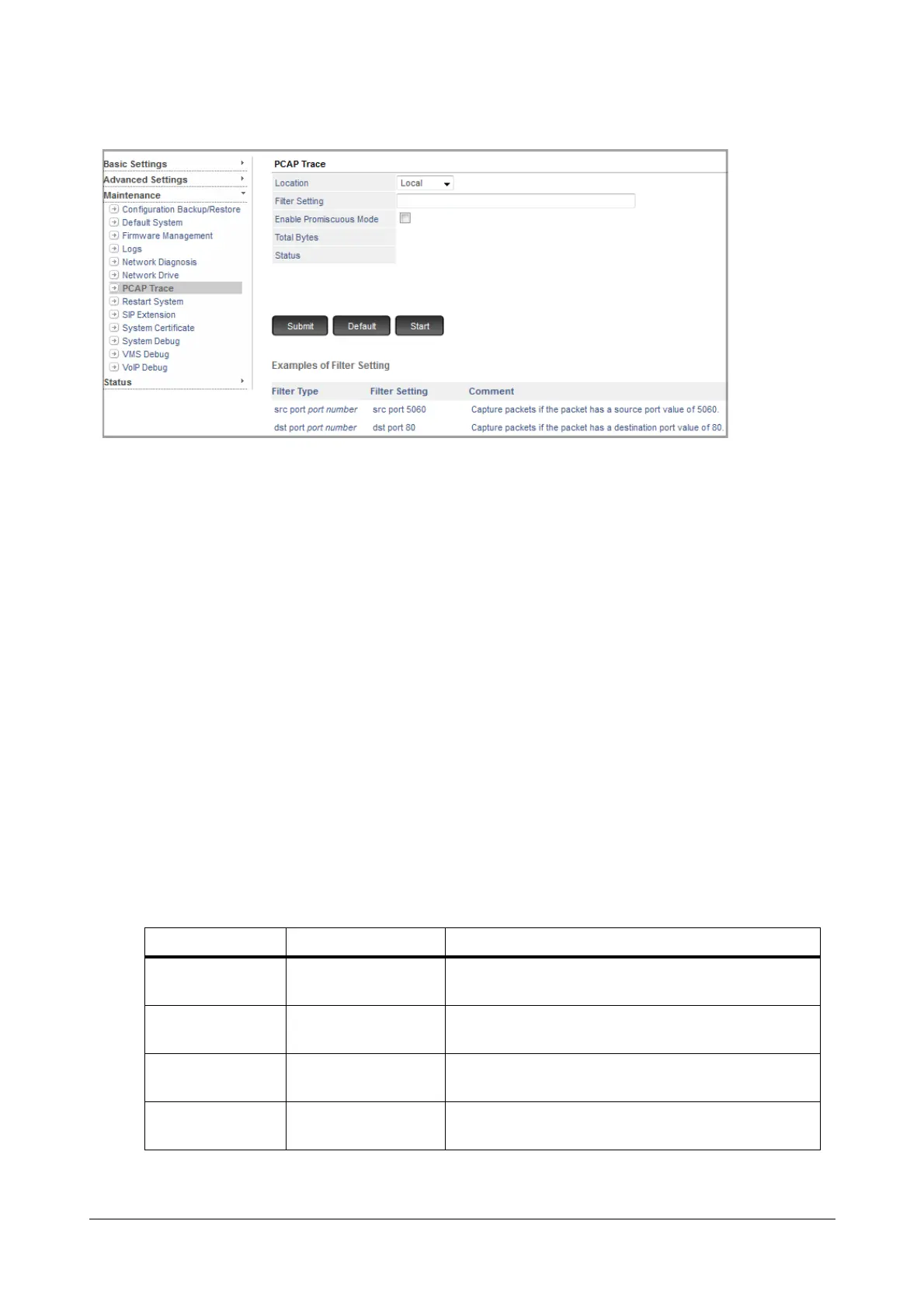
• Under Maintenance, click PCAP Trace.
• Location: Select the location — Local or Remote — on which you want to store the PCAP data.
• Filter Setting: Decide the type of packets to be captured and set the Filter accordingly. The Filter should
be maximum 60 characters in length; all ASCII characters are allowed. By default, this field is blank. So, all
packets will be captured.
Refer to the following examples to know how to set the Filters.
• To capture packets which are transmitted from the system i.e. from IP address 192.168.1.191:
• Filter Settings = src 192.168.1.191
• To capture packets which are received for the system i.e. to IP address 92.168.1.191:
• Filter Settings = dst 192.168.1.191
• To capture only packets which are received by the system having IP address 192.168.1.191:
• Filter Settings = src 192.168.1.191 or dst 192.168.1.191
• To capture packets which are transmitted from the system for particular port number only i.e. from IP
address 192.168.1.191 and port number 161:
• Filter Settings = src 192.168.1.191 and port 161
Examples of Filter Setting Syntax:
Filter Type Filter Setting Logic
src port number src port 5060
Capture packets if the packet has
a source port value of 5060.
dst port number dst port 80
Capture packets if the packet has
a destination port value of 80.
port number port 5060
Capture packets if the packet has either source
or destination port value of 5060.
src host ip address src host 192.168.1.176
Capture packets if the source IP address
is 192.168.1.176



 To Next Page