Matrix ETERNITY NE System Manual 117
Toll Control
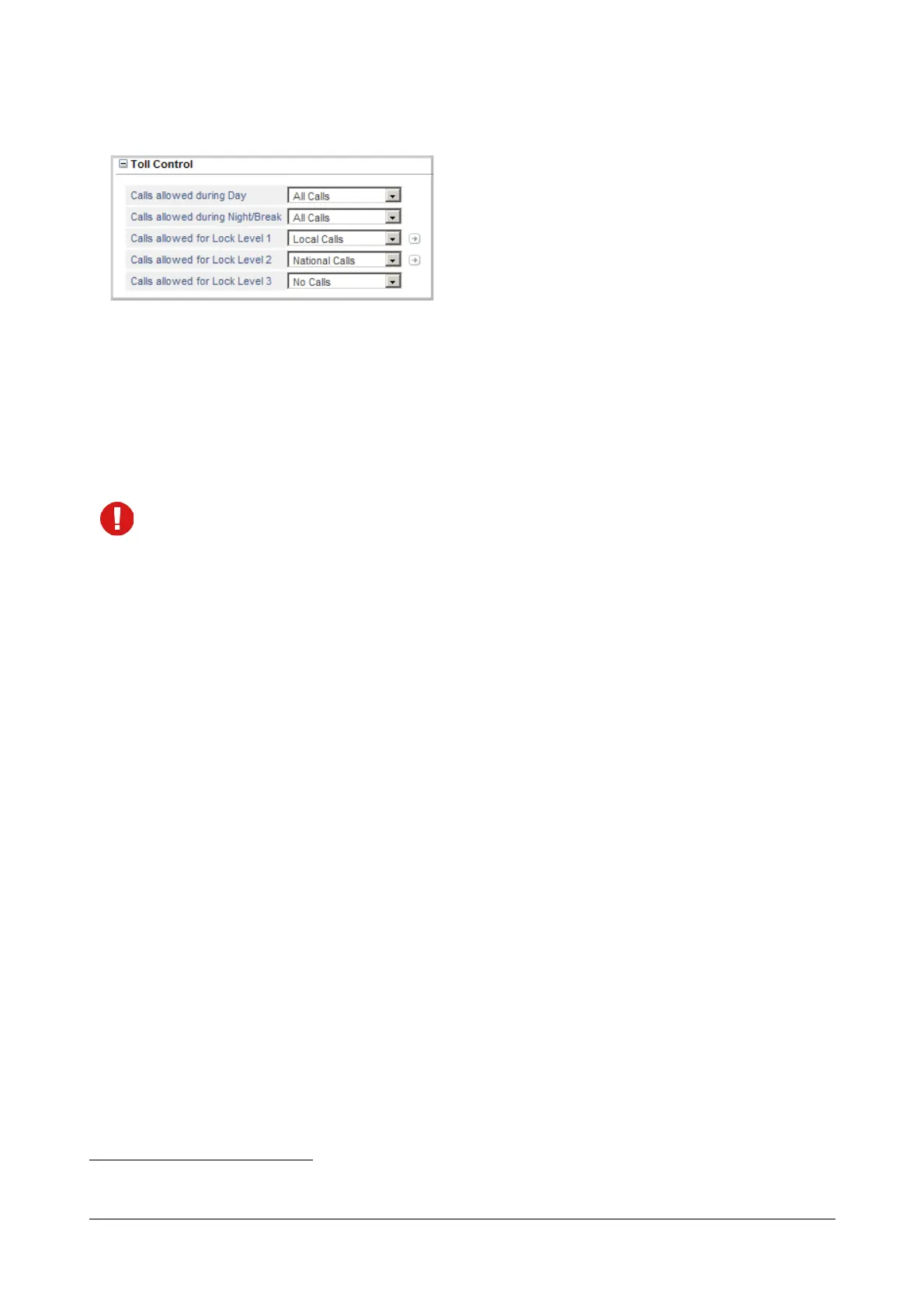
• Click Toll Control to expand. Set the desired Toll Control for the SLT extension for the Day and Night/
Break.
• Select the type of Calls Allowed during Day: All Calls, No Calls, Local Calls, Regional Calls, National
Calls, International Calls, Limited Calls 1, Limited Calls 2, Limited Calls 3. Default: All Calls.
• Select the type of Calls Allowed during Night/Break: All Calls, No Calls, Local Calls, Regional Calls,
National Calls, International Calls, Limited Calls 1, Limited Calls 2, Limited Calls 3. Default: All Calls.
The Toll Control levels on this page are based on the allowed and denied number lists of Local, Regional,
National, International, and Limited Call numbers you configured in the “Toll Control - Allowed Denied
Numbers”.
• If you have not configured the allowed and denied number list for the Type of Calls you selected as Toll
Control or if you want to add to the existing list, you may do it now.
• Click the Settings icon.
• The Toll Control - Allowed-Denied Numbers page will open in a new window.
• Configure the Allowed and Denied Numbers.
• Click Submit.
• Close the window after you have configured the list.
The Settings icon does not appear when you select No Calls or All Calls option.
See “Toll Control” to know more about this feature.
Toll Control for Dynamic Lock
Dynamic Lock allows extension users to change the Toll Control Levels (Calling Permissions) of their extensions on
their own by dialing a code. SARVAM UCS supports Toll Control Levels 0 to 3 for Dynamic Lock.
For each Toll Control Level from 0 to 3, you must assign 'Call Privilege’
21
. For each Call Privilege, you need to
configure the corresponding number strings to be allowed and number strings to be denied. See “Dynamic Lock” to
know more about this feature.
• Select the call privilege for Calls allowed for Lock Level 1: No Calls, Local Calls, Regional Calls, National
Calls, International Calls, Limited Calls, All Calls.
21. The Call Privilege types are: No Calls, Local Calls, Regional Calls, National Calls, International Calls and Limited Calls.



 To Next Page