Matrix ETERNITY NE System Manual 121
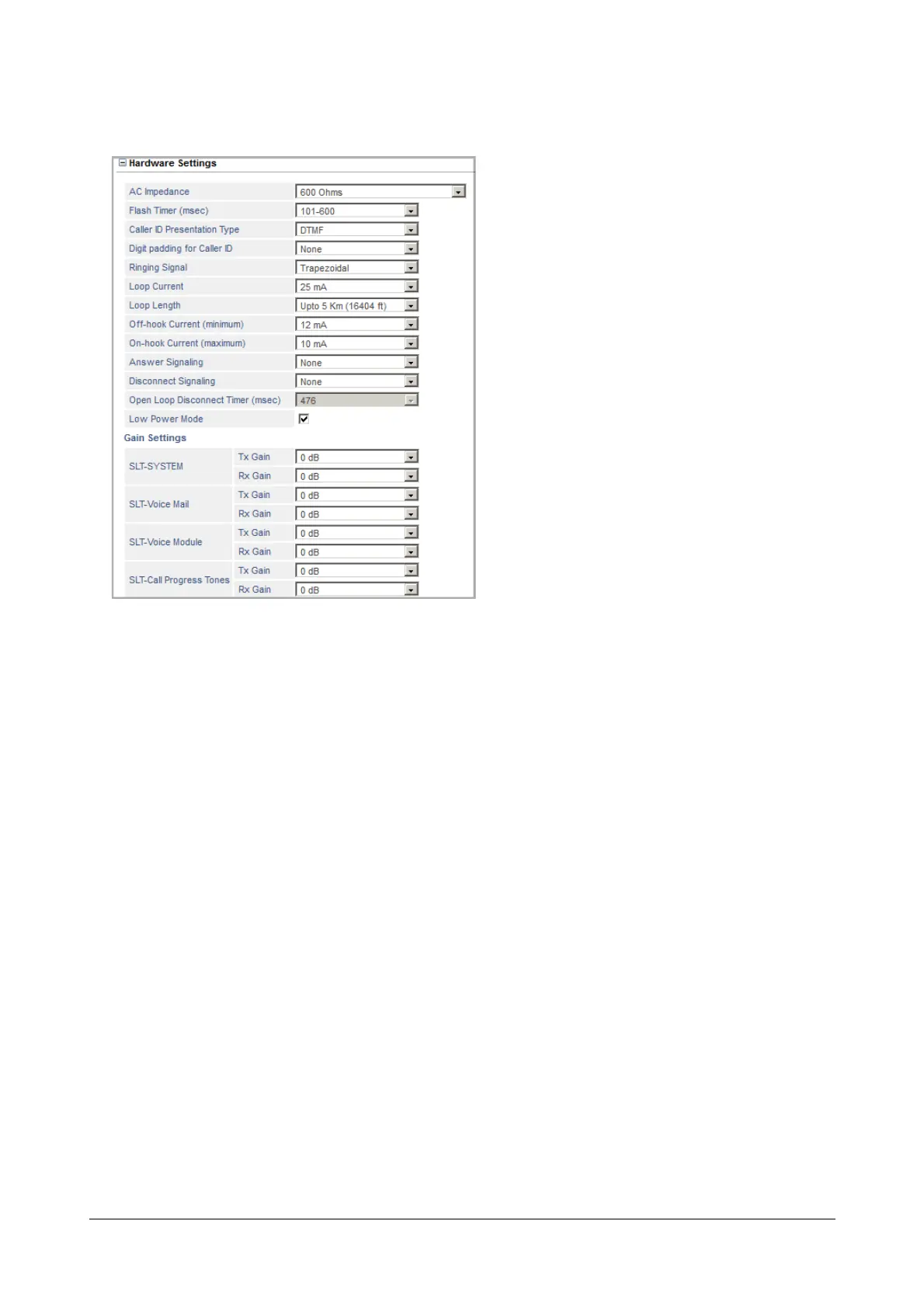
Hardware Settings
• Click Hardware Settings to expand.
•Set AC Impedance for the SLT port to match the AC impedance of the telephone instrument connected to
it. Default: 600.
However, SARVAM UCS allows you to connect instruments with AC impedance other than 600.
• Set the Flash Timer (msec) as per your requirement.
Flash is generally required to enable the SLT user to use features like Hold, Transfer, etc. Flash can be
dialed using the Flash key (if available) on the SLT or by tapping the hook switch.
Flash is breaking of Loop Current for a specific time period. SARVAM UCS considers that an extension
has dialed flash, if it detects breaking of the loop current for duration of the Flash Timer. The Flash timer is
configurable. The range of this timer is from 70 (minimum) to 900 (maximum) milliseconds. By default,
Flash Timer is set to 101-600 milliseconds.
You can configure the Flash Timer according to the Flash Timer supported by the SLT instrument. If the
SLT instrument breaks the loop current for more than the programmed Flash Timer, the system will
consider it as a call disconnection.
• Select the appropriate Caller ID Presentation Type according to the CLIP Type supported by the
telephone instrument connected to the SLT port.
SARVAM UCS supports 3 signaling protocols for CLI on the SLT port: DTMF, FSK-V.23, and FSK-
BellCore. Default: DTMF.
Select None to disable CLIP on the SLT port.



 To Next Page