Matrix ETERNITY NE System Manual 139
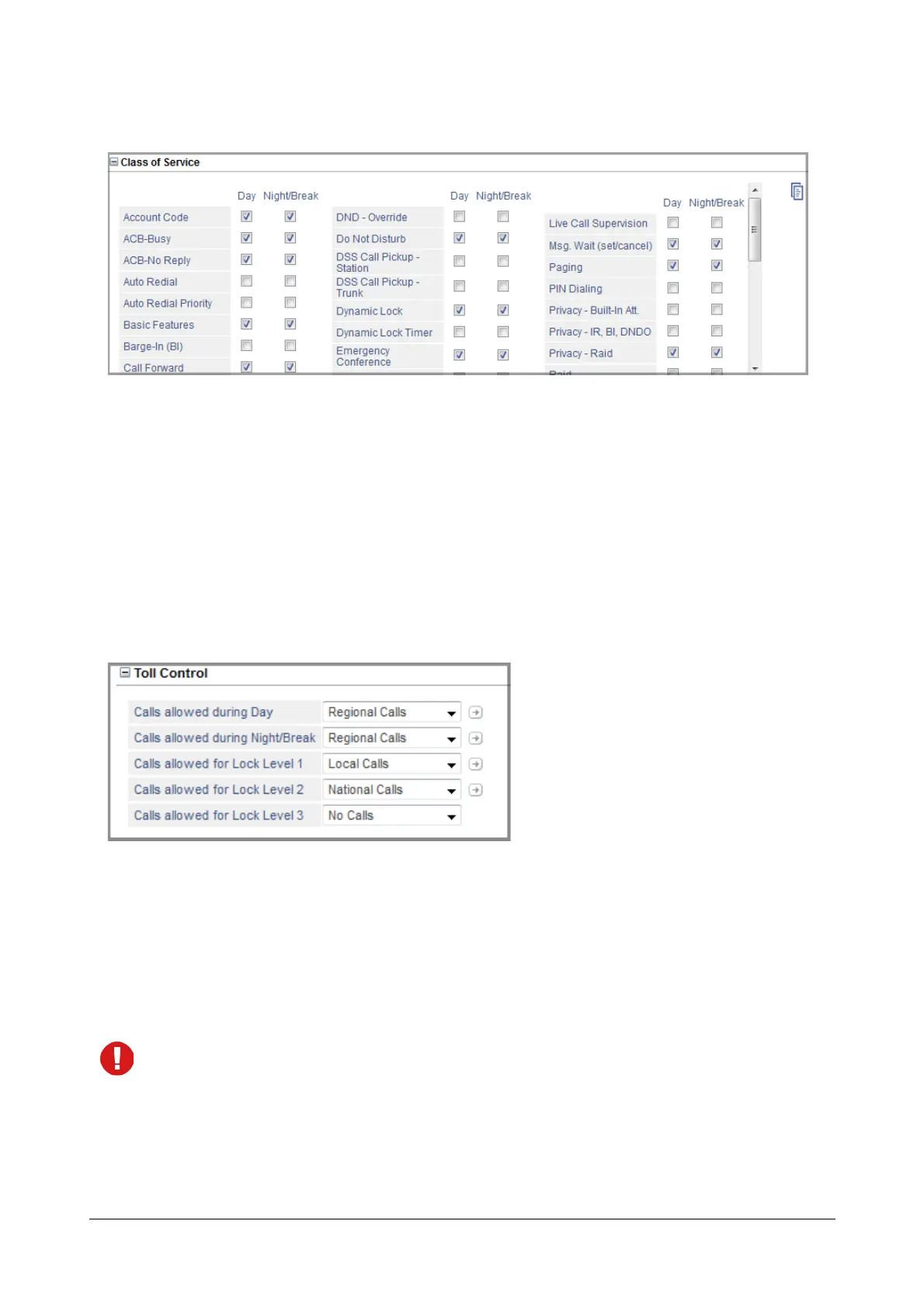
Class of Service
• Click Class of Service to expand.
Define the Class of Service for the SIP extension for Day time and Night/Break time.
• To allow a feature, select the check box of the feature.
• To deny a feature, clear the check box.
See “Class of Service (CoS)” to know more.
Toll Control
• Click Toll Control to expand options. Set the desired Toll Control for the SIP extension for the Day and
Night/Break.
• Select the type of Calls Allowed during Day: All Calls, No Calls, Local Calls, Regional Calls, National
Calls, International Calls, Limited Calls 1, Limited Calls 2, Limited Calls 3. Default: All Calls.
• Select the type of Calls Allowed during Night/Break: All Calls, No Calls, Local Calls, Regional Calls,
National Calls, International Calls, Limited Calls 1, Limited Calls 2, Limited Calls 3. Default: All Calls.
The Toll Control levels on this page are based on the allowed and denied number lists of Local, Regional,
National, International, and Limited Call numbers you configured on the “Toll Control - Allowed Denied
Numbers” page.
• If you have not configured the allowed and denied number list for the Type of Calls you selected as Toll
Control, or if you want to add to the existing list, you may do it now.



 To Next Page