196 Matrix ETERNITY NE System Manual
•Network
•VoPP
The phone supports multiple debug levels. You may select any or all of these debug levels. The Syslog
Client will send only the debug messages for the selected level to the remote server on the IP network. For
example, if the debug log of 'Call's is required, you can select this option, and disable all others.
• Click Submit.
If you have completed the configuration of the SPARSH VP510 Settings at Location 1, follow the same steps
as described above to configure the SPARSH VP510 at Location 2 and Location 3.
Phone Key Settings
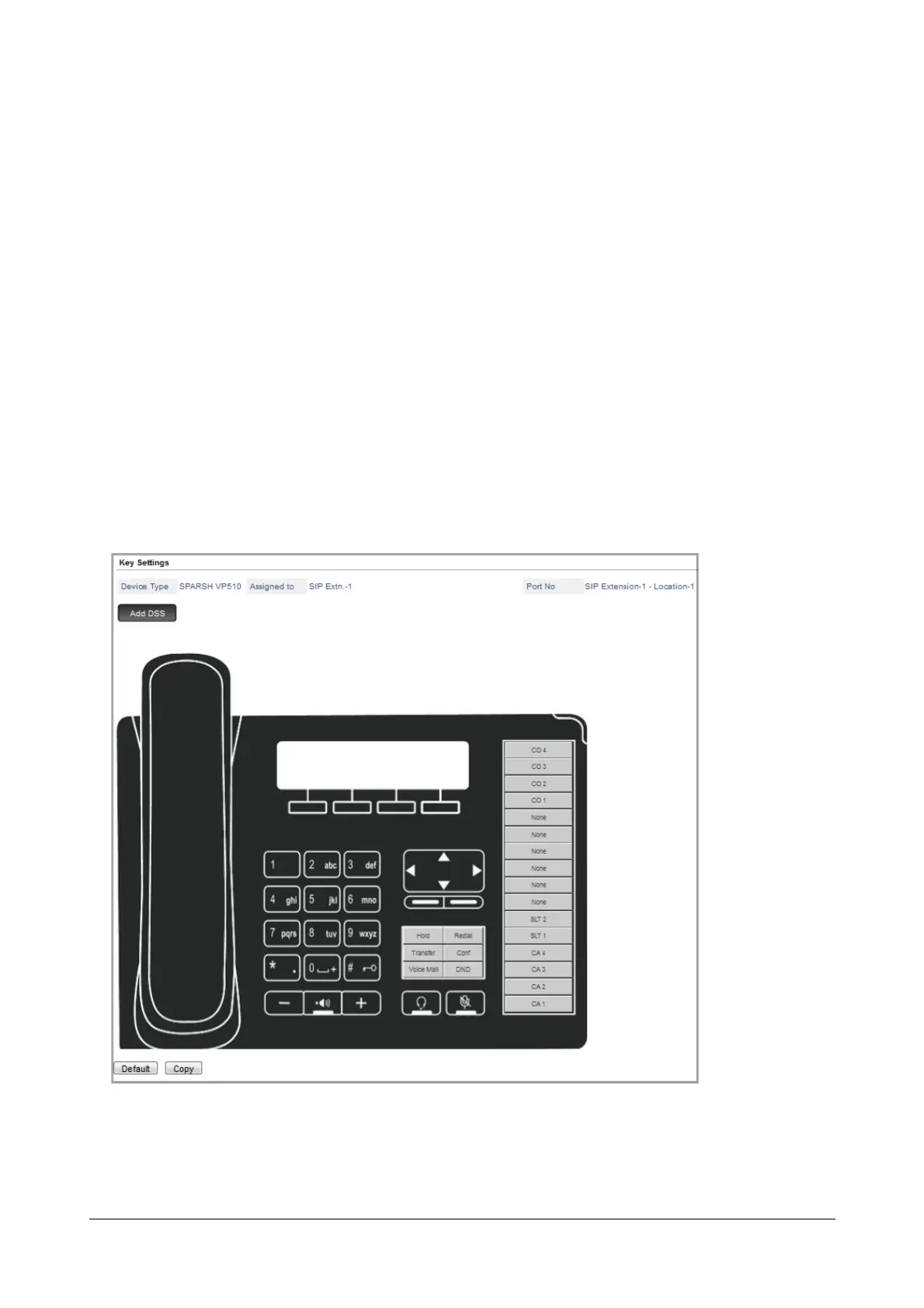
You can customize the DSS keys of the Extended IP Phone, to match the requirements of the extension user.
To customize the keys of the Extended IP Phone registered at this location,
• Click Key Settings link.
The default key map of the Extended IP Phone appears on your screen.
• Click the key you want to configure. For example, CO4.



 To Next Page