280 Matrix ETERNITY NE System Manual
The Pulse Rates offered by service providers may vary according to the time of the day. In such cases, you
must divide the day into Time Zones, from 1 to 4, as required, to match the time of the pulse rates offered
by your service provider.
Specify the Start Time and the End time (in 24 hours, HH:MM format) for the Time Zone Index in which
the particular Pulse Rate will be applied.
The default Time Schedule (start and end time) for each Time Zone Index is as follows:
If your service provider offers the same Pulse Rate for calling a number for the entire day, there is no need
to change the default Time Schedule. The system will follow Time Zone 1.
See “Call Cost Calculation (CCC)”
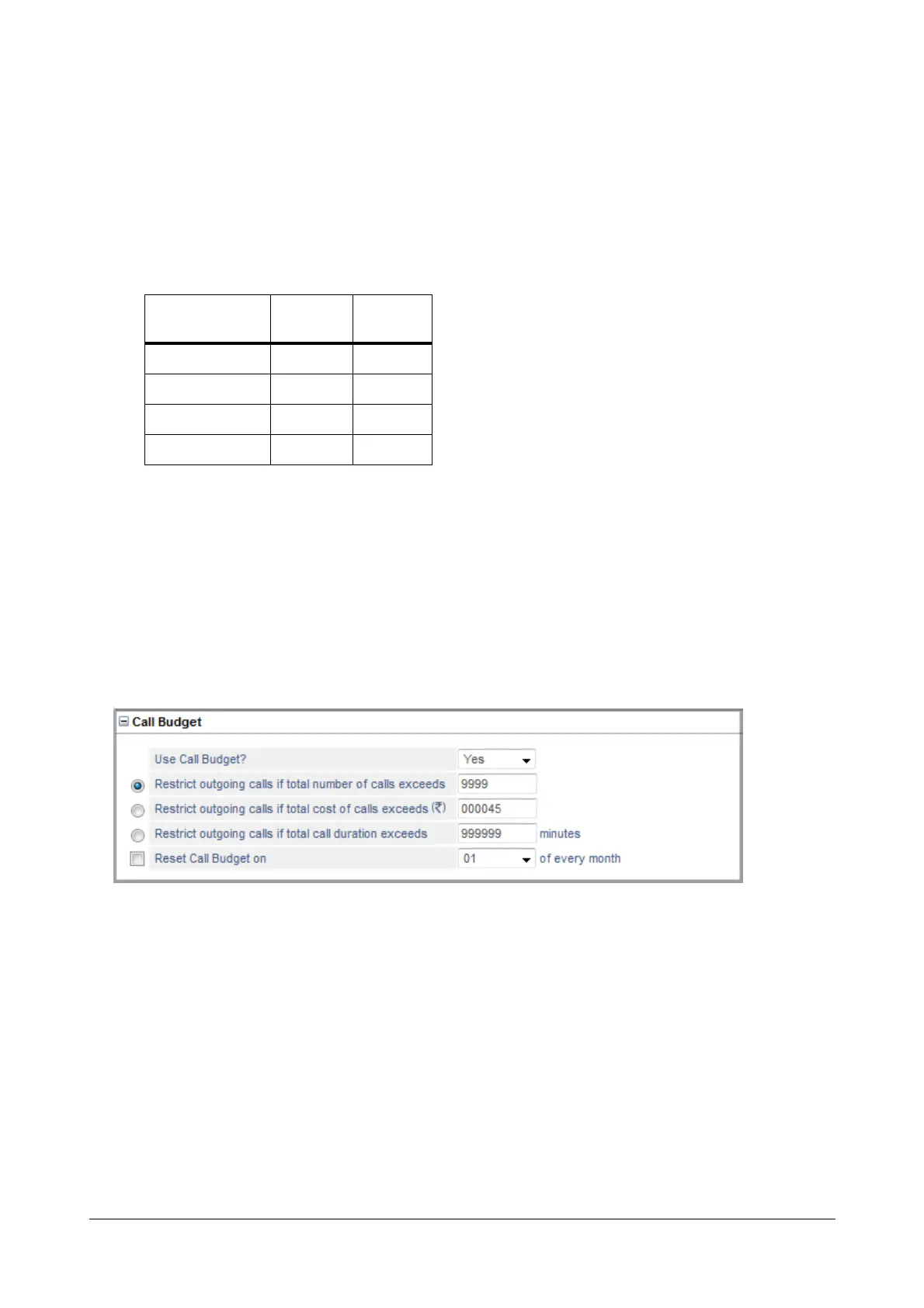
Call Budget
Configure this parameter if you want to control the cost of phone calls made from this trunk. See “Call Budget on
Trunk” to know more.
• To enable call budget on the trunk, set Use Call Budget? to Yes. Default: No.
• Define the call budget in terms of number of calls in the Restrict outgoing calls if total number of calls
exceeds. Default: 9999.
• Define the call budget in terms of amount in the Restrict outgoing calls if total cost of the calls
exceeds. Default: 999999.
• Define the call budget in terms of duration in the Restrict outgoing calls if total call duration exceeds.
Default: 999999 minutes.
• To have the system reset the Number of Calls/Amount/Minutes automatically on a particular date, select
the desired date from the Reset Call Budget on combo box as 1st to 31st of the every month.
Time Zone Index
Start
Time
End Time
T1 00:00 23:59
T2 00:00 23:59
T3 00:00 23:59
T4 00:00 23:59



 To Next Page