290 Matrix ETERNITY NE System Manual
For Trunk ports connected to extensions of another PBX, PPDC must be configured as per the number of
digits in the Trunk Access Code defined for that PBX.
If the Trunk Access Code is a single digit, select '1'. If the Trunk Access Code is double or triple digit
number, accordingly select '2' or '3' as PPDC.
To know more about this feature, refer “Behind the System Application”.
• To improve the quality of Fax over IP
62
, configure Pass Through Fax–Data Gain on SIP Trunk, if you
selected Pass Through Fax as Type of Fax over IP on SIP trunks, and if Pass Through Fax is to be
received on a CO trunk. Select the dB Level for Data Gain. Default: -11 dB.
• Select the dB Level for Pass Through Fax–Bypass Gain on SIP Trunk. Default: -9 dB.
• You can also set the Rx and Tx Gains for SIP to Digital Trunks and Extensions and SIP to SLT.
• To increase Rx and Tx Gain for SIP to SLT extensions, go to SLT parameters page. To increase Rx
and Tx Gain for Digital Trunks/Extensions, go to “SIP Trunks” parameters page.
• Click Submit
.
More Features
• Click More... link to expand.
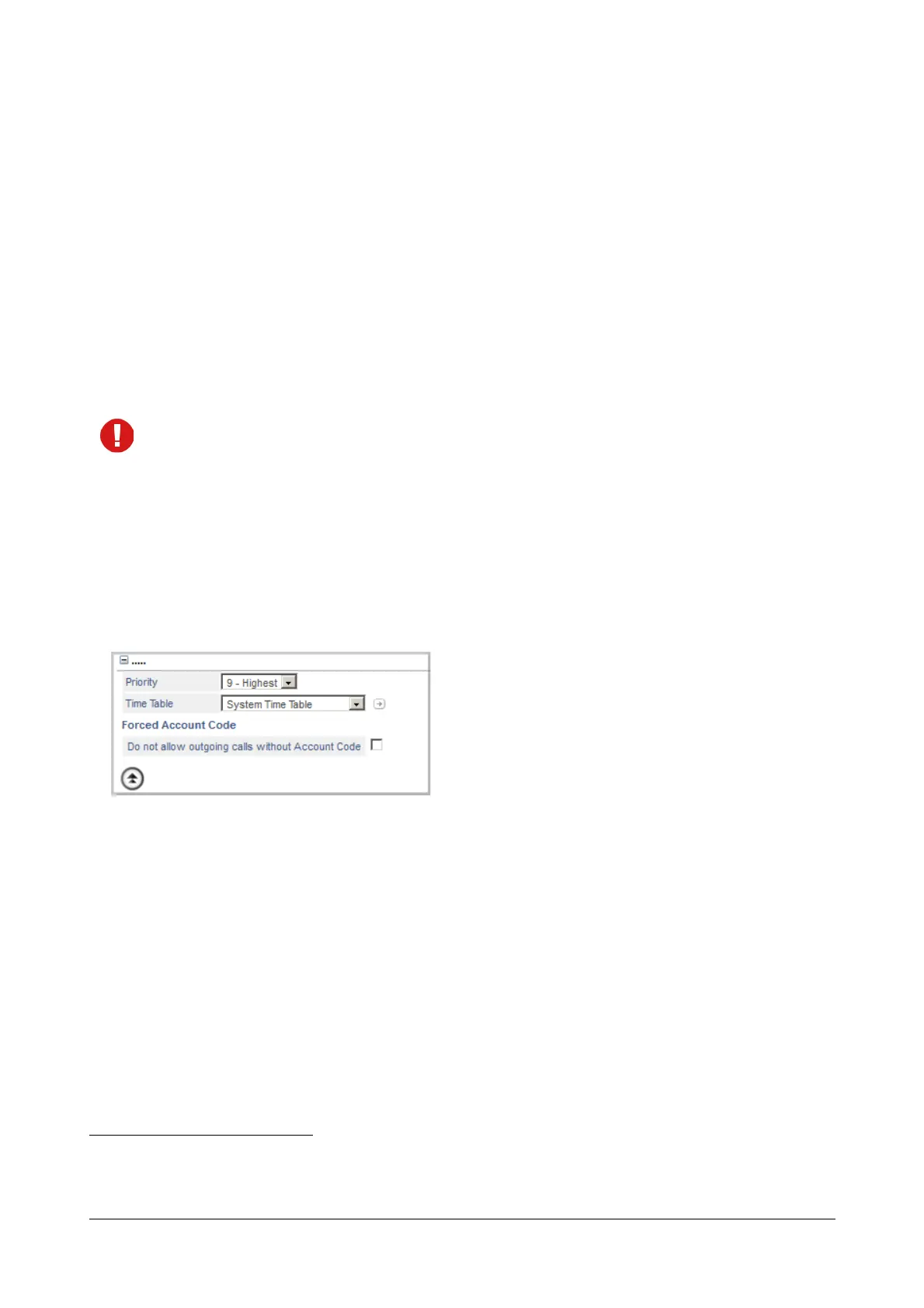
Priority
Each trunk of the SARVAM UCS can be assigned a Priority Level starting from 1, 2, 3... to 9, with '1' being lowest
Priority and '9' being highest Priority. Whenever there are incoming calls on multiple trunks, the call on the trunk
with higher priority will be answered by the Operator extension first. To know more, see “Priority”.
• Select a Priority level from 1 to 9 for the trunk. Default: 9-Highest.
Time Table
• Select a Time Table for the CO trunk. Default: System Time Table.
If you have not configured Time Table, you may do so now, by clicking the Time Table link. Define the
Working days, and the start and end time of the Working hours and Break hours for each working day.
See “Time Tables” to know more.
62. Normally, fax calls require less gain compared to voice calls. However, to improve fax reception, SARVAM UCS allows the config-
uring of gain settings for fax. Fax gain settings consist of Data Gain and Bypass Gain. SARVAM UCS supports Fax Receive Gain
for SIP to CO Trunks, SIP to Digital Trunk calls as well as SIP to SLT Calls.



 To Next Page