Matrix ETERNITY NE System Manual 291
Forced Account Code
Configure this parameter if you want to apply the Forced Account Code feature on the trunk. See “Account Codes”
to know more about this feature.
• Select the check box Do not allow Outgoing Calls without Account Code to enable Forced Account
code on the trunk. Default: Disabled.
When you enable this check box, the system will prompt extension users to dial the Account Code
whenever they grab this trunk to dial out a number. The system will allow extension users to dial out
numbers only after they have dialed the Account Code or Name.
Account Codes feature must also be enabled in the Class of Service of extension users who are to be
allowed this feature.
Copy Parameter Values
After you have finished configuring this CO Trunk, you may configure the next CO Trunk. To do so,
• Click the tab of the next CO Trunk.
• Follow the same steps as described above to configure another CO Trunk.
OR
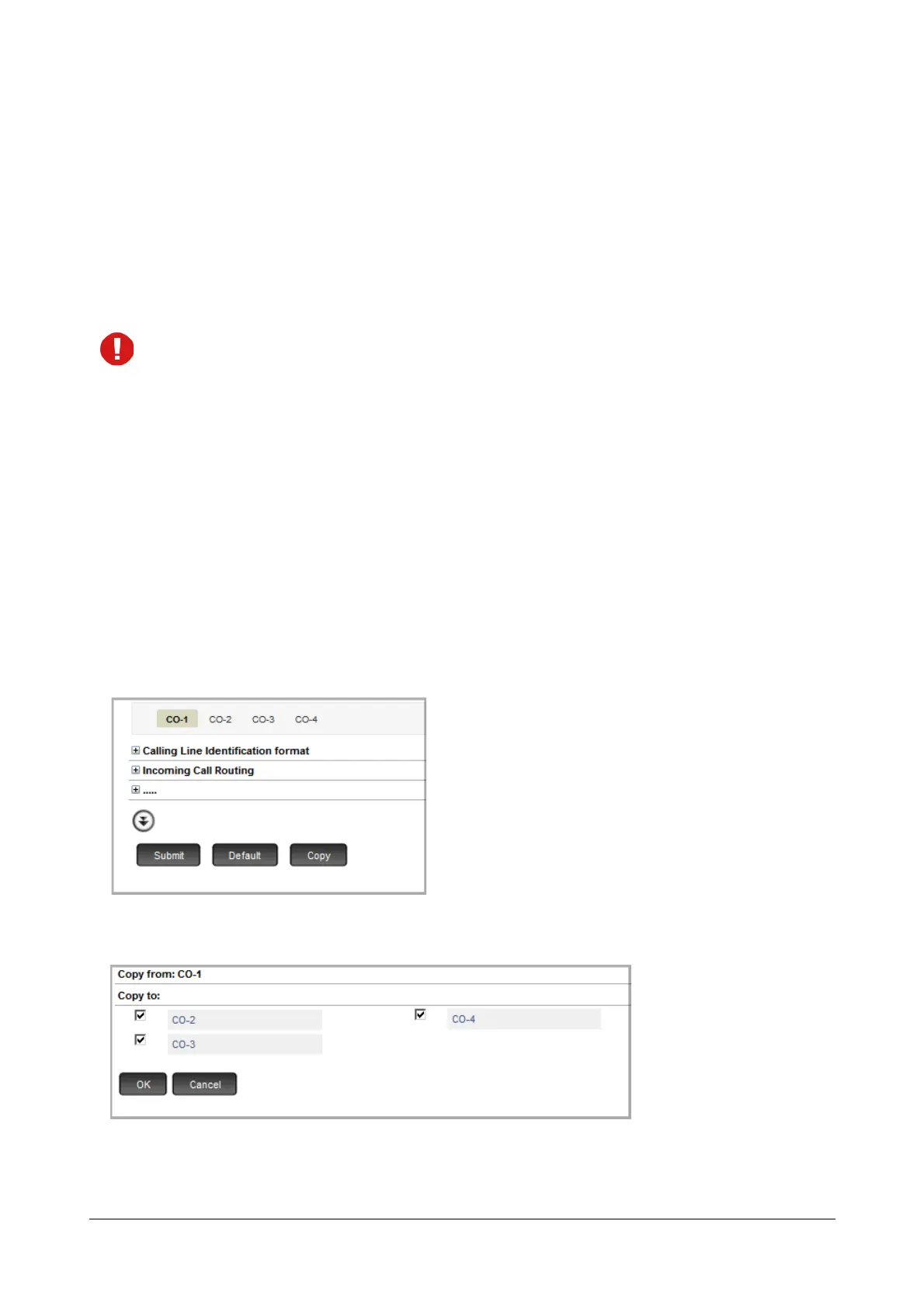
You may use the Copy button at the bottom of the page to apply the same CO Trunk settings you configured for the
current trunk to another CO Trunk. To do so,
• Click Copy.
The Copy page opens in another tab.
The copy page displays the number and/or name of the current trunk in Copy from:. It also lists the
numbers and/or names of the trunks to which you can copy the trunk settings under Copy To:.



 To Next Page