Matrix ETERNITY NE System Manual 307
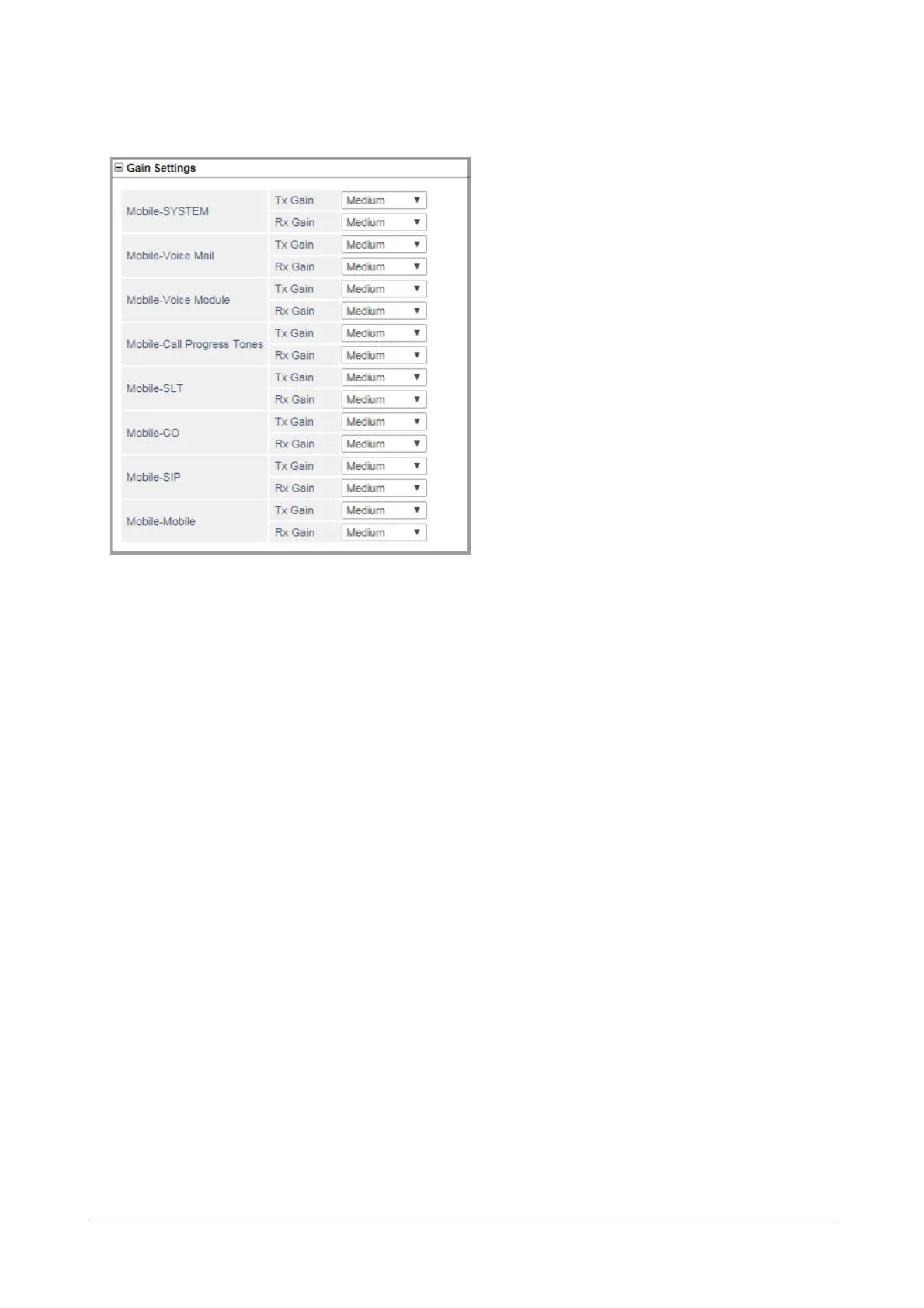
Gain Settings
•Click Gain Settings to expand. Configure the following Transmit and Receive Gain Settings.
• Mobile - System (Tx-Gain and Rx-Gain): Configure the Gain Settings that you want the system to
apply on the Mobile port with respect to the system (for example Call Conference). These will not be
applicable for any other port type. Valid Range for Tx Gain and Rx Gain is: Very Low, Low, Medium,
High, Very High. Default: Medium.
• Mobile - Voice Mail (Tx-Gain and Rx-Gain): Configure the Gain Setting that you want the system to
apply on the Mobile port when the incoming calls on the Mobile port are being answered by the VMS.
Valid Range for Tx Gain and Rx Gain is: Very Low, Low, Medium, High, Very High. Default: Medium.
• Mobile - Voice Module (Tx-Gain and Rx-Gain): Configure the Gain Settings that you want the system
to apply on the Mobile port when incoming calls are answered using Auto Attendant or Trunk Auto
Answer. Valid Range for Tx Gain and Rx Gain is: Very Low, Low, Medium, High, Very High. Default:
Medium.
• Mobile - Call Progress Tones (Tx-Gain and Rx-Gain): Configure the Gain Setting that you want the
system to apply on the Mobile port while playing Call Progress Tones. Valid Range for Tx Gain and Rx
Gain is: Very Low, Low, Medium, High, Very High. Default: Medium.
• Mobile - SLT (Tx-Gain and Rx-Gain): Configure the Gain Setting that you want the system to apply on
the Mobile Port when the Mobile Port is connected to any FXS Port of the system during an incoming or
outgoing call. Valid Range for Tx Gain and Rx Gain is: Very Low, Low, Medium, High, Very High.
Default: Medium.
• Mobile - CO (Tx-Gain and Rx-Gain): Configure the Gain setting that you want the system to apply on
the Mobile Port when the Mobile Port is connected to another CO Port of the system during an
incoming or outgoing call. Valid Range for Tx Gain and Rx Gain is: Very Low, Low, Medium, High, Very
High. Default: Medium.



 To Next Page