322 Matrix ETERNITY NE System Manual
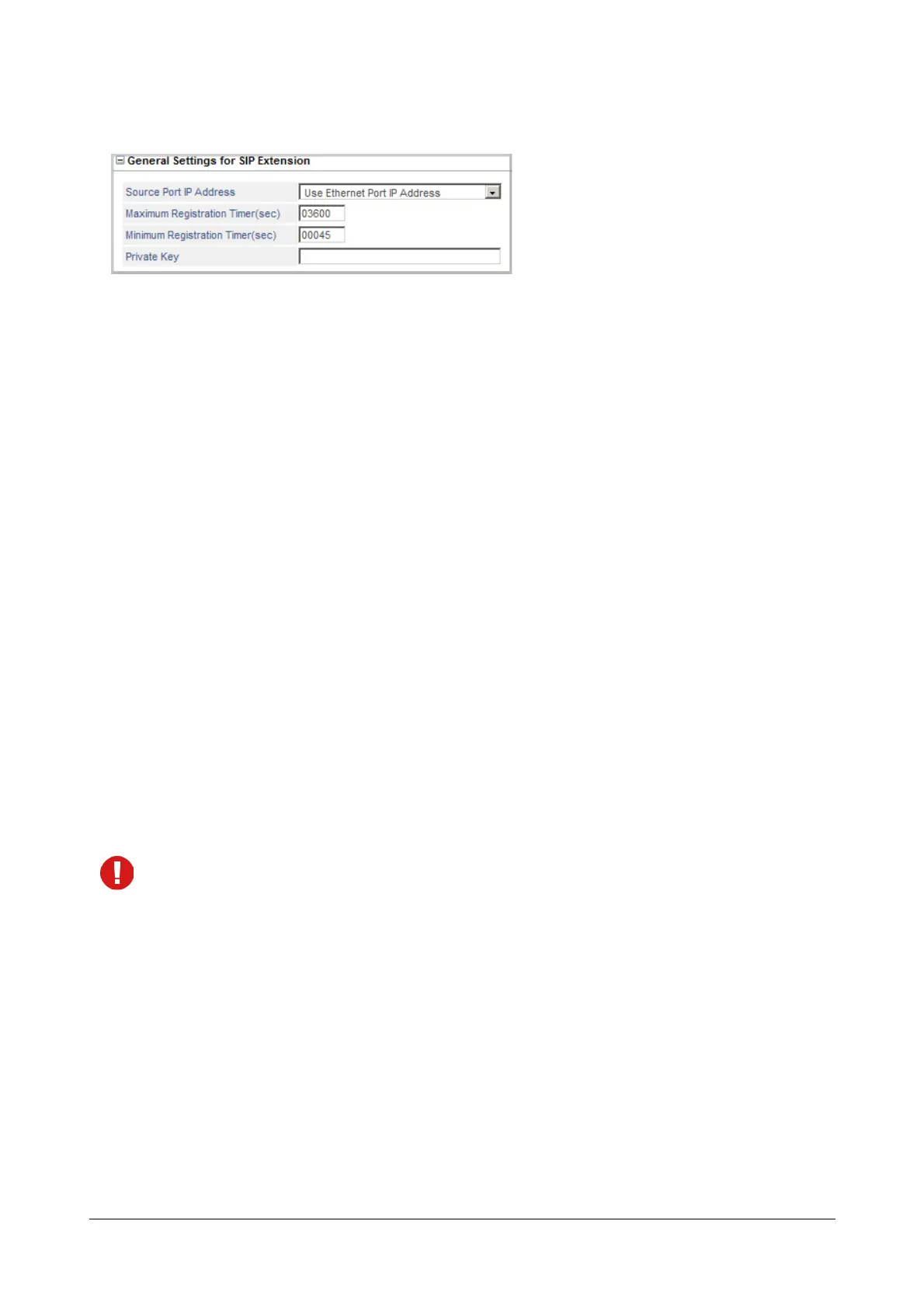
General Settings for SIP Extensions
If you are connecting SIP Extensions to SARVAM UCS, configure the following general parameters for SIP
extensions:
• Click General Settings for SIP Extensions to expand.
• Select the Source Port IP Address. This parameter specifies the NAT Traversal mechanism for SIP
messages. You can select any of these options:
• Use Ethernet Port IP Address: Select this parameter if your SARVAM UCS is directly connected to
the public IP network (not behind a NAT Router).
• Use Router's Public IP Address: Select this parameter if your SARVAM UCS is located behind a NAT
Router, and you have configured 'Router's Public IP Address' in the “Network Parameters”.
• Use IP Address fetched using STUN: Select this parameter if your SARVAM UCS is located behind a
NAT Router, and you have configured 'Use IP Address fetched using STUN' in the “Network
Parameters”.
• Set the Maximum Registration Timer (sec) to the desired value. This is the maximum expiry timer, which
SARVAM UCS will accept in the REGISTER request received. If the system receives more than this value,
the configured value will be sent in the SIP message. The same Timer is used to handle SUBSCRIBE
requests. The valid range of this timer is from 10 to 99999 seconds. Default: 03600 seconds.
• Set the Minimum Registration Timer (sec) to the desired value. This is the minimum expiry timer, which
the User Agent should send in its REGISTER request. If the expiry value in the REGISTER message is
less than this value, the request will be rejected. The valid range of this timer is from 10 to 99999 seconds.
Default: 00045 seconds.
The Timers will be applicable only after System Restart.
• Enter the Private Key. It may consist of a maximum of 24 characters (all ASCII characters allowed).
Default: Blank.
Private key is a security mechanism used by SARVAM UCS to authenticate SIP messages. It is the MD5
authentication key used by the system to encrypt/decrypt the SIP messages.
• Click Submit to save your VoIP port settings.



 To Next Page