28 Matrix ETERNITY NE System Manual
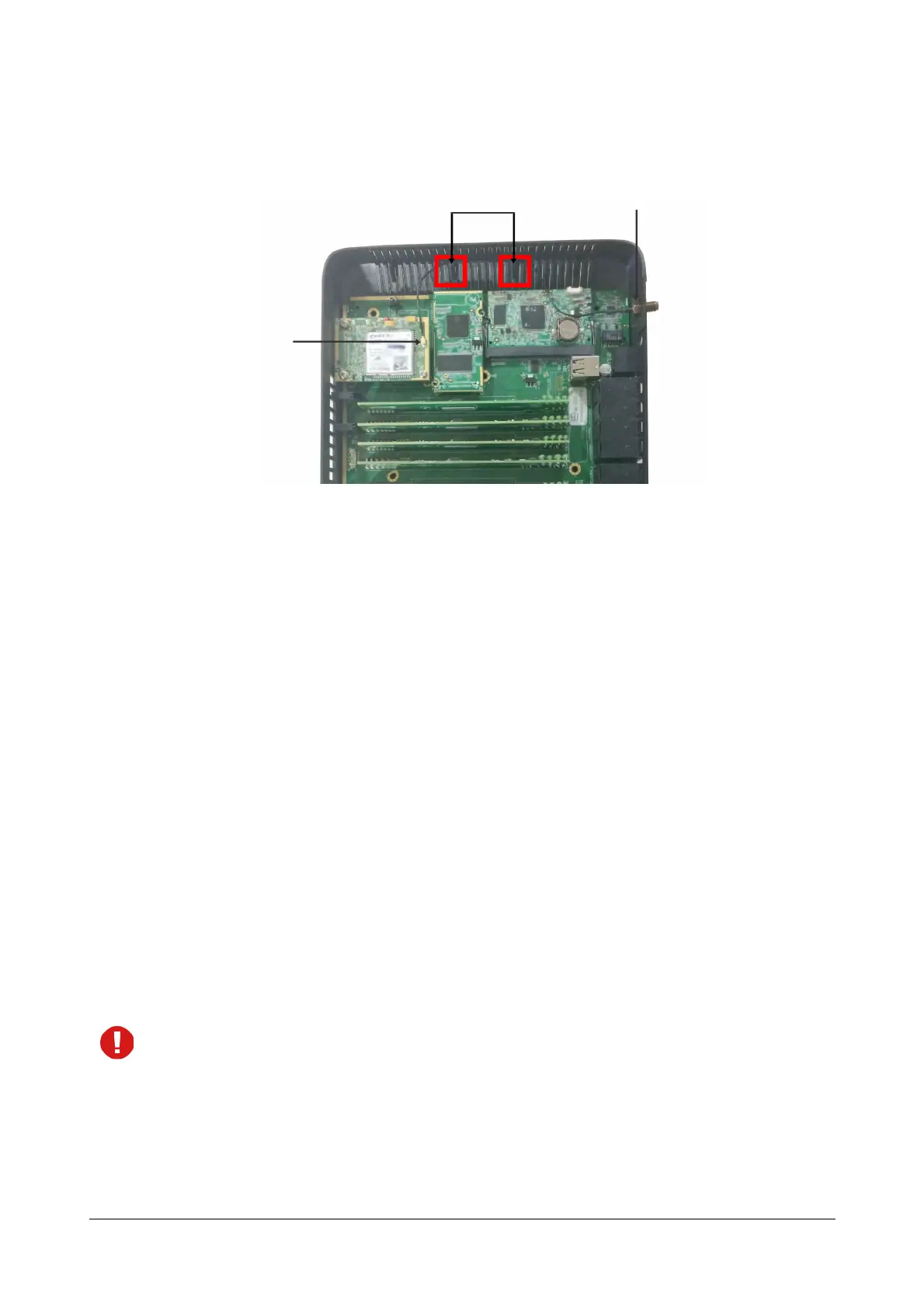
• Fix the antenna wire in the clamp and route the cable carefully to the GSM/UMTS/LTE module. Press the
antenna wire connector onto the patch antenna connector on the GSM/UMTS/LTE Module as shown
below.
• Similarly, you can install another GSM/UMTS/LTE module.
• If you do not want to install any other module, replace the top cover and secure the cover with the screws.
Personal Identification Number (PIN)
The SIM Cards can be protected from unauthorized use with a Personal Identification Number (PIN) on the SIM.
• Get the SIM Card from the GSM service provider of your choice ready.
• Protect the SIM Card from unauthorized use with a Personal Identification Number (PIN) on the SIM (in
consultation with the customer/owner of the SIM).
SIM PIN Protection
To enable SIM PIN protection,
• get a mobile handset. Insert the SIM Card into the mobile handset.
• from the mobile handset, enable PIN Protection.
• change the SIM PIN to 1234 (this is the default PIN for both SIM Cards used in the system). You can
change this SIM PIN later from ETERNITY NENX when configuring the Mobile Port.
• remove the SIM Card from the mobile handset.
If you do not want to use PIN protection, insert the SIM Card in the mobile handset and disable PIN
protection. Remove the SIM Card from the mobile handset and insert it in the Mobile Port of the
ETERNITY NENX.
• insert the SIM into the SIM slot of ETERNITY NENX, with its contact side facing up.
• push the SIM backwards into the slot. The SIM will be locked inside the slot.
Antenna wire connector
connected to Patch antenna
connector
Wire Clamp
Antenna Holder



 To Next Page