Matrix ETERNITY NE System Manual 401
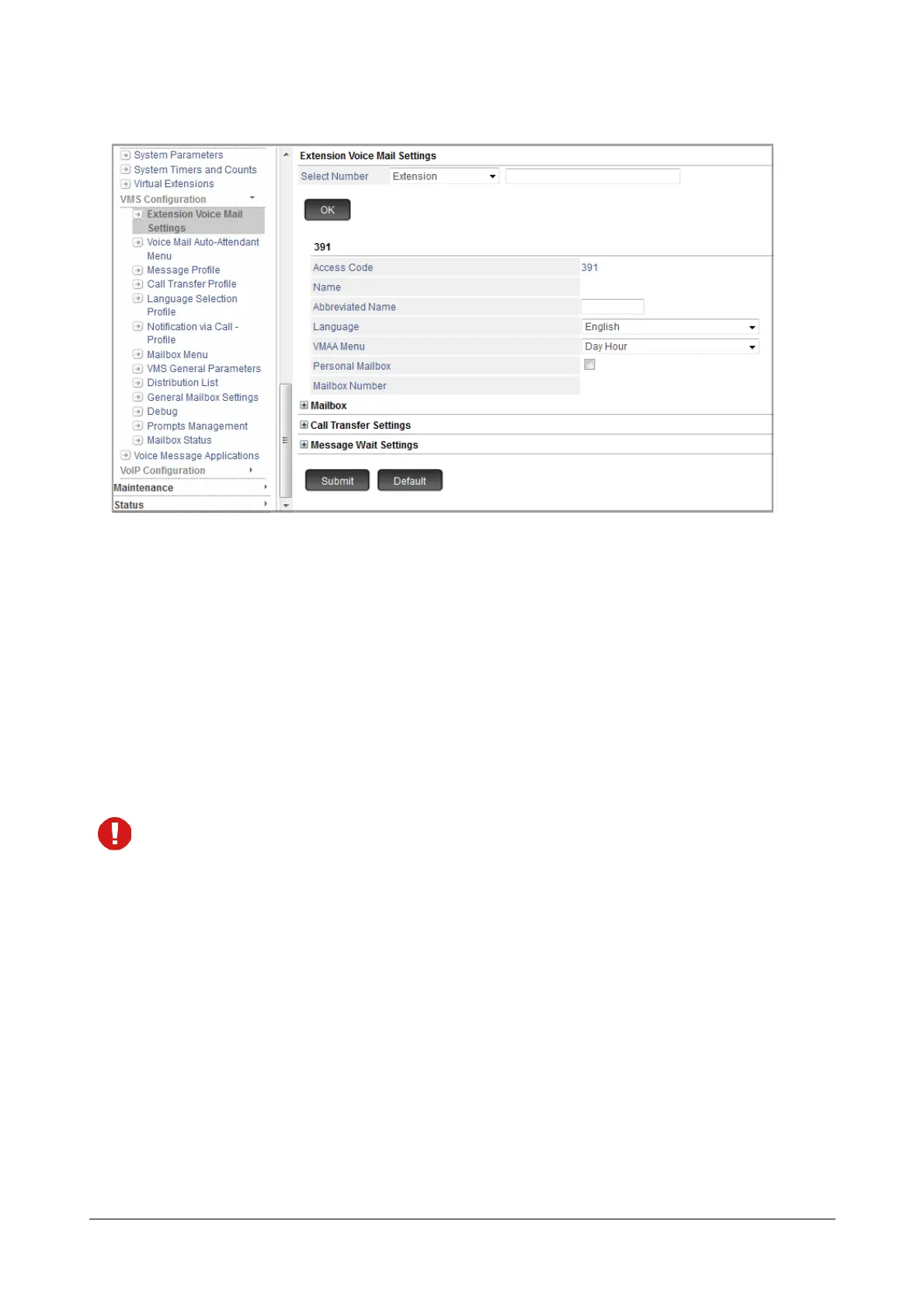
• Access Code: The Access Code of the respective Extension, Department Group or General Mailbox is
displayed as a status.
• Abbreviated Name: You may configure the abbreviated name for the respective Extension or
Department Group. It must be a minimum of 3 alphabetic characters and a maximum of 8 alphabetic
characters.
Abbreviated Name is applicable when you use Dial by Name feature to transfer the call to any
extension using VMAA Menu. For details, refer “Dial By Name”.
• Language: Select the Language which you want the system to use when accessing the Personal
Mailbox. The languages displayed as options in the drop down list is as per the Supported VMS
Language you configure in VMS General Settings.
All the prompts related to Personal Mailbox will be played in the language you select here.
• Department Group Mailbox: Select the Department Group Mailbox Number which you want to assign
to the respective Extension. You may select None or the Department Group Mailbox Number. The
system will allow the access to the department group mailbox you select here.
If you select None, the department group mailbox will not be accessible by the Extension even if the
Extension is a member of the Department Group.
• VMAA Menu: Select the VMAA Menu Number which you want to assign to the respective Extension or
Department Group. For more information, see “Voice Mail Auto Attendant Menu”.
• Personal Mailbox: Keep the check box enabled if you want to assign the Personal Mailbox to the
respective Extension, Department Group or General Mailbox. It allows you to access your Personal
Mailbox.
For Extension and Department Group:
If you disable the check box, the Personal Mailbox will not be assigned and the system will not allow
you to access your Personal Mailbox.



 To Next Page