Matrix ETERNITY NE System Manual 413
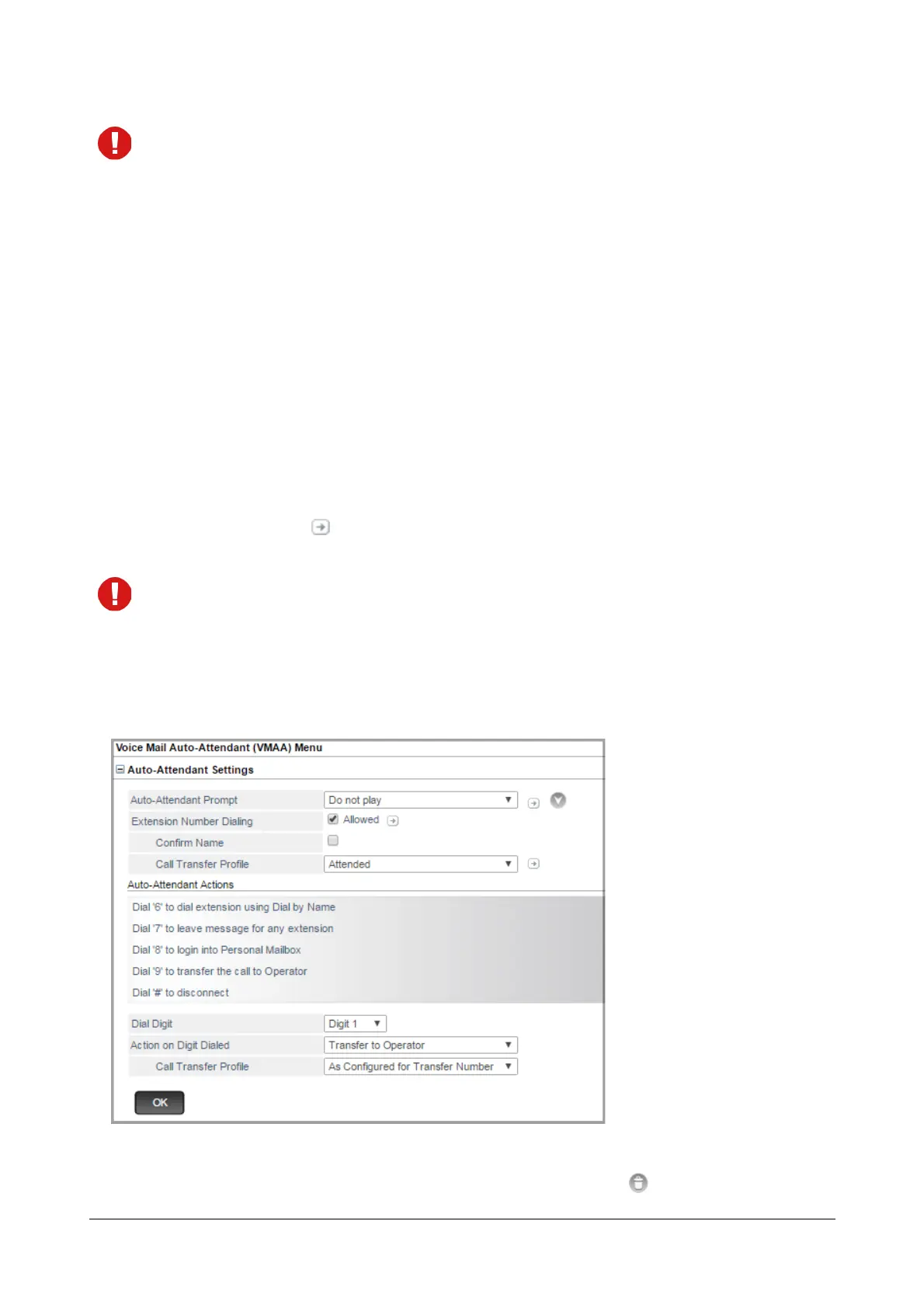
The options — Confirm Name and Confirm Name Prompt are only applicable when Extension Number
Dialing is enabled.
•In Call Transfer Profile, select the desired Call Transfer Profile you want the system to use. Make
sure you have configured the parameters for this profile. By default, As configured for Dialed
Extension is selected.
• Select As configured for Dialed Extension if you want the VMS Auto Attendant to use the Call
Transfer Profile which is assigned to the dialed extension.
• Select Wait for Ring if you want the VMS Auto Attendant to wait for the extension to start
ringing and then transfer the call.
• Select Blind if you want the VMS Auto Attendant to transfer the call on the extension without
checking whether it is busy or free.
• Select Attended if you want the VMS Auto Attendant to transfer the call when the extension
answers (goes OFF-Hook).
Click Settings to configure the parameters of the selected profile. For more information, see
“Call Transfer Profile”.
When the Call Transfer Profiles are added, or any existing profile is edited, these changes will be reflected
in the options displayed.
Auto-Attendant Actions
The default Auto-Attendant actions taken by the system, when there is an incoming trunk call on the VMS are
displayed here.
You may add a new action, edit or delete the default actions.
To delete an Auto-Attendant action, mouse over on the respective action and click .



 To Next Page