448 Matrix ETERNITY NE System Manual
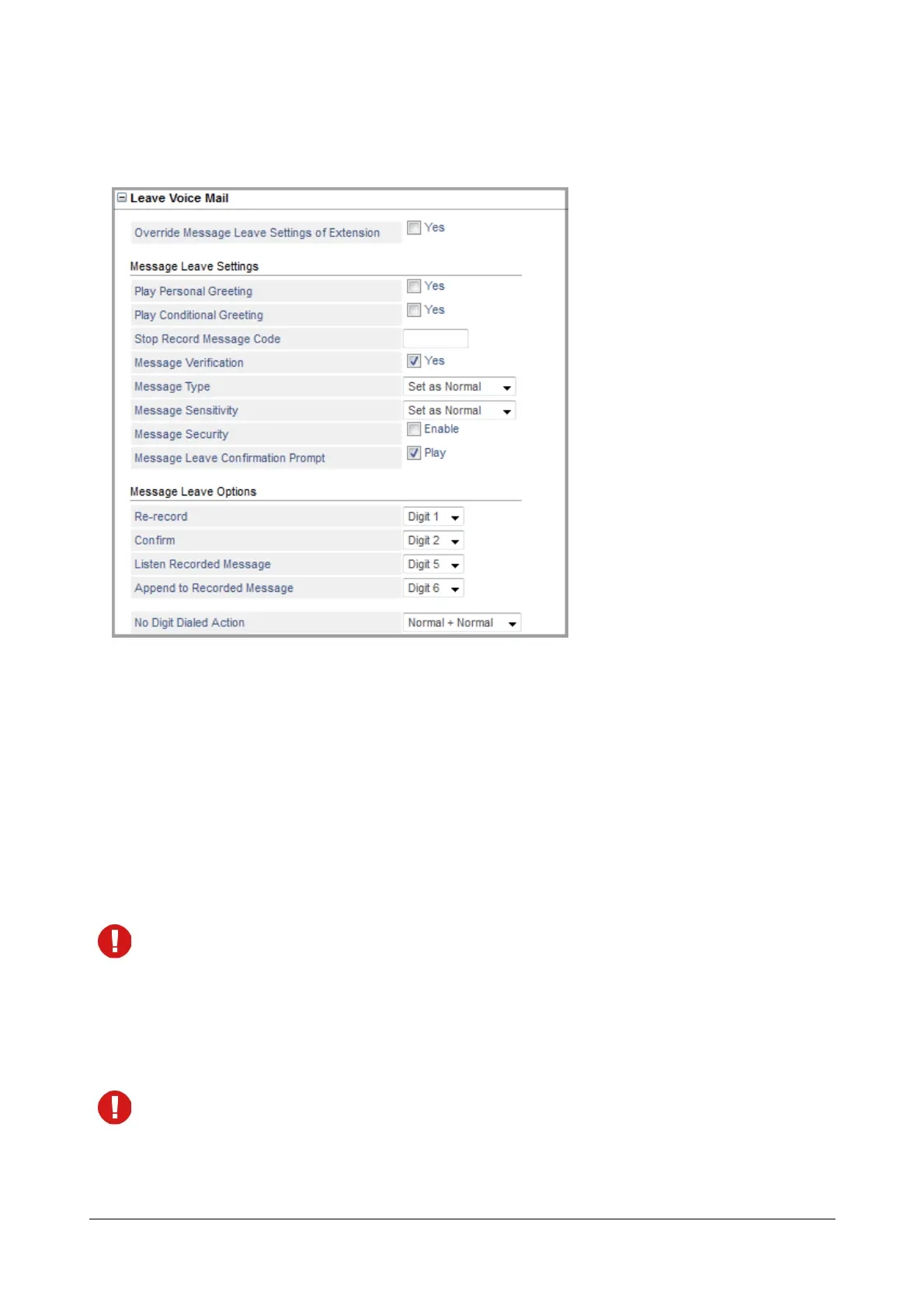
Leave Voice Mail
This option is applicable only if you select None as the Call Transfer Type.
• Select the Override Message Leave Settings of Extension check box, if you want the system to apply
the Leave Voice Mail Settings configured on this page.
Clear the check box, if you want the system to apply the Leave Voice Mail settings configured for the
extension.
Message Leave Settings
Message Leave Settings allows you to configure the settings for the messages you receive from the caller i.e the
message left for you by the caller.
• Select the Play Personal Greeting check box to allow the personal greetings to be played to the caller.
If the personal greeting is not recorded or is unavailable, no prompt will be played.
Personal Greetings will not be applicable if your mailbox is defined as the destination for Call Tapping or
Conversation Recording messages.
• Select the Play Conditional Greeting check box to allow the conditional greetings to be played to the
caller.
If the conditional greeting is not recorded or is unavailable, no prompt will be played.
Conditional Greeting will be applicable only if your mailbox is defined as the destination for Call Transfer
Unsuccessful.



 To Next Page