Matrix ETERNITY NE System Manual 459
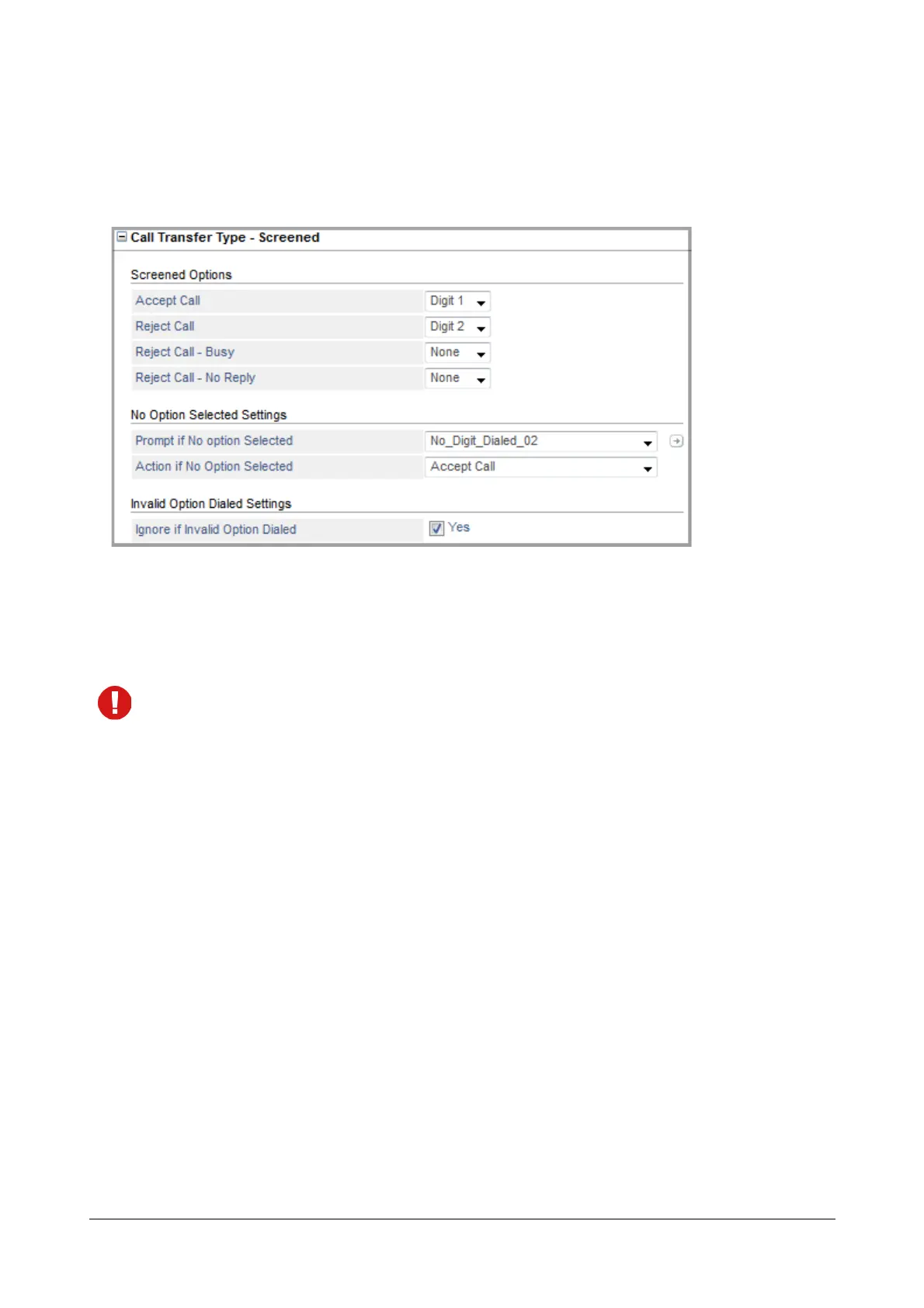
Call Transfer Type -Screened
Screened Transfer is when the VMS connects the caller to the transfer number after confirmation from the transfer
number. If you have selected Call Transfer Type as Screened, you may customize the Call Transfer Type -
Screened parameters as per your requirement.
Screened Options
The system will play Screened Options — Accept Call, Reject Call, Reject Call - Busy, Reject Call - NoReply — to
the caller. You can assign the Digits (0-9, *, # or None) to each of the options.
Make sure you do not assign the same digit to multiple options.
The digit you configure will be played as the digit to be dialed by the caller to select the respective option. The
options will be played in the sequence — 1-9, 0, *, #. The option for which the Digit selected is None will not be
played.
After the digits have been assigned, the system will proceed further as per the options selected by you. Brief
description of each option is explained below:
• Accept Call - When this option is selected, the system will transfer the call to the desired number.
• Reject Call - When this option is selected, system will consider it as Call Transfer Unsuccessful -
Unconditional and process the call further as per the settings of “Call Transfer Unsuccessful -
Unconditional”.
• Reject Call - Busy - When this option is selected, system will consider it as Call Transfer Unsuccessful -
Busy and process the call further as per the settings of “Call Transfer Unsuccessful - Busy”.
• Reject Call - No Reply - When this option is selected, system will consider it as Call Transfer Unsuccessful
- No Reply and process the call further as per the settings of “Call Transfer Unsuccessful - No Reply”.
No Option Selected Settings
While the Screened Options are being played, if the caller does not select any options, the following parameters will
be applicable.
•In Prompt if No Option Selected, select the prompt you wish to play to the caller, if no Screened Option is
selected by the caller.



 To Next Page