Matrix ETERNITY NE System Manual 471
Disconnect
Assign a digit for this option if you want the system to provide the option to disconnect the call.
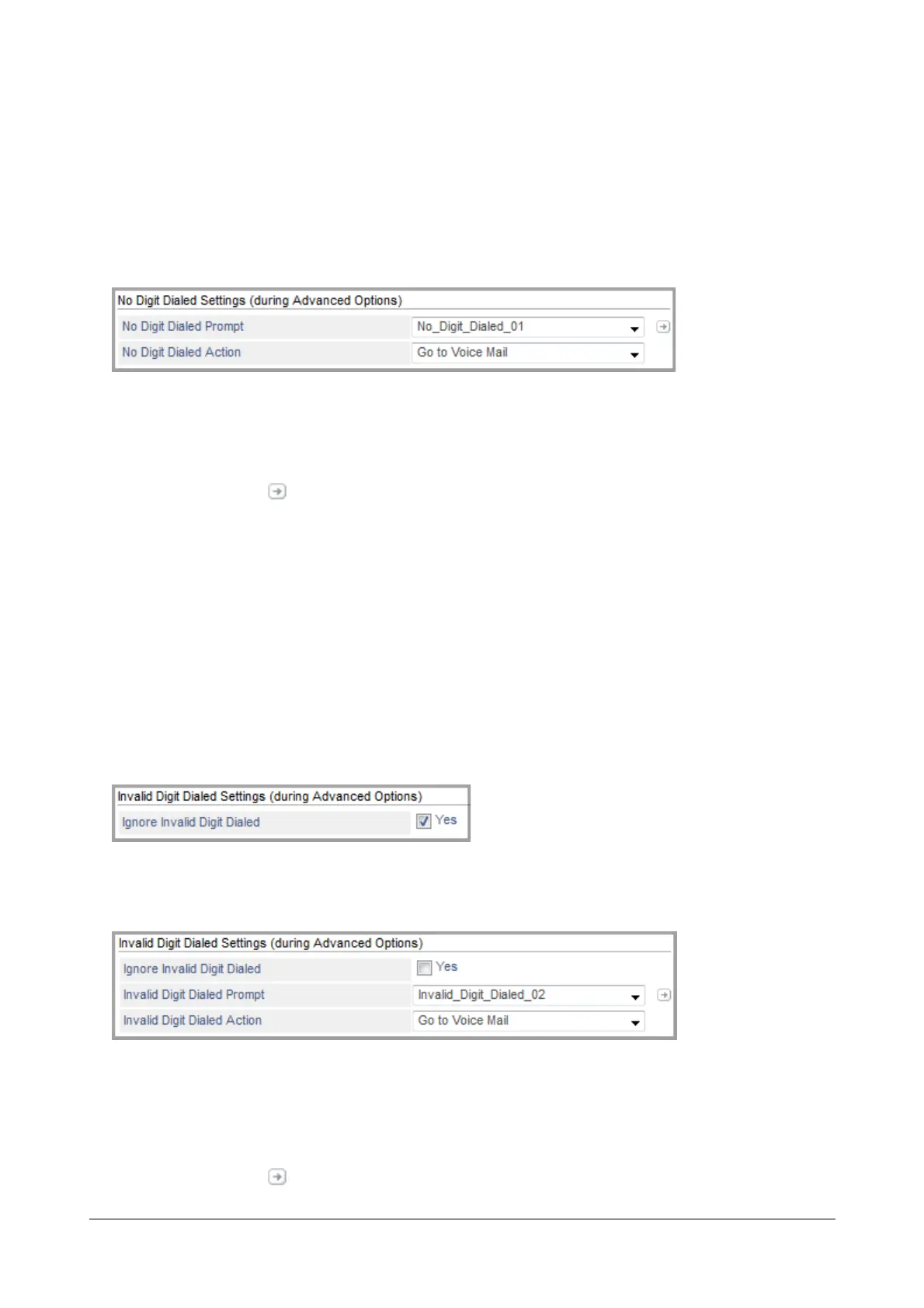
No Digit Dialed Settings (during Advanced Options)
No Digit Dialed Settings are applicable when caller has not dialed the extension number and the first digit wait timer
has expired.
•In No Digit Dialed Prompt, select the prompt which you wish to play when caller has not dialed any digit.
Select None, if you do not wish to play any prompt.
• Click Settings . The Prompts Management page opens.
You may add a new prompt from here. For further details, see “Prompts Management”.
Once the files are uploaded these appear as options for No Digit Dialed Prompt.
•In No Digit Dialed Action, you can select — Disconnect, Go to Voice Mail, Transfer to Operator, Transfer
to Assistant, Transfer to Alternate Number, Go to Main Menu, Go to Previous Menu, Stay on Hold.
Refer to the details given above under “Advanced Options”.
Invalid Digit Dialed Settings (during Advanced Options)
Invalid Digit Dialed Settings are applicable when caller has dialed an invalid digit — a digit which is not configured
as the Advanced Options.
• Clear the Ignore Invalid Digit Dialed check box, if you do not want the system to ignore the invalid digit
dialed and prompt the caller for the same. By default, it is enabled.
•In Invalid Digit Dialed Prompt, select the prompt which you wish to play when the caller has dialed an
invalid digit.
Select None, if you do not wish to play any prompt.
• Click Settings . The Prompts Management page opens.



 To Next Page