Matrix ETERNITY NE System Manual 491
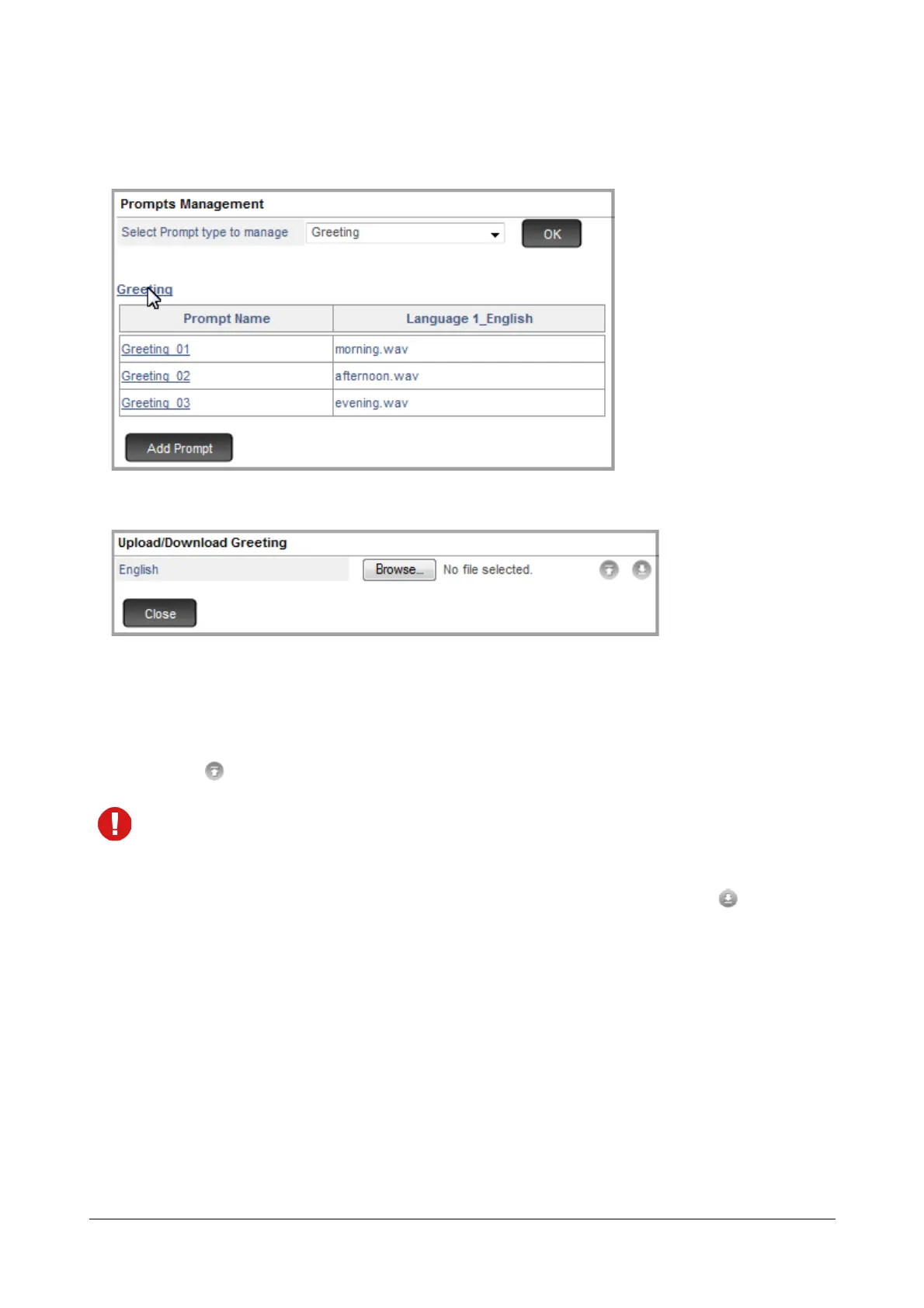
To Upload or Download the entire Prompt Type folder,
• Click on Prompt Type.
The Upload/Download Prompt Type Window opens.
• The language-wise folders will be displayed.
• Click the Browse button of the desired language to reach the location on the local disk where the
respective prompt folder is stored in your PC.
• Click to upload.
Make sure, the file to be uploaded is a zip file.
The filename can be a maximum of 64 characters.
The allowed characters for the filename are A to Z, a to z, 0 to 9, - and _.
To download all the prompts of the respective prompt type and language selected, click .



 To Next Page