Matrix ETERNITY NE System Manual 503
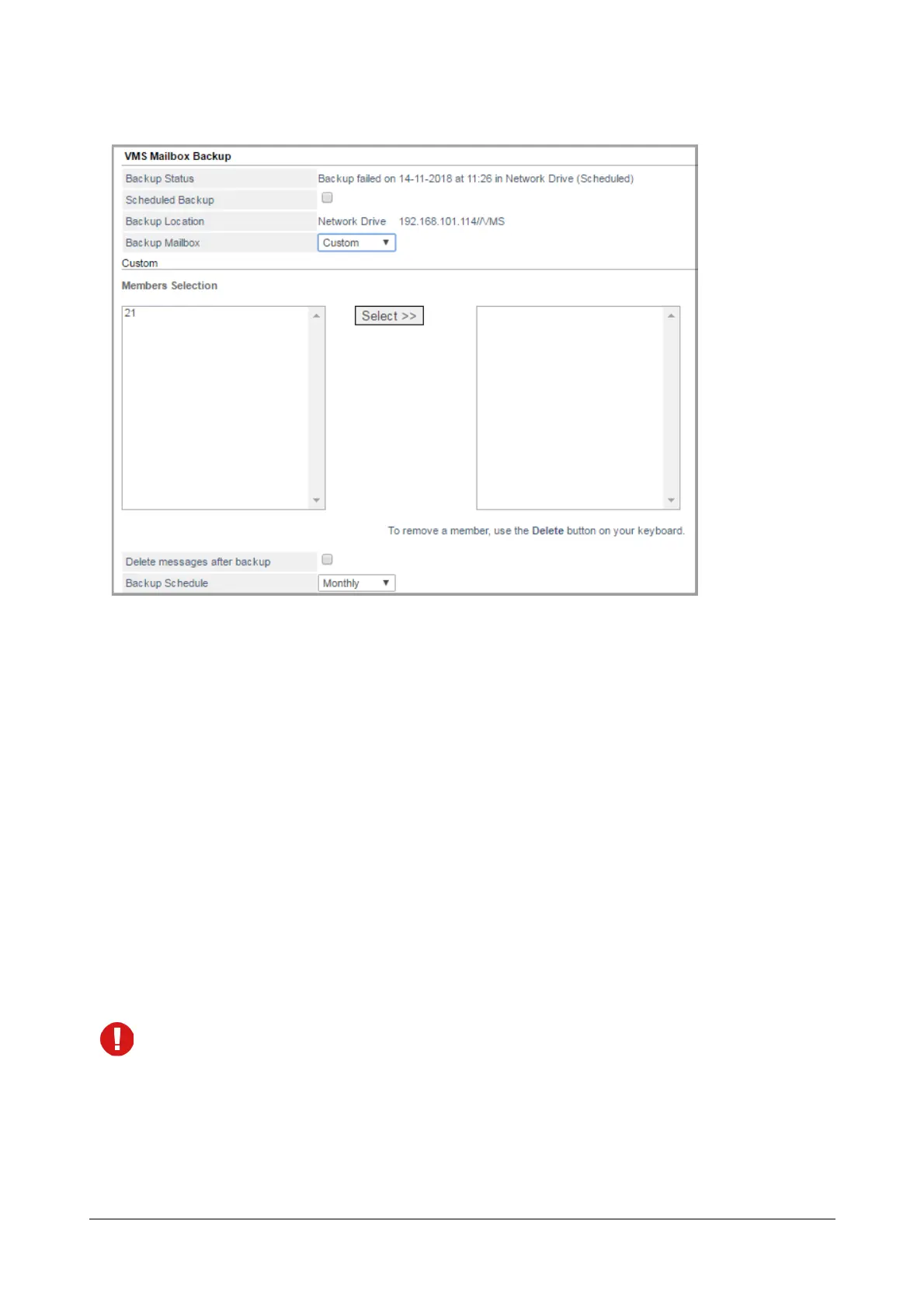
• To backup voicemail of randomly selected extensions from the list, select Custom.
• Select the required Extension numbers, Department Group or General mailbox from the Member
Selection list and click Select. The selected mailboxes will be displayed on the right side panel.
• To remove a selected member, click on the desired extension on the right side panel and press
Delete key on your keyboard.
• Select the Delete messages after backup check box if you want the system to delete the respective
extension/s voicemail messages after their backup has been stored on the network drive.
• To set an automatic Backup Schedule, select the desired option — Hourly, Daily, Weekly or Monthly.
Voicemail Backup will be taken only when the System’s time matches with the configured time in the
Backup Schedule.
To receive Backup Notification, configure the following:
• You will receive Backup Notification only if this check box is enabled. By default, it is disabled.
• If you have opted for Backup Notification, then enter the desired email id in Notification E-mail Address
to which the notification should be sent.
Voicemail Backup E-mail notification will be sent only when SMTP account is configured in System Log
Notification. For instructions, see “System Log Notification” and “SMTP Settings”.
•In Notification on Backup Status, select the desired status for which you require notification — Failure,
Success or Success + Failure. By default, Failure is selected.



 To Next Page