504 Matrix ETERNITY NE System Manual
•In Notification Text: Success, enter the text you would like to receive as subject line in email when the
Voicemail Backup has been successful. By default, the text is Voicemail Backup completed
successfully on <date> at <time>.
•In Notification Text: Failure, enter the text you would like to receive as subject line in email when the
Voicemail Backup has failed. By default, the text is Voicemail Backup failed on <date> at <time>.
Date-Time will be replaced with the date and time of the system when manual/scheduled Voicemail Backup
was taken.
Manual Backup
If the Network drive is not configured, then Manual Backup option will not be displayed.
To take the Voicemail backup manually,
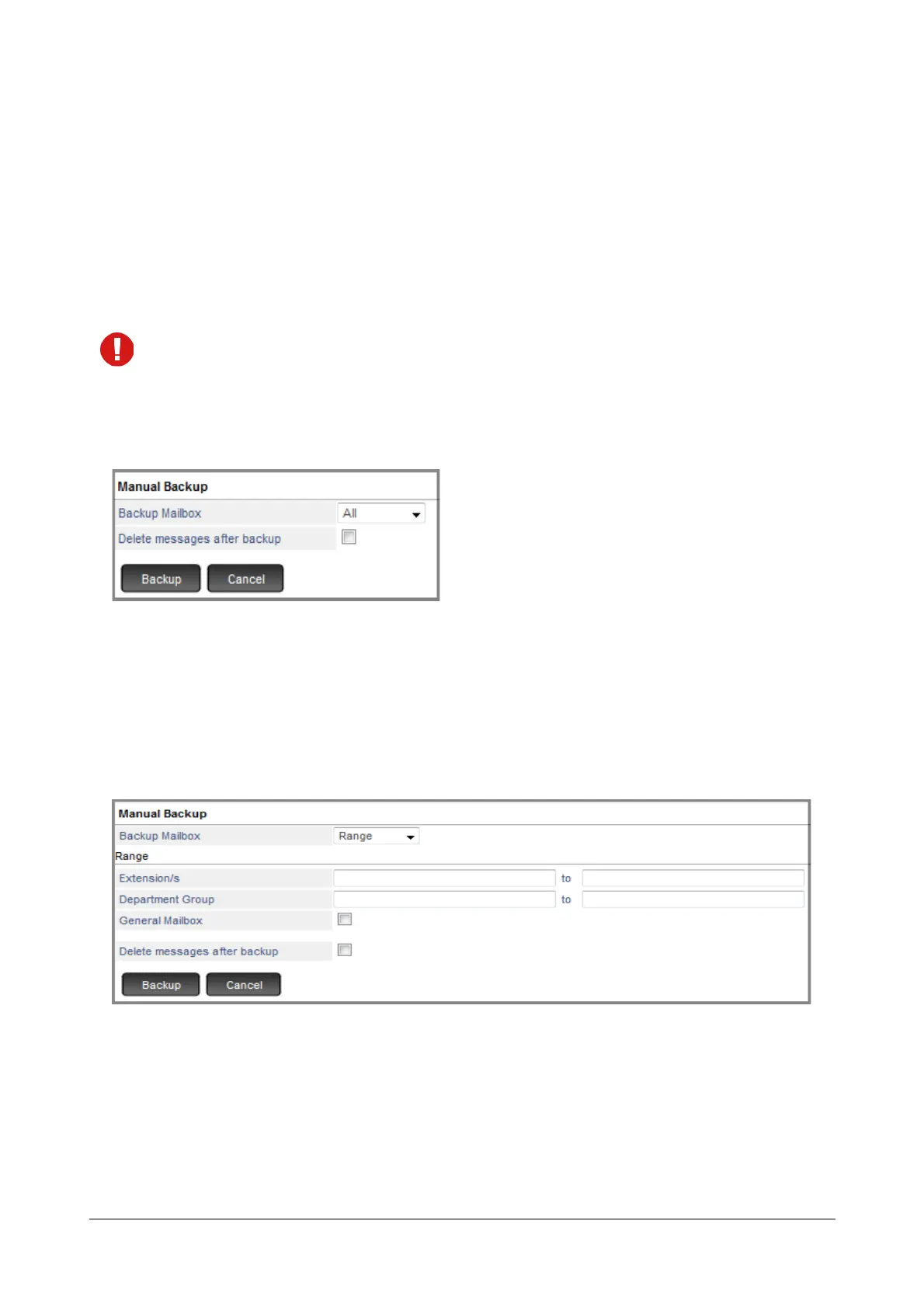
• Click on Manual Backup button. A new window for Manual Backup is opened.
• Backup Mailbox allows you to select the mailbox/es for which the backup needs to be taken.
• To backup voicemail of all extensions, select All Extensions. This would take the backup of all
mailboxes — Extensions, Department Groups and General mailbox. By default, All option is selected.
• To backup voicemail of a single extension, select Extension. Enter the Extension Number/Name and
then select the same from the drop down list.
• To backup voicemail of multiple extensions in sequence, select Range.
• To backup voicemail of a range of Personal mailboxes, enter the starting and ending Extension
Numbers and then select the same from the drop down list.
• To backup voicemail of a range of Department Group mailboxes, enter the starting and ending
Department Group Numbers and then select the same from the drop down list.
• To backup voicemail of the General Mailbox, enable this check box.



 To Next Page