Matrix ETERNITY NE System Manual 505
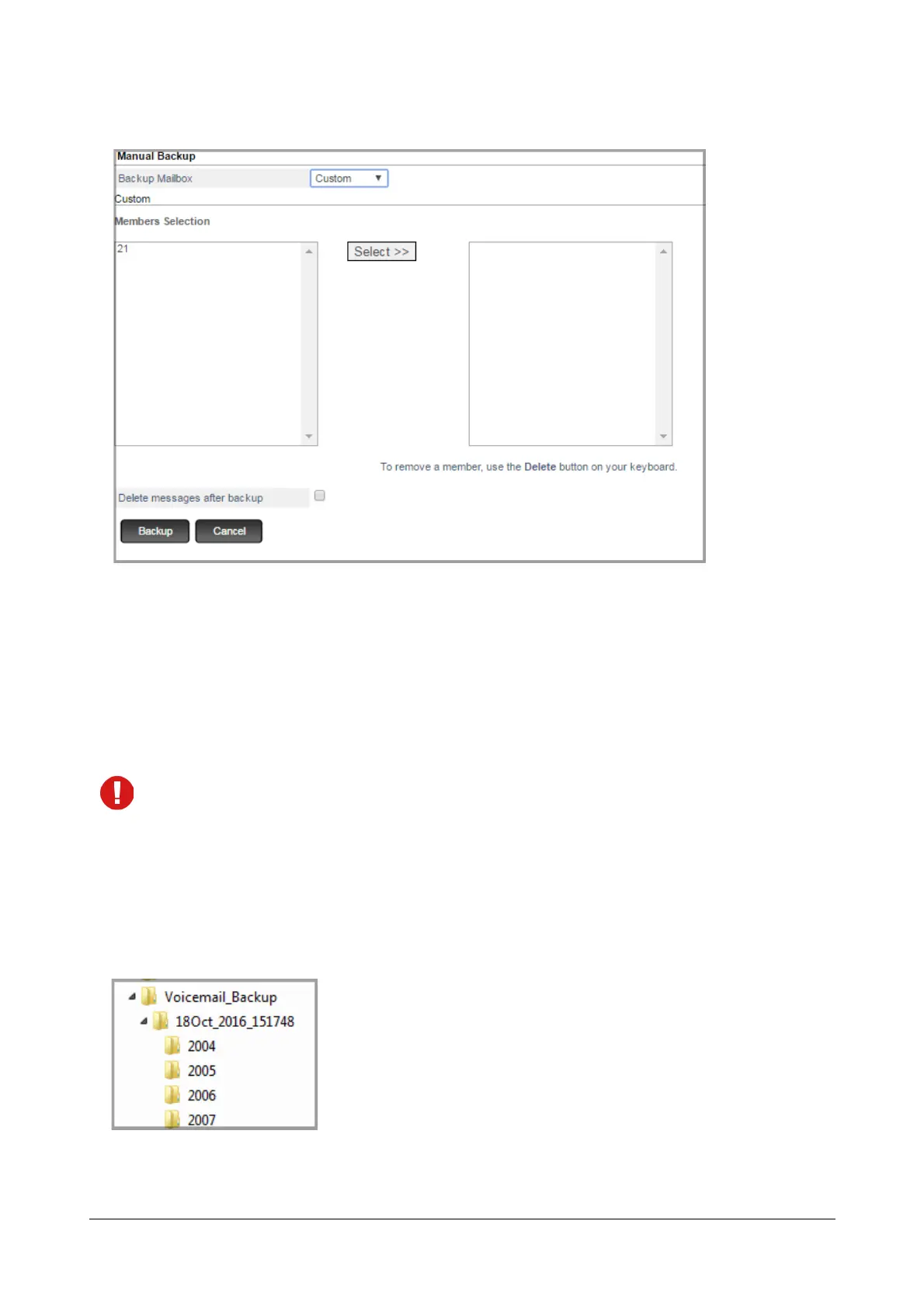
• To backup voicemail of randomly selected extensions from the list, select Custom.
• Select the required Extension numbers, Department Group or General mailbox from the Member
Selection list and click Select. The selected mailboxes will be displayed in the right-side panel.
• To remove a selected member, click on the desired extension in the right-side panel and press
Delete key on your keyboard.
• Select the Delete messages after backup check box if you want the system to delete the respective
extension/s voicemail messages after their backup has been stored on the network drive.
If you click Backup and a Scheduled Backup is in progress, then Manual Backup will not be taken and an
error is displayed.
Folder Structure
The Voicemail Backup of the respective Extension/s will be stored in the Shared Folder you configure in Network
Drive Settings.
The folder structure will be as shown below:
The Voicemail_Backup folder consists of the folders with the folder names defined as per the Date and Time of
the backup.



 To Next Page