Matrix ETERNITY NE System Manual 527
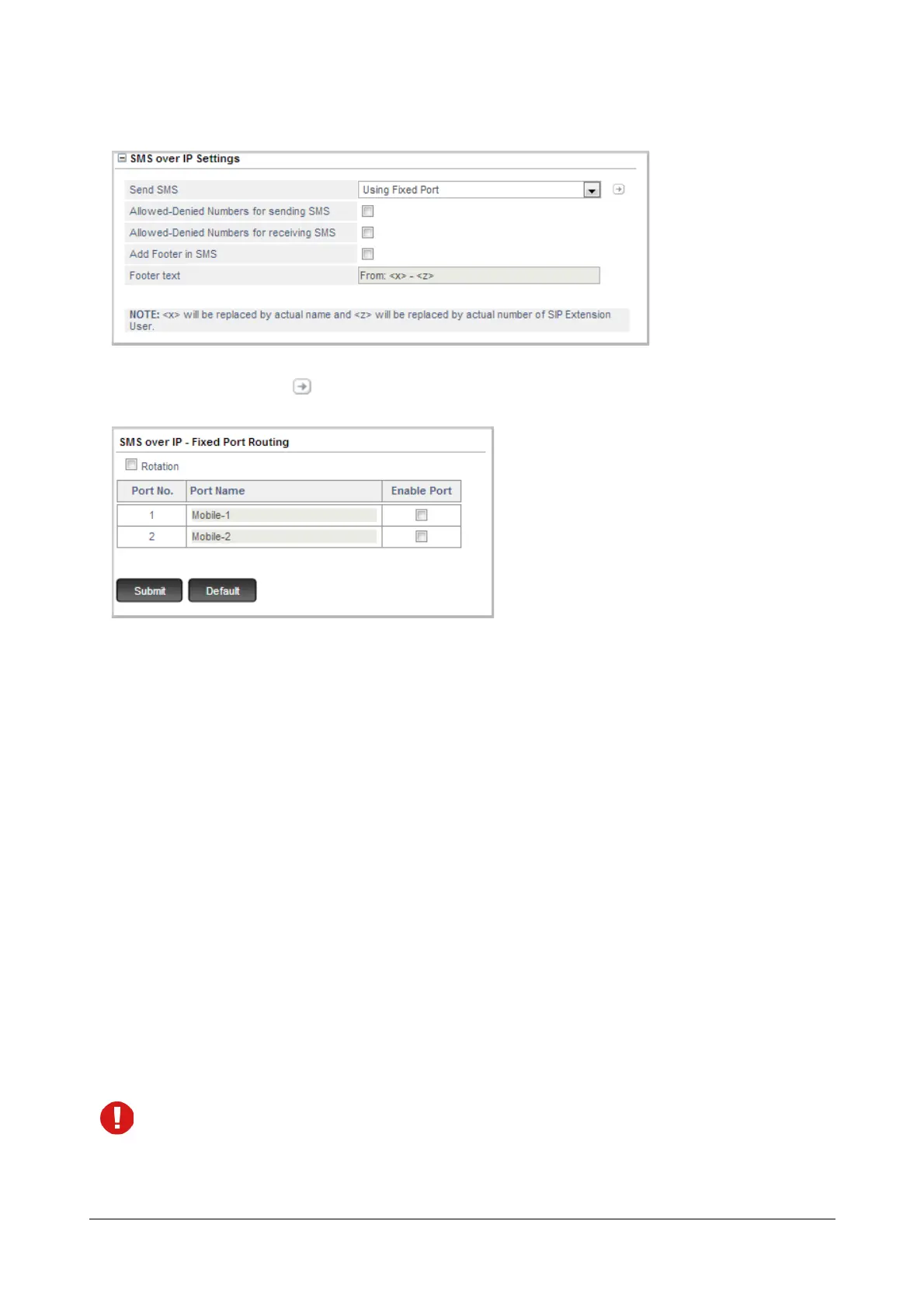
• As the Send SMS option select Using Fixed Port.
• Click on Settings . The SMS over IP-Fixed Port Routing table opens.
• Configure the following parameters:
• Rotation: By default, all the messages will be sent using the first Mobile Port enabled by you.
Select the Rotation check box, when you want the first SMS to be sent through the first Mobile
Port, the second SMS through the second Mobile Port and so on. For example, if there is a request
to send 7 SMS. Then, the first SMS will be sent through MOB Port 1, second SMS through MOB
Port 2, third SMS through MOB Port 1, fourth SMS through MOB Port 2 and so on.
If the Rotation check box is cleared, all the SMS will be sent using the Mobile Port enabled by you.
For example, if there is a request to send 5 SMS. Then, all the SMS will be sent through MOB Port
1 only.
• Port No.: This is the Mobile Port number.
• Port Name: This is the name assigned to the Mobile Port. This will be displayed only if you have
assigned a name to the Mobile Port on the Mobile Port Parameters page. See “Mobile Trunks”.
• Enable Port: Select the Enable check box corresponding to the Mobile Port you want to use for
sending the SMS.
• Click Submit.
Make sure that you have selected the Send SMS check box for this Mobile Port. See “Mobile Trunks”.



 To Next Page