Matrix ETERNITY NE System Manual 535
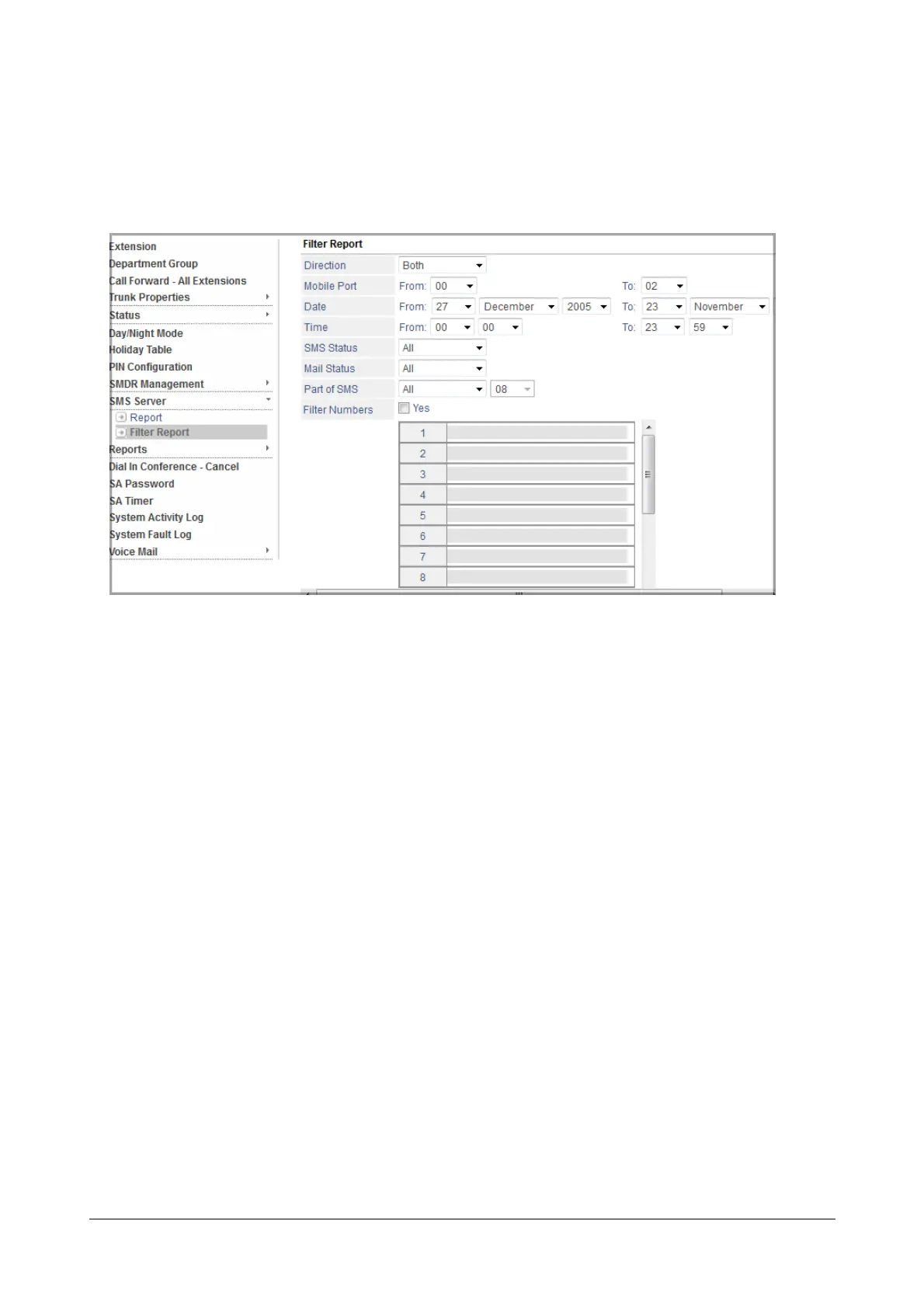
• Click SMS Server to expand.
Settings Report Filters
• Under SMS Server, click Filter Report to set the various filters as per your requirement:
• Select the Direction. You can select SMS to Email or Email to SMS or Both.
• Select the Mobile Port/s using which the SMS are sent/received. You can select the desired range in
the From and To fields.
• Select the Date during which the SMS/Emails are sent/received.You can select the desired range in
the From and To fields.
• Select the Time duration during which the SMS/Emails are sent/received.You can set the desired
range in the From and To fields.
• Select the type of SMS Status. You can select from the following:
•All
• Pending
• Sent
• Delivered
• Not Delivered
• Received
•Failed
• Select the type of Mail Status. You can select from the following:
•All
• Sent
• Received
• Pending
•Failed



 To Next Page