Matrix ETERNITY NE System Manual 567
Enable the part of the Global Directory you want to assign to the extension in its Class of Service.
By default, Global Directory Part 1 is allowed to all extensions in their CoS.
• Click Submit.
• If Global Directory Part 1, 2 or 3 is assigned to an extension user, SARVAM UCS will not check for Toll
Control.
• When you assign Global Directory Programming to a SIP extension user, the user can configure any
number in Global Directory Part 1, this includes numbers denied to the extension user in the Call
Privilege defined in the Toll Control level of this extension user.
• Since the system does not check for Toll Control for numbers dialed out from Global Directory Part 1,
there is a possibility of extension users configuring numbers not allowed to them in their Toll Control
level in the Global Directory Part 1, inadvertently or intentionally.
• Hence, the System Engineer is advised to exercise caution when allowing this feature to SIP extension
users.
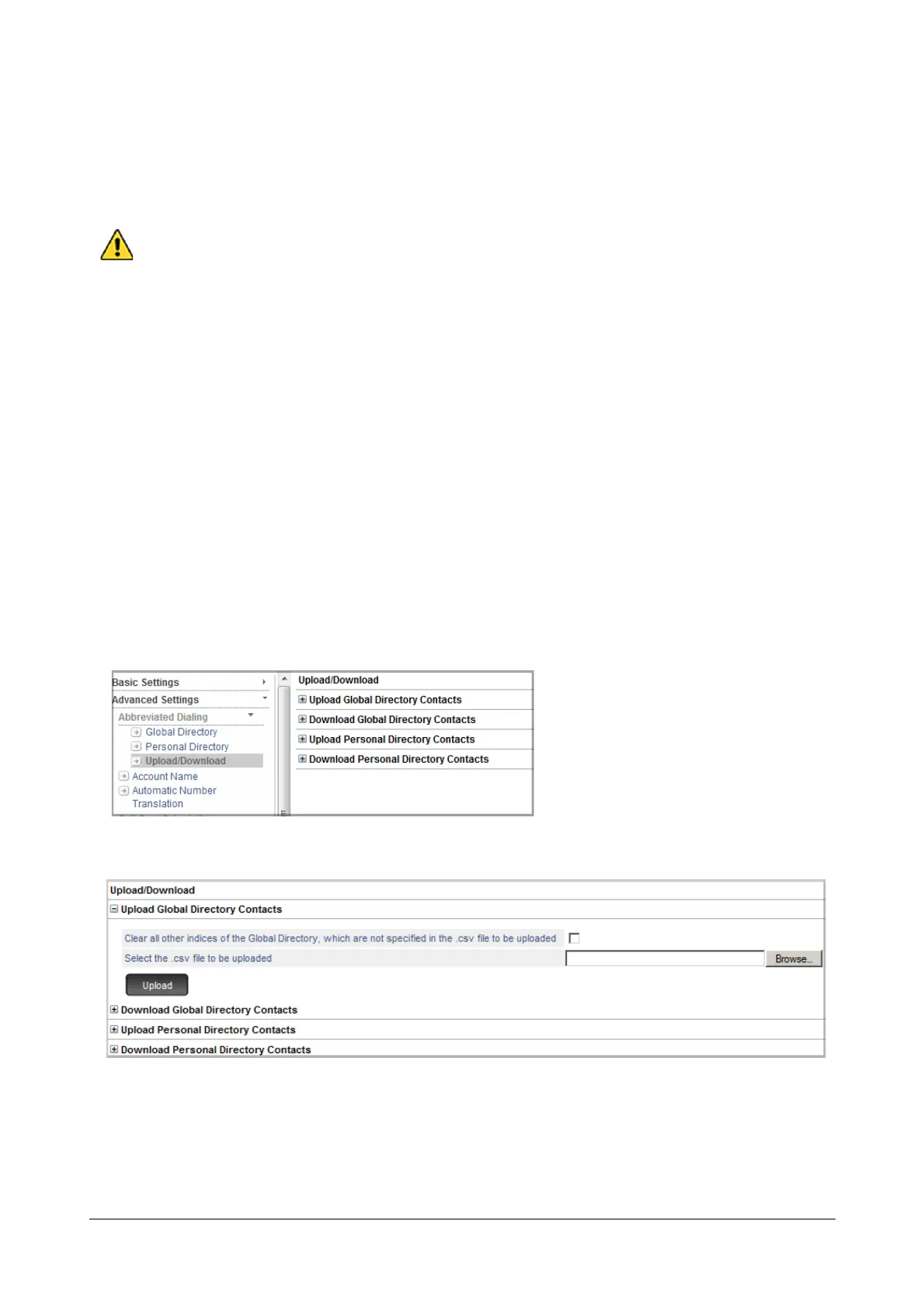
Upload Global Directory CSV file
• Login as System Engineer.
• Under Advanced Settings, click Abbreviated Dialing.
•Click Upload/Download.
• Click Upload Global Directory Contacts to expand.
• Select the Clear all other indices of the Global Directory, which are not specified in the .csv file
being uploaded check box, to overwrite the existing contacts in the Global directory with the contacts
of CSV file. Default: Disabled.
• Click Browse to Select the .csv file to be uploaded from the location on the local disk.



 To Next Page