48 Matrix ETERNITY NE System Manual
• Assign an extension number to the Extended IP Phone on the “Extension and Feature Codes” page under
Basic Settings of Jeeves.
• You must configure the necessary parameters in ETERNITY so that SPARSH VP310 can register as a SIP
Extension. For instructions, see “SIP Extensions” under Basic Settings.
Now, follow the steps described below to install the SPARSH VP310.
• Unpack the SPARSH VP310 box and verify package contents
7
.
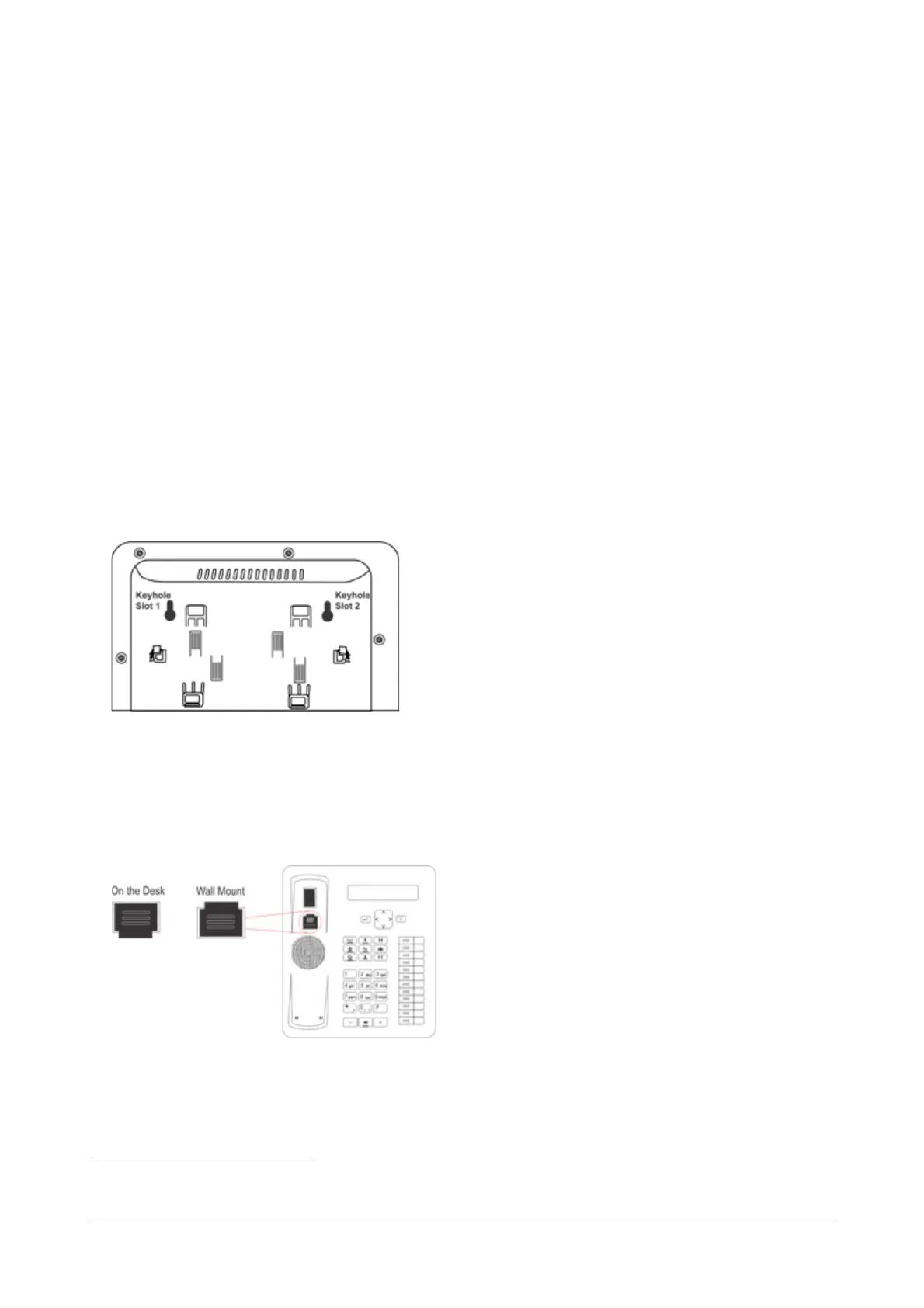
• You can mount the phone on a wall or on the desk.
• To mount the phone on a wall,
• Use the mounting template to drill holes of appropriate size and distance.
• Fix the screw grips in the holes you drilled.
• Fix two screws in the holes on the wall, ensuring that they are aligned with the Keyhole Slots 1 and 2 of
VP310. The screws should protrude from the wall to fit into the Keyhole Slots.
• Now, mount the phone with the screws fitting into the Keyhole Slot.
• Reverse the handset wall mount tab to make sure that the handset remains intact when you mount the
phone. Push the handset wall mount tab upwards to remove it from the slot. Rotate it 180 degrees
clockwise and push it downwards into the slot.
• When you mount the phone on a desk, you can attach the Foot Stand in two ways as illustrated in the
following.
7. See “Packing List” in the Appendix topic.



 To Next Page