Matrix ETERNITY NE System Manual 589
The Accurate Test mode suggests the AC Impedance settings on the basis of all the possible AC
Impedances, CO Terminations and CO Line Types across the globe. The test using the Accurate Test
mode takes 1 hour and 20 minutes to complete.
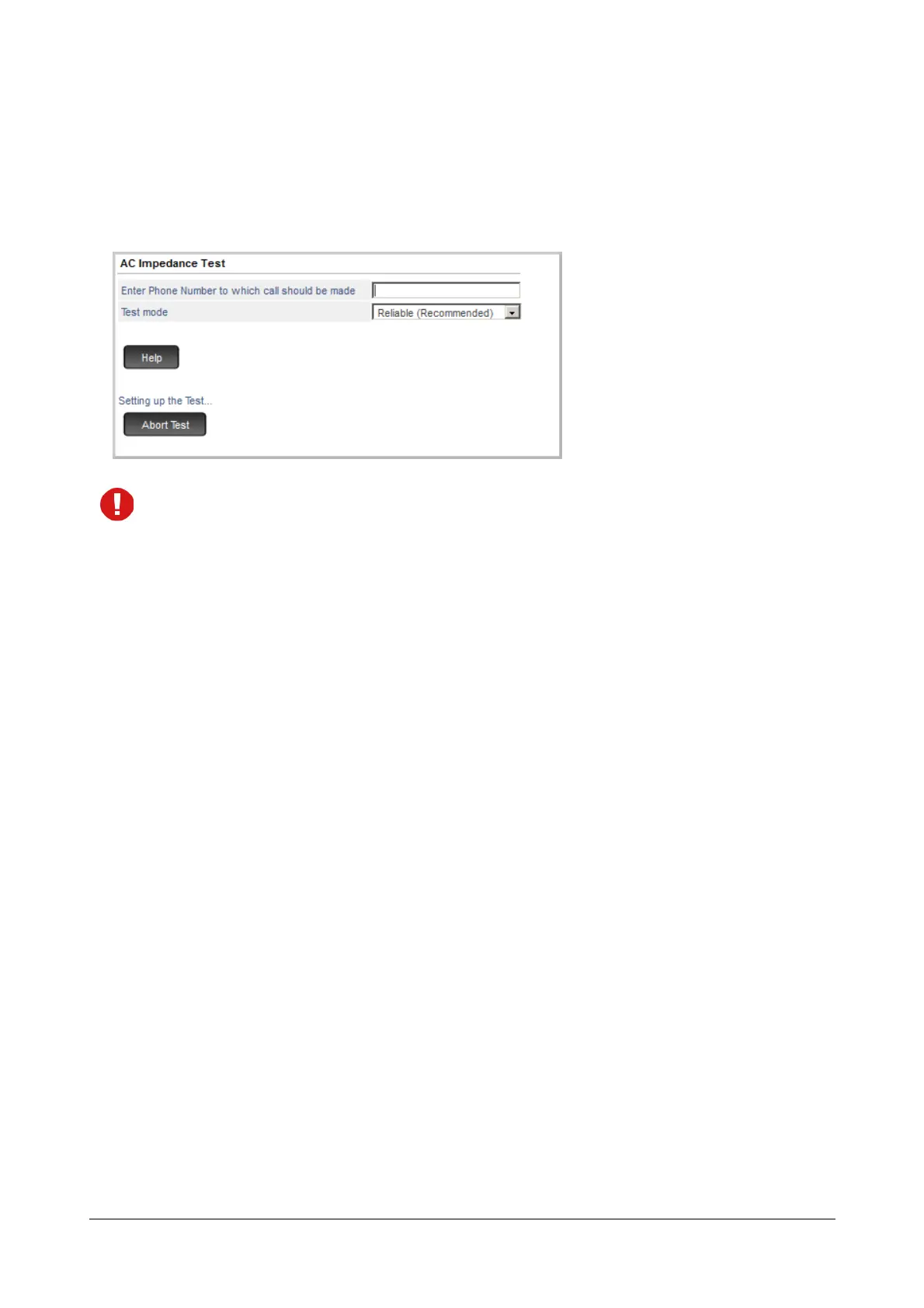
• Click Start Test. The system calls the phone number you configured. The message ‘Setting up the Test....’
appears on your screen.
While the test is being conducted, in SARVAM UCS you will hear pulsating tone on all the ports of the
system.
• Answer the test call from your mobile phone. You will hear the Music-on-Hold as per the type of Answer
Supervision you have configured on the CO trunk you are testing.
By default, the Answer Supervision selected as Pseudo Answer and the Pseudo Answer Supervision
Timer is set to 10 seconds. If you have not changed this default setting, you will hear Music-on-Hold after
10 seconds of answering the call.
• As the Music-on-Hold begins to play, Mute the microphone of your mobile phone.
If you are making the test call on a landline number, mute the call using the Mute key of the phone. If your
phone does not have a Mute key, unplug the handset cable from the phone body. This is to prevent test
signals from reflecting back into the mic of the handset.
• After 5 seconds of Music-on-Hold, you will hear the test signals being transmitted by the system for the
duration of the test. The message ‘Test running successfully...’ appears on your screen.
• On completion of the test, the system will automatically disconnect the call. The message ‘Test completed’
appears on your screen.
However, if you wish to abort the test midway, you may click Abort Test.



 To Next Page