590 Matrix ETERNITY NE System Manual
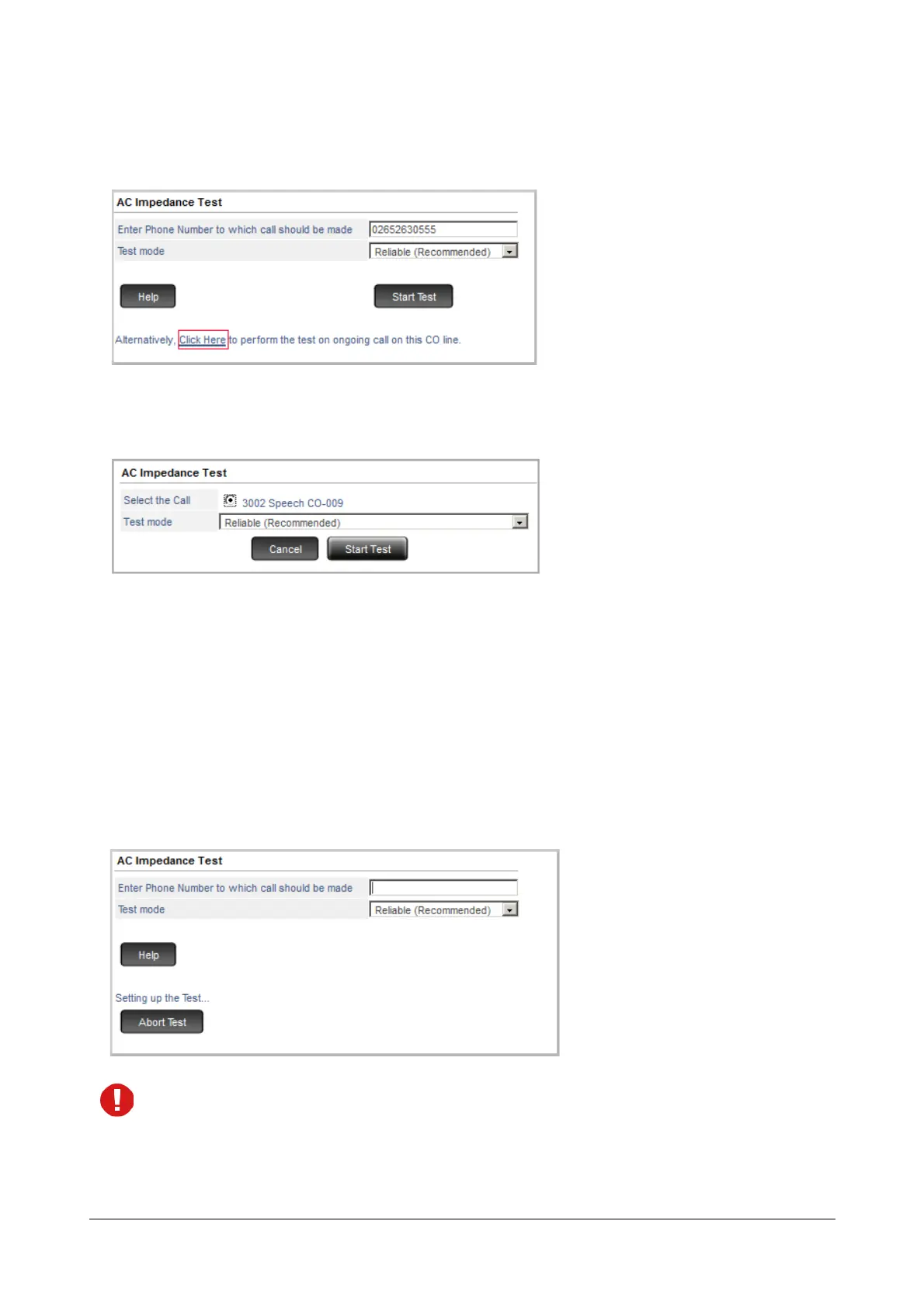
To conduct an AC Impedance Test on an ongoing incoming call
• Click the Click Here link on the AC Impedance Test page.
• A new window opens. A list of ongoing calls will be displayed. Select a call on which you want to perform
the test.
• Select the Test Mode. You may select Reliable (Recommended) or Accurate.
The Reliable Test mode suggests the AC Impedance settings on the basis of most commonly used AC
Impedances, CO Terminations and CO Line Types across the globe. The test using Reliable Test mode
takes approximately 5 minutes to complete.
•The Accurate Test mode suggests the AC Impedance settings on the basis of all the possible AC
Impedances, CO Terminations and CO Line Types across the globe. The test using the Accurate Test
mode takes 1 hour and 20 minutes to complete.
• Click Start Test. The message ‘Setting up the Test....’ appears on your screen.
While the test is being conducted, in SARVAM UCS you will hear pulsating tone on all the ports of the
system.
• After 5 seconds the message ‘Test running successfully...’ appears on your screen.



 To Next Page