Matrix ETERNITY NE System Manual 591
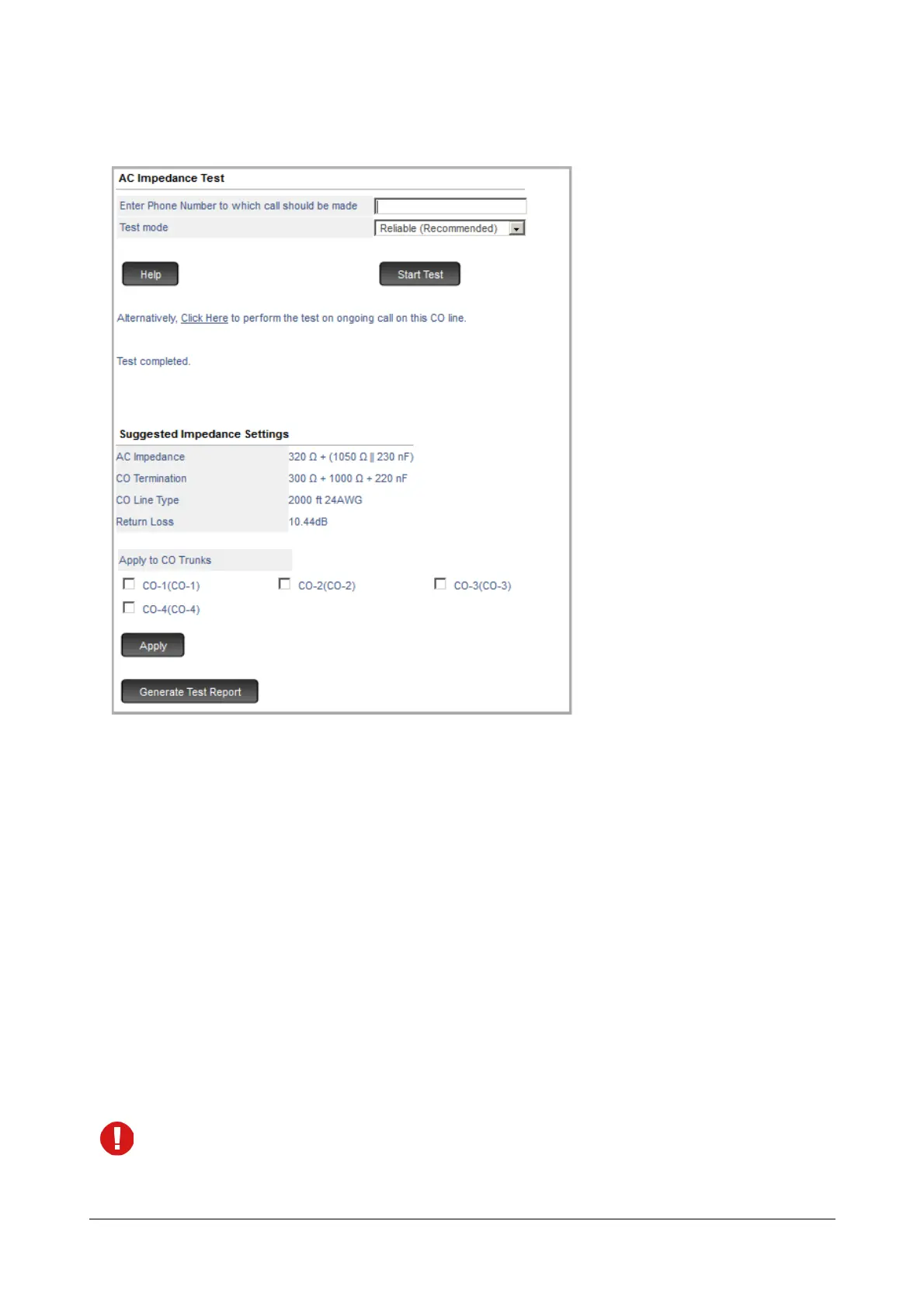
• On completion of the test, the system will automatically disconnect the call. The message ‘Test completed’
appears on your screen. However, if you wish to abort the test midway, you may click Abort Test.
Suggested Impedance Settings
• At the end of the test, the page displays the Suggested Impedance Settings for the AC Impedance,
CO Termination, CO Line Type and Return Loss.
• You may now apply the suggested AC Impedance settings to the CO Trunk. To apply these settings,
select the desired CO Trunks and click Apply.
• Verify the settings by making a trial call from an Extended IP Phone. There should be no echo and
speech should be audible and clear.
If you still hear echo during the trial call, you may re-run the test using the Accurate Test mode.
• After you have determined the best matching AC Impedance, CO Termination, CO Line Type and
Return Loss by running the tests, apply the same suggested settings on the CO Trunk you are testing.
You may configure the same settings to all other CO Trunks, you have subscribed from the same CO
exchange.
It is possible that the CO trunks subscribed from the same exchange differ in their AC Impedance settings,
in such a case, you must run the test for each CO trunk separately and configure a different Hardware
Settings for each of these trunks.



 To Next Page