50 Matrix ETERNITY NE System Manual
• Plug the other (short straight) end of the phone cord into the jack at the bottom of the handset.
• If you want to use a Headset (not supplied) with your phone, you may plug a headset with a 3.5 mm single
connector into the headset jack headset jack with the symbol on the left side panel of the phone, as
illustrated in the figure above.
OR
You may also plug in a headset with RJ9 connector into the headset port on the left side panel of the
phone, marked with the symbol .
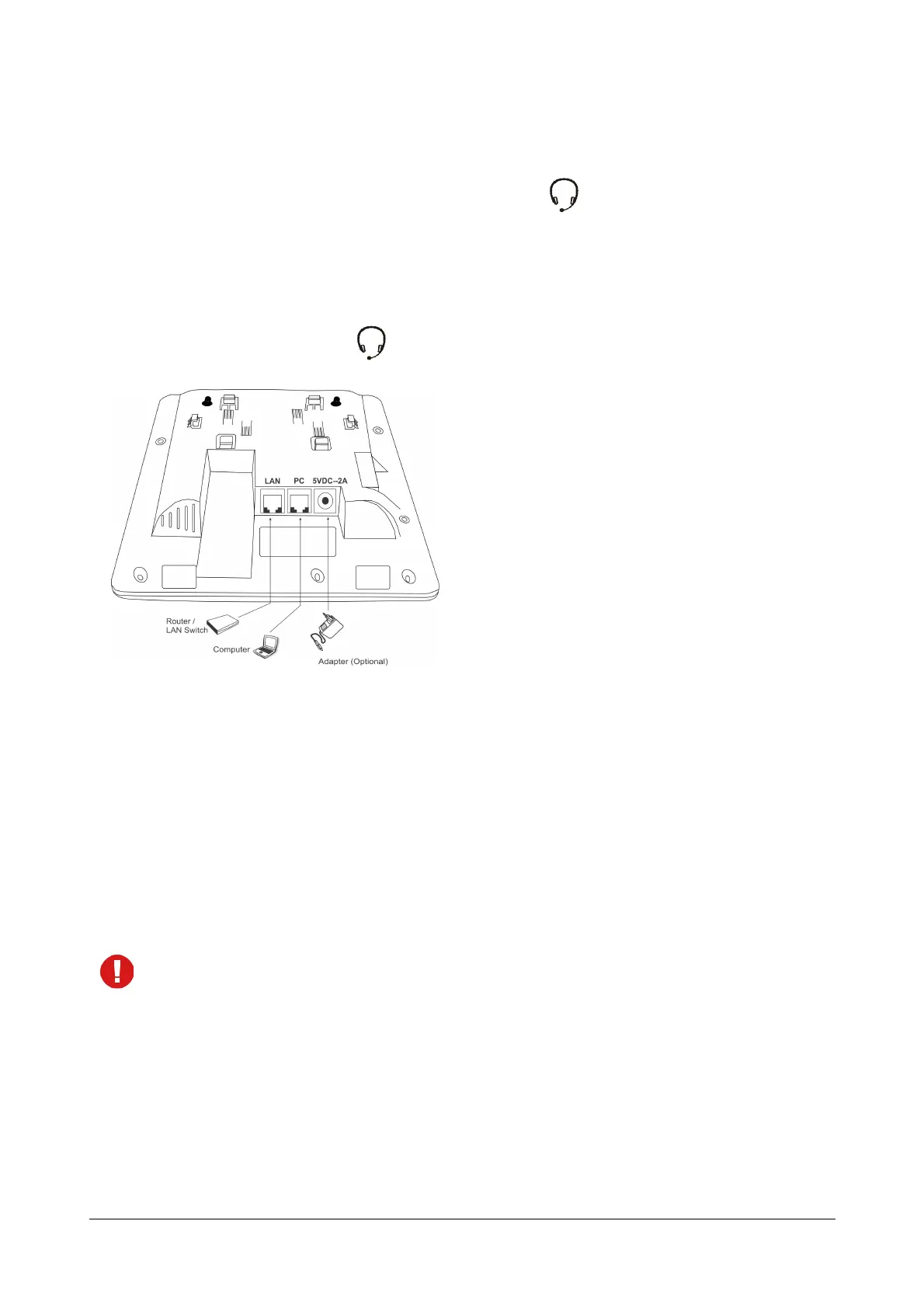
• Connect the LAN Port of SPARSH VP310 to the LAN Switch/Hub or a Modem, according to your
installation scenario.
• To connect your phone to a computer on your desk, use an Ethernet cable (not supplied with this phone) to
connect the PC Port of the phone with LAN Port of the computer.
• It is a PoE enabled phone and can be powered over Ethernet by connecting it to a PoE enabled LAN
Switch (IEEE 802.3af Compliant). In this case you need not connect the Power Adapter.
If you do not want to use PoE, plug in the connector of the Adapter into the power jack (DC Jack) with the
label 5VDC-2A at the bottom of the phone. Plug in the Power Adapter into a power outlet.
• If both the power options, that is, PoE as well as Power Adapter are available to the phone, then the
phone will derive power from the PoE enabled LAN Switch.
• The IP phone should be used with Matrix original power adapter (5V/2A) only. The use of any third-
party power adapter may cause damage to the phone.
• Switch ON power supply.
When you power the phone, the boot process will be initiated in the following sequence.
• All keys with LED, including the Speaker key, and the Ringer LED, will glow.



 To Next Page