646 Matrix ETERNITY NE System Manual
• SARVAM UCS supports only one call back request at a time, for one trunk port. The second incoming
call on that trunk port will be processed by the system as per normal incoming call routing.
• For call back requests made from a group of trunks, when any of these trunks is busy, SARVAM UCS
will support only the last call back request in the group. Previous requests will be processed as per the
normal incoming call management logic.
• For call back requests made from a group of trunks, when any of these trunks is in the restricted
category call back request will not be served by SARVAM UCS. See “Logical Partition” topic for more
details.
How to configure
For this feature to function, you must configure the Call Back Profiles and assign them to each Trunk port type (CO,
Mobile, SIP) on which you want to use this feature.
• Login as System Engineer.
• Click Basic Settings.
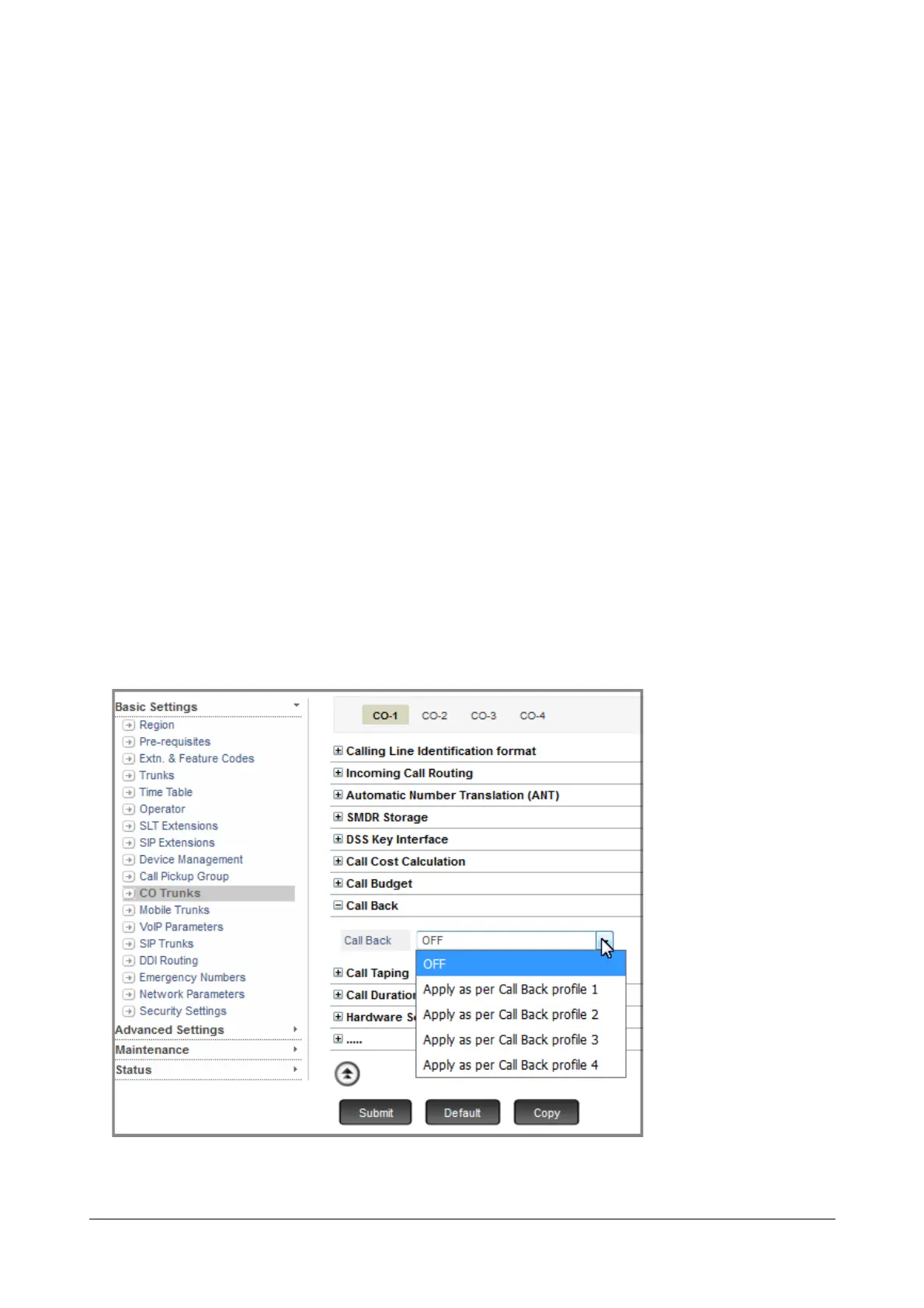
• Select the desired Trunk port type. For example CO trunks.
• The CO trunk page opens. Select the number of the CO trunk you want to configure by clicking the trunk
number tab.
• Click Call Back.
• Select the Call Back Profile you want to apply to this trunk.
• Now, configure the Call Back Profile you selected by clicking the Settings icon.



 To Next Page