Matrix ETERNITY NE System Manual 653
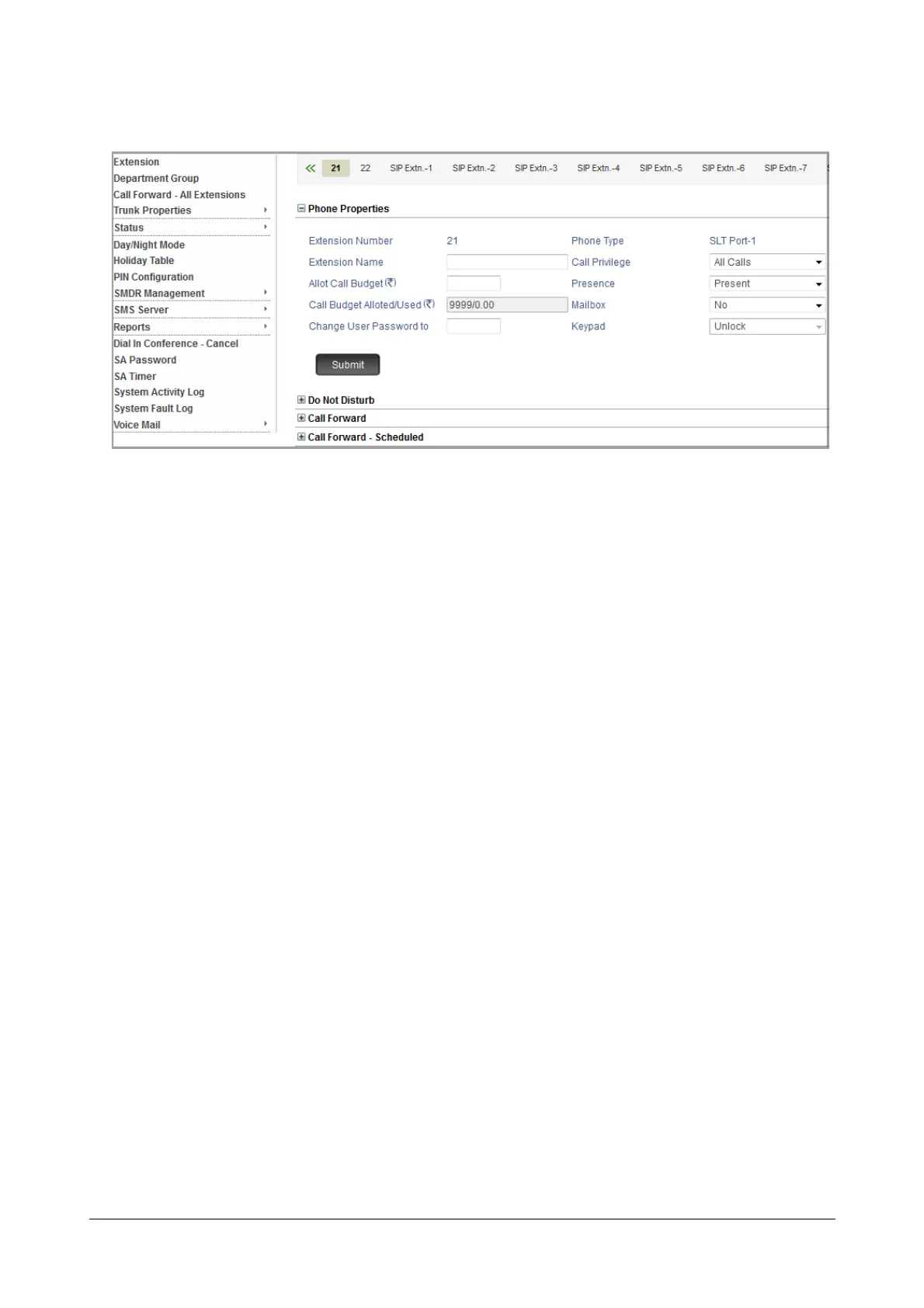
• Click Phone Properties to expand.
•In Allot Call Budget, enter the amount you want to assign to the user as budget limit for outgoing calls.
To re-assigning a new amount before the previous balance is consumed, make sure you add the
available balance to the new amount. Enter this amount in Allot a Call Budget.
For example, if you have allotted an amount is Rs.1000 and the consumed amount is Rs.600. The
available balance is Rs.400. Now, if you want to assign a new amount of Rs.500. In Allot a Call Budget
you must enter 900 (Balance + New = 400 + 500).
• The Allotted Amount/Used displays the amount allotted to the user as well as the call budget amount
consumed by the user for making outgoing calls.
• Click Submit.
• To allot call budget to another extension, click the extension number tab, and follow the same instructions
as above.
For Extended IP Phone Users
To assign Call Budget to an Extension:
• Press DSS Key assigned to ‘Set Call Budget for Remote Extension' function.
OR
•Dial 1072-004 (from SA mode).
• Enter Extension Number that is to the assigned a budget.
• Enter Call Budget Amount.
Use leading zero if amount is fewer than 6 digits.
• You get confirmatory message.
• Go idle.
To view Call Budget assigned to an Extension:
• Press DSS Key assigned to the ‘Call Budget Extension’ function.
OR
•Dial 1072-011 (from SA mode).



 To Next Page