686 Matrix ETERNITY NE System Manual
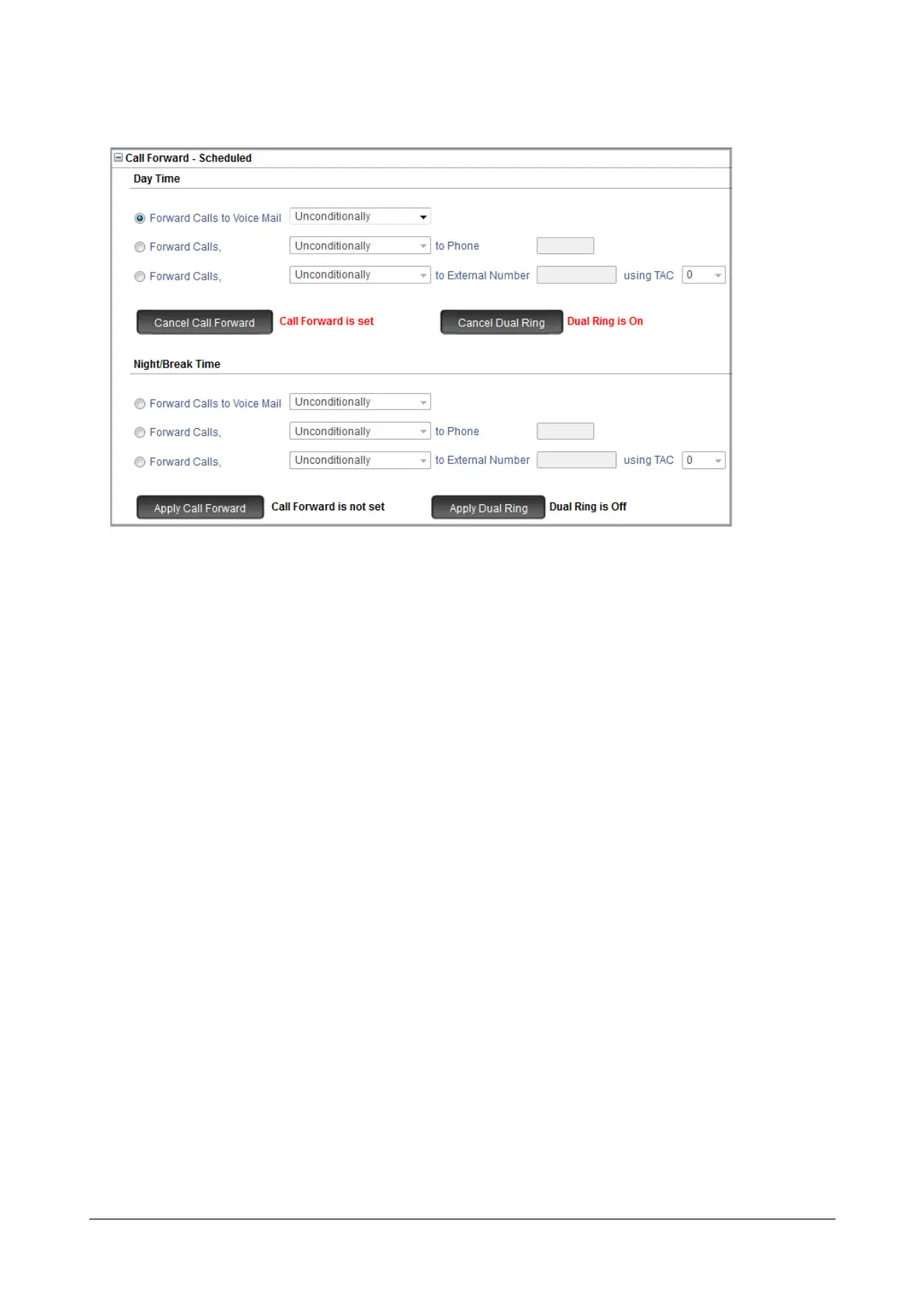
• Click Apply Call Forward to set Call Forward -Scheduled.
The confirmation message “Call Forward is set” appears.
• Click Dual Ring to set Call-Forward Remote with Dual Ring.
The confirmation message “Dual ring is On” appears.
• To set call forward for Night/Break Time, follow the same instructions as above.
•To set Call Forward - Scheduled for another extension, follow the same instructions as above.
Setting Call Forward-Scheduled using a Telephone
For Extended IP Phone Users
Call Forward-Scheduled from SA mode
To set Call Forward-Scheduled:
• Press DSS key assigned to Call Forward-Scheduled - Remote.
OR
•Dial 1072-223.
• Enter extension number (from which calls are to be forwarded)
• Scroll to the desired Time Zone.
• Press Enter key to select Time Zone.
• Scroll to the desired Call Forward type for the selected Time Zone.
• Press Enter key to select Call Forward type.
• Enter Destination Number on prompt.
• You get confirmation tone and message showing extension to which Call Forward is set.
To cancel Call Forward-Scheduled for a Time Zone:
• Press DSS key assigned to Call Forward-Scheduled - Remote.



 To Next Page