Matrix ETERNITY NE System Manual 693
Setting Call Forward-When Not Registered
Call Forward-When Not Registered can be set from
• the SA mode from Jeeves.
• the SIP phones connected as extensions.
Call Forward-When Not Registered set by SA
• Login as System Administrator.
• Click Extension.
• Click the desired SIP Extension number on which you want to set this feature.
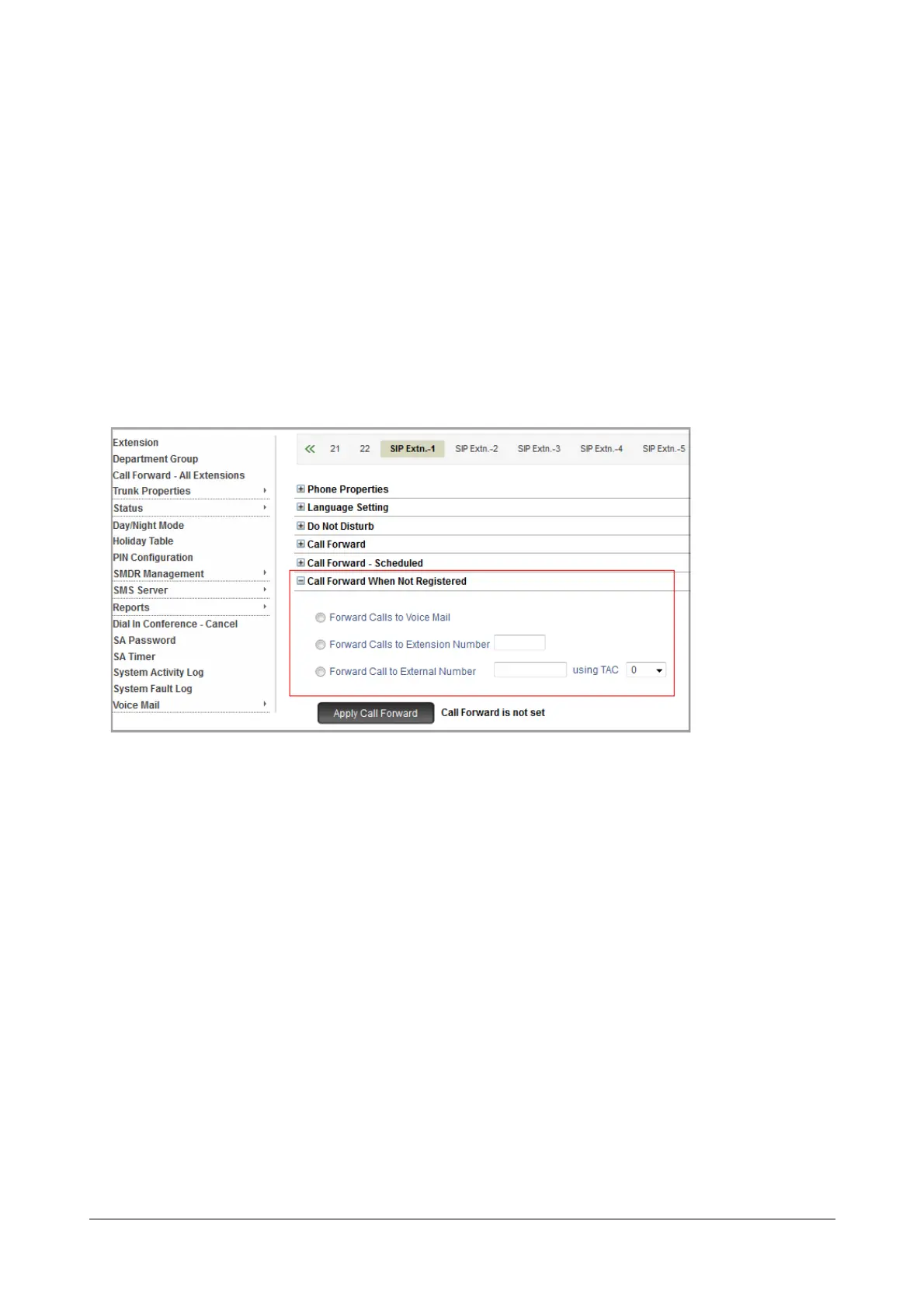
• Click Call Forward When Not Registered.
• Select the destination for forwarding calls when the SIP Extension fails to register from the following:
• Forward Calls to Voice Mail.
• Forward Calls to Extension Number. If you select this option, you must enter the desired
Extension Number in the corresponding box.
• Forward Calls to External Number. If you select this option, you must enter the desired external
number in the corresponding box. Also, assign a trunk to route the call by selecting the Trunk
Access Code from the using TAC list.
• Click Apply Call Forward. The message “Call Forward is set” appears.



 To Next Page