62 Matrix ETERNITY NE System Manual
You must press Yes key and access network settings.
• When the phone is making Network discovery, downloading configuration files, attempting registration.
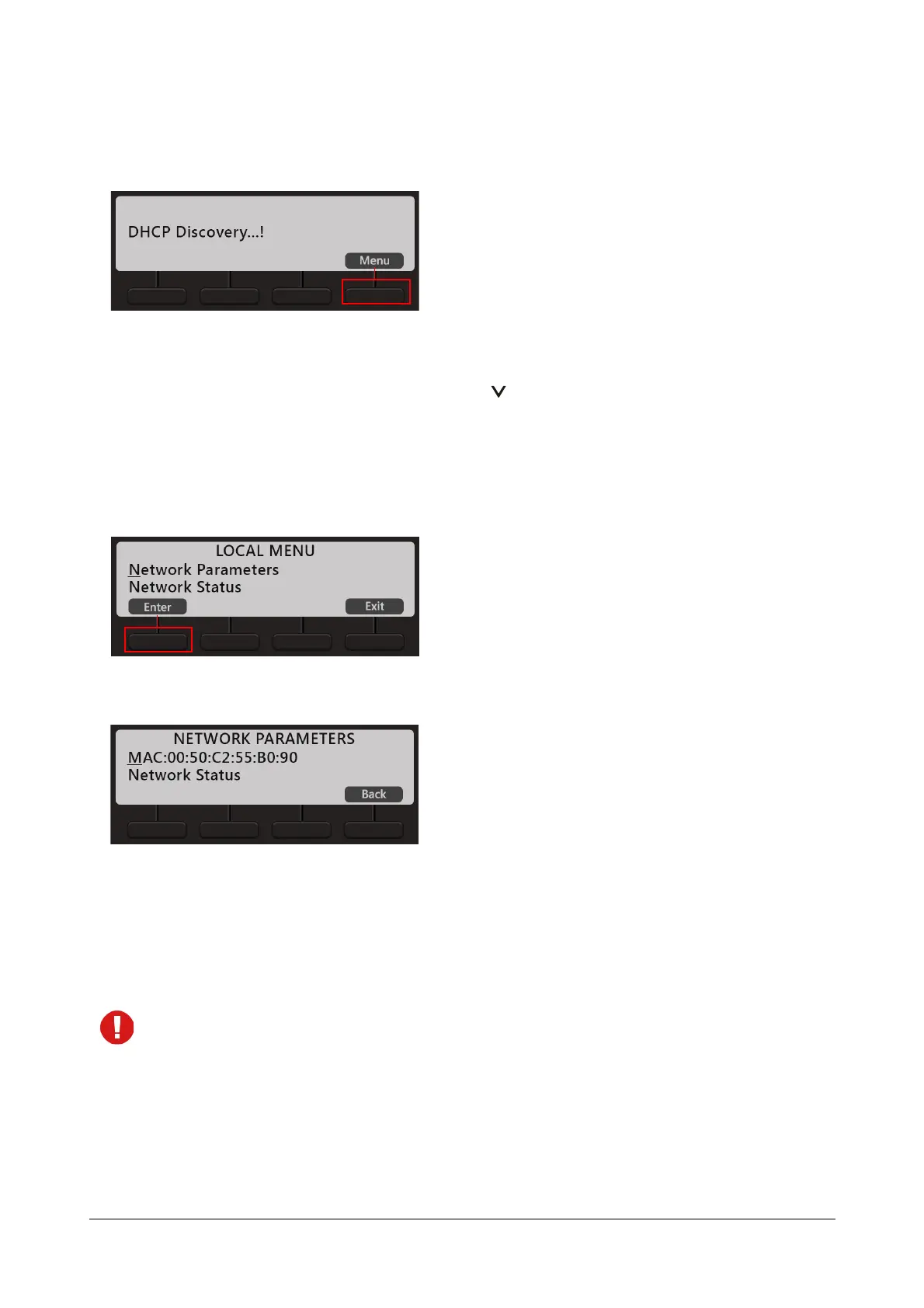
You must press the Menu key to access network settings.
• When the phone is in idle state, press the Down key .
You can configure Network Parameters and view Network status from the Local Menu.
Configuring Network Parameters
• In the Local Menu of the phone, select Network Parameters by pressing the Enter Key.
• The Network Parameters submenu appears.
• Use the Down/Up key to reach the desired network parameter and press Enter key to select. Change the
settings as per your requirements.
• Press Save key, to save the changes you make.
• You can configure all network parameters described below, except the MAC Address.
• To enter a dot in the editable fields — IP Address, Subnet Mask, Gateway Address, DNS Address,
Server Address — press
* (Star) key.
• If you want to clear a single digit/character, move the cursor to the right of the digit/character you wish
to clear. Now press the Delete key. The digit to the left of the cursor will be deleted.



 To Next Page