716 Matrix ETERNITY NE System Manual
How to configure
Configuration of Call Progress Tones involves three parameters: CPTG Type (Region), CPT related Timers, and
Dial Tone Type.
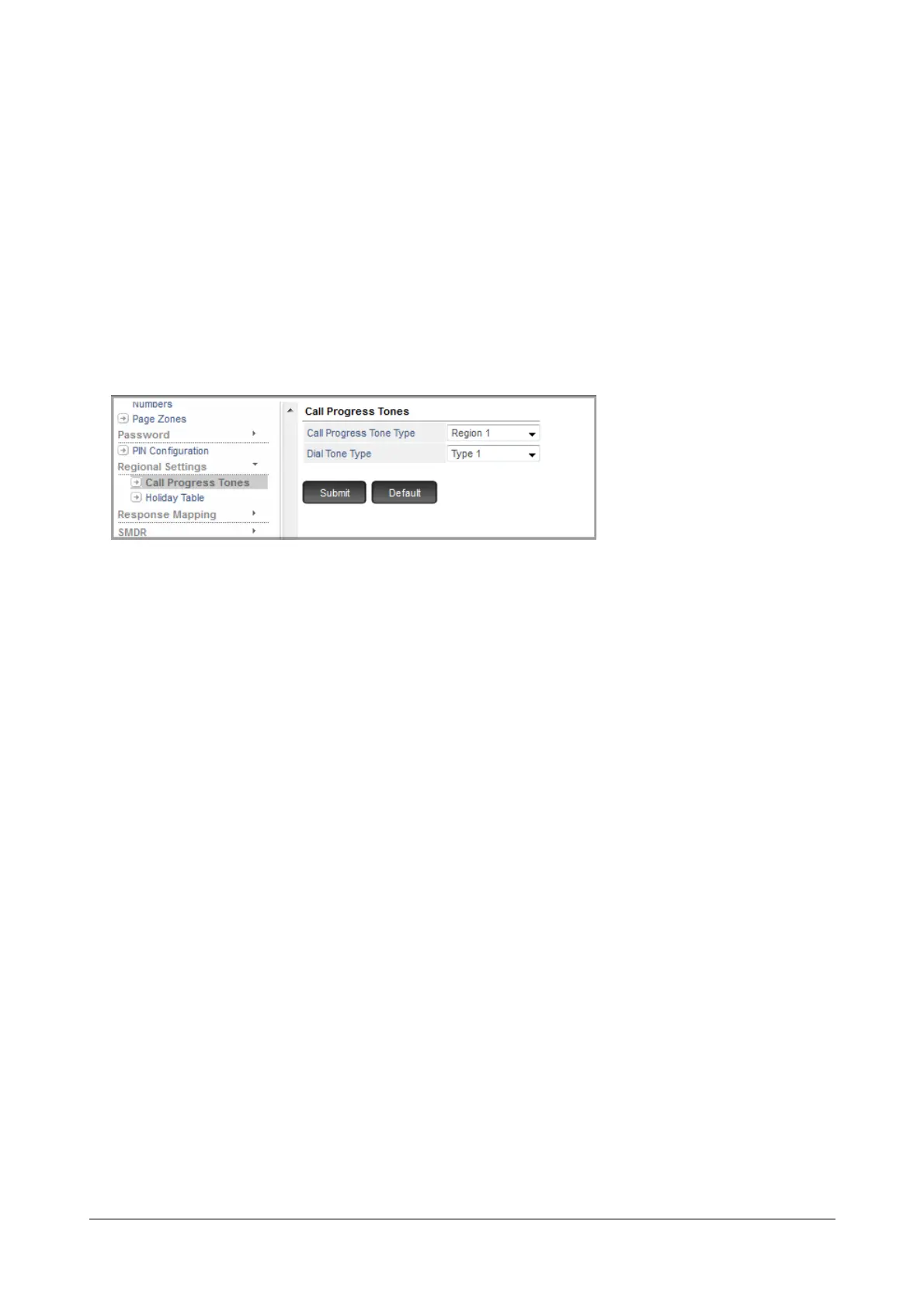
The country-specific CPTG type is set automatically by the system when the 'Region' is selected. However, if
required, you may change the CTPG type set by the system. To do this,
• Login as System Engineer.
• Under Advanced Settings, click Regional Settings.
• Click Call Progress Tones.
• Select the desired Region from the drop down list.
• Select the desired Dial Tone Type as Type 1 or Type 2 from the combo box.
• Click Submit.
To change CPT-related Timers,
• Click the System Timers and Counts.
•Go to Call Progress Tones.
• Change the values of the CPT-related Timers as desired.
• Click Submit.
How to use
It is important that users of SARVAM UCS also get acquainted with the different Call Progress Tones played by the
system, so that they understand the meaning of the terms used for various tones. Therefore, SARVAM UCS makes
it possible for users to listen to the various Call Progress Tones.
Demonstration of Tones
It is possible to demonstrate Call Progress Tones to users by dialing the SE commands from a SLT. By default, the
system will play each tone as demonstration for 30 seconds. The duration of demonstration can be changed by
setting the 'Tone Demo Timer' to match user preference.
To demonstrate call progress tones:
• Enter SE mode from a SLT.


 To Next Page
 Loading...

