738 Matrix ETERNITY NE System Manual
How to configure
The functioning of this feature is controlled by two parameters: CLIP Type and Caller ID on Call Transfer.
If you want to replace '+' characters received as CLI on telephones that do not support CLI prefixed with this
character, you may configure the Replace ‘+’ from CLI option in the “System Parameters”.
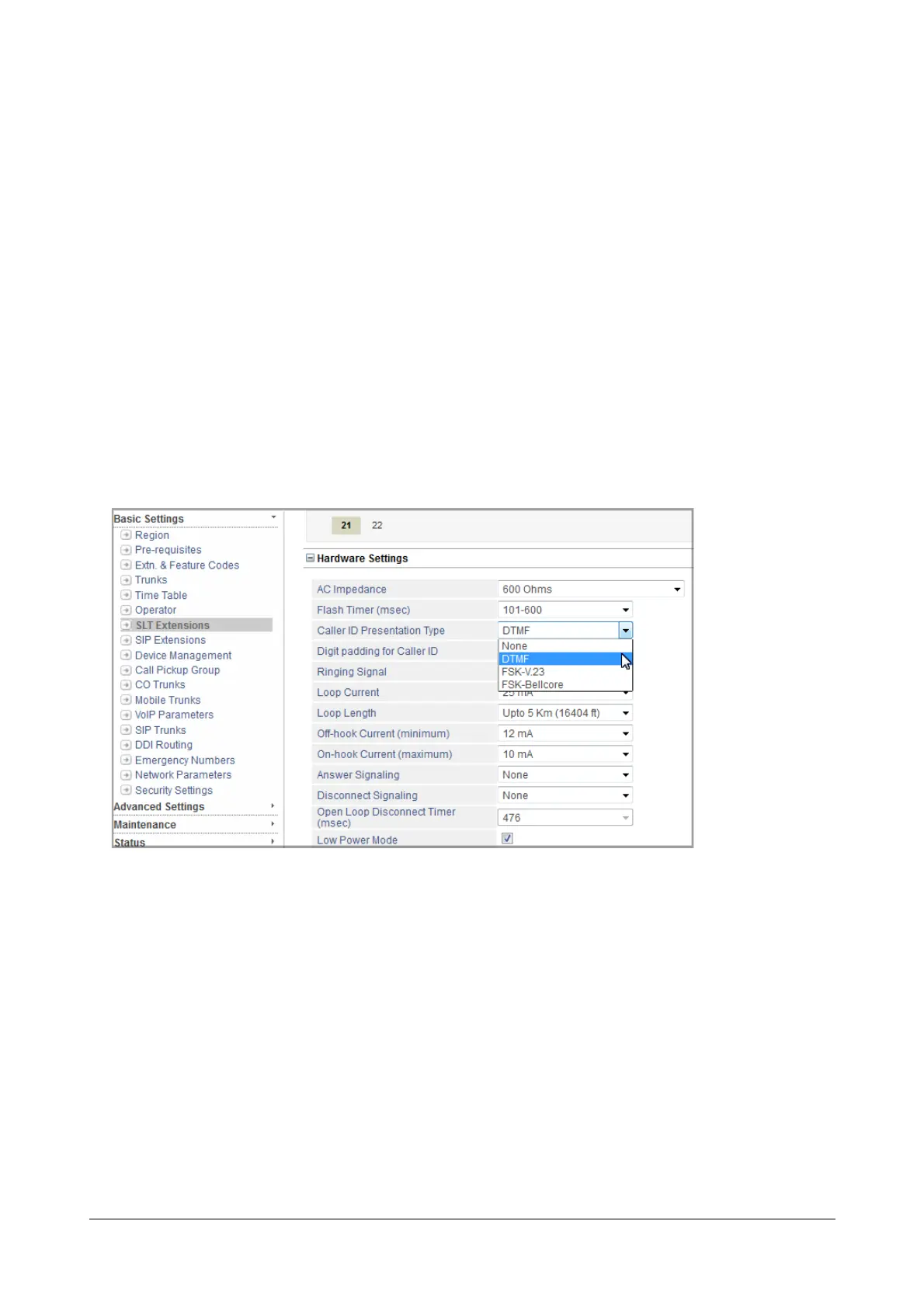
If SLTs supporting CLI are connected to SARVAM UCS, you must select a signaling protocol for CLI for the SLT
extensions. DTMF is selected as CLIP Type for all SLT extensions.
To select CLIP type for SLT extensions,
• Login as System Engineer.
• Under Basic Settings, click SLT Extensions.
• Select the tab of the desired SLT.
• Click Hardware Settings to expand.
•As Caller ID Presentation Type, select the CLIP Type supported by the SLT: DTMF, FSK V.23, FSK-
Bellcore. Default: DTMF.
• Click Submit.
• Now, click Caller ID on Call Transfer to expand.



 To Next Page