750 Matrix ETERNITY NE System Manual
How to configure
For this feature to work, you must do the following:
• enter the numbers and names of the calling parties and the corresponding destination extensions in the
CLI Based Routing Table. You can store up to 400 numbers in the CLI Routing Table.
• enable CLI Based Routing on the desired trunks for Day, Break and Night time.
Creating CLI Routing Table
• On a sheet of paper, create a 3-column table, as illustrated below. Each calling party number in the CLI
table is stored a location index in the system. Enter the telephone numbers and names of the calling
parties and the corresponding landing destinations, that is, the access codes of the destination.
• The 'Name' field is for identifying the entry. When placing a call on the destination extensions, both the
number and the name are presented in the CLI.
• Determine the method which the system should use to match the incoming CLI with the numbers in the
table, that is, Match from last digit of CLI or Match from first digit of CLI.
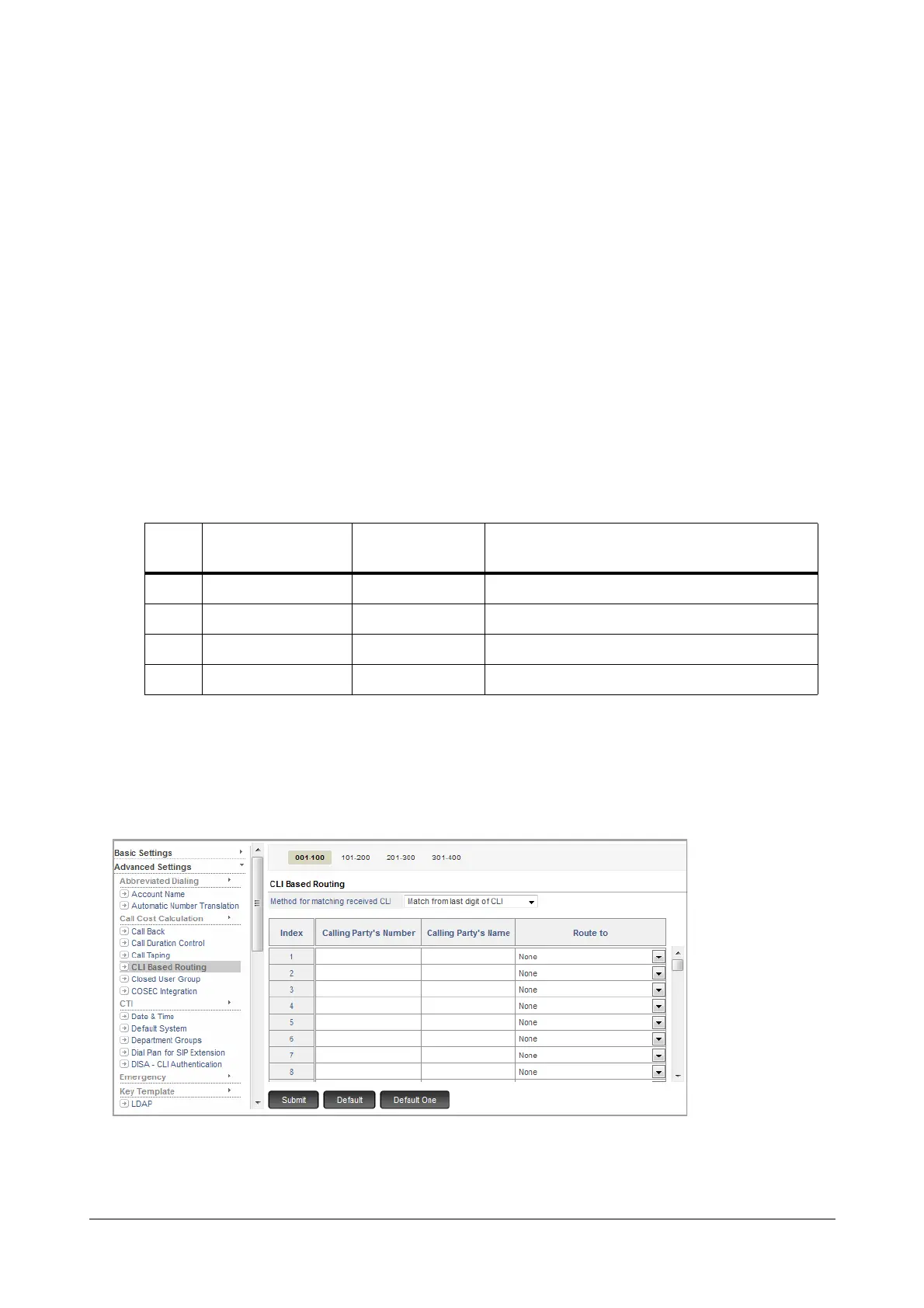
To configure the CLI Based Routing Table,
• Login as System Engineer.
• Under Advanced Settings, click CLI Based Routing.
•In Method for matching received CLI, select the method according to which you want the system to
match the received CLI with the numbers stored in the CLI table. You can select:
Index
Calling Party’s
Number
Calling Party’s
Name
Route to (Access Code of Destination
Extension)
001 2640459 MidasBiz 21
002 022281110001 Jet Set 37
:
010 2640075 Bacchus SIP Extn.-2



 To Next Page