782 Matrix ETERNITY NE System Manual
• Under Advanced Settings, click System Parameters.
• Click System Parameters to expand.
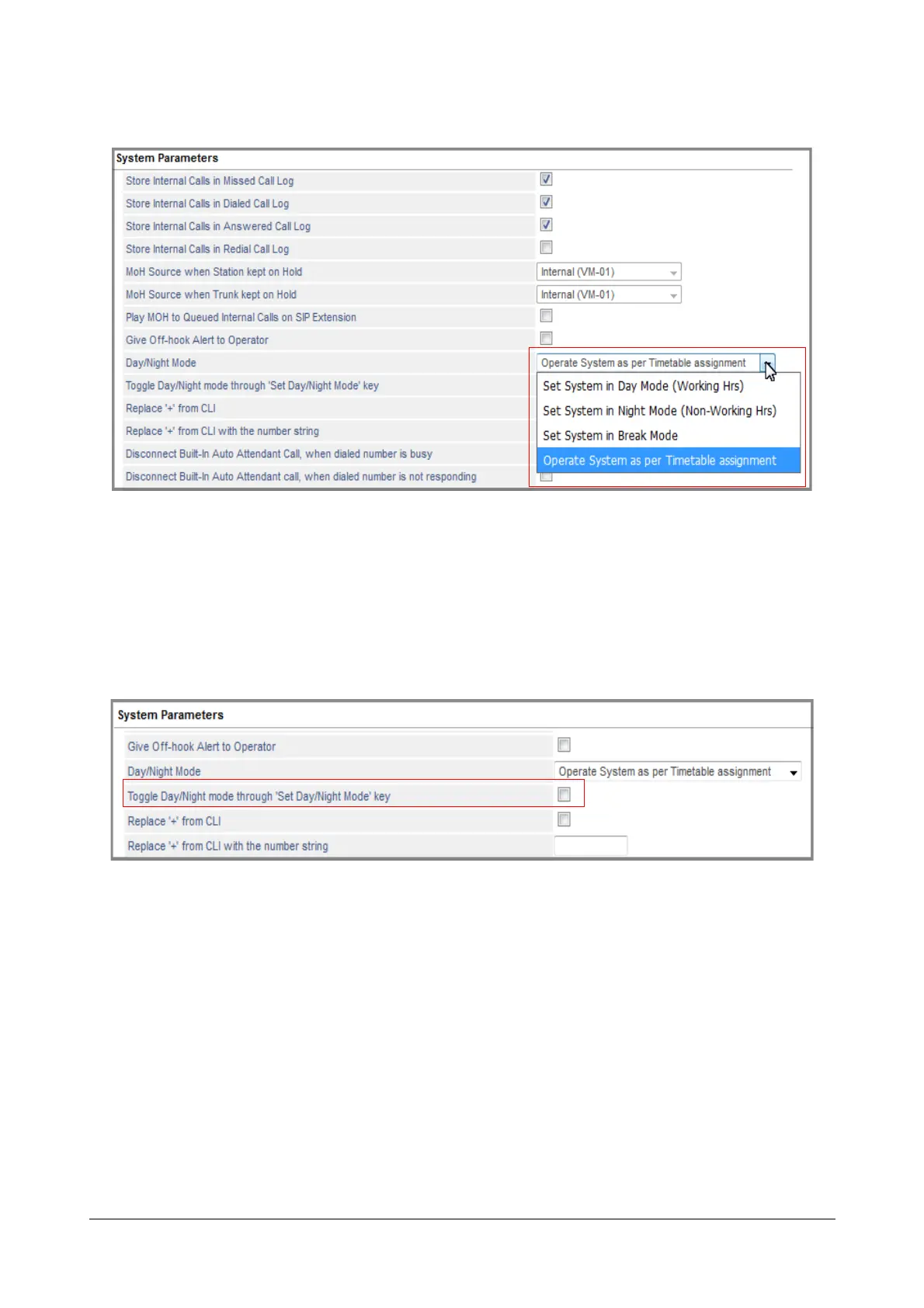
•Go to Day Night Mode and select the desired option:
• Set System in Day Mode (Working Hrs)
• Set System in Night Mode (Non-Working Hrs)
• Set System in Break Mode
• Operate System as per Timetable assignment (default).
• Select the check box for Toggle Day/Night mode through ‘Set Day/Night Mode’ key to switch to Day
Mode (Working Hrs) or Night Mode (Non-Working Hrs) on pressing the DSS Key. By default, this is
disabled.
•Click Submit.
Setting Day Night Mode from SA Mode using Jeeves
• Login as System Administrator.



 To Next Page