798 Matrix ETERNITY NE System Manual
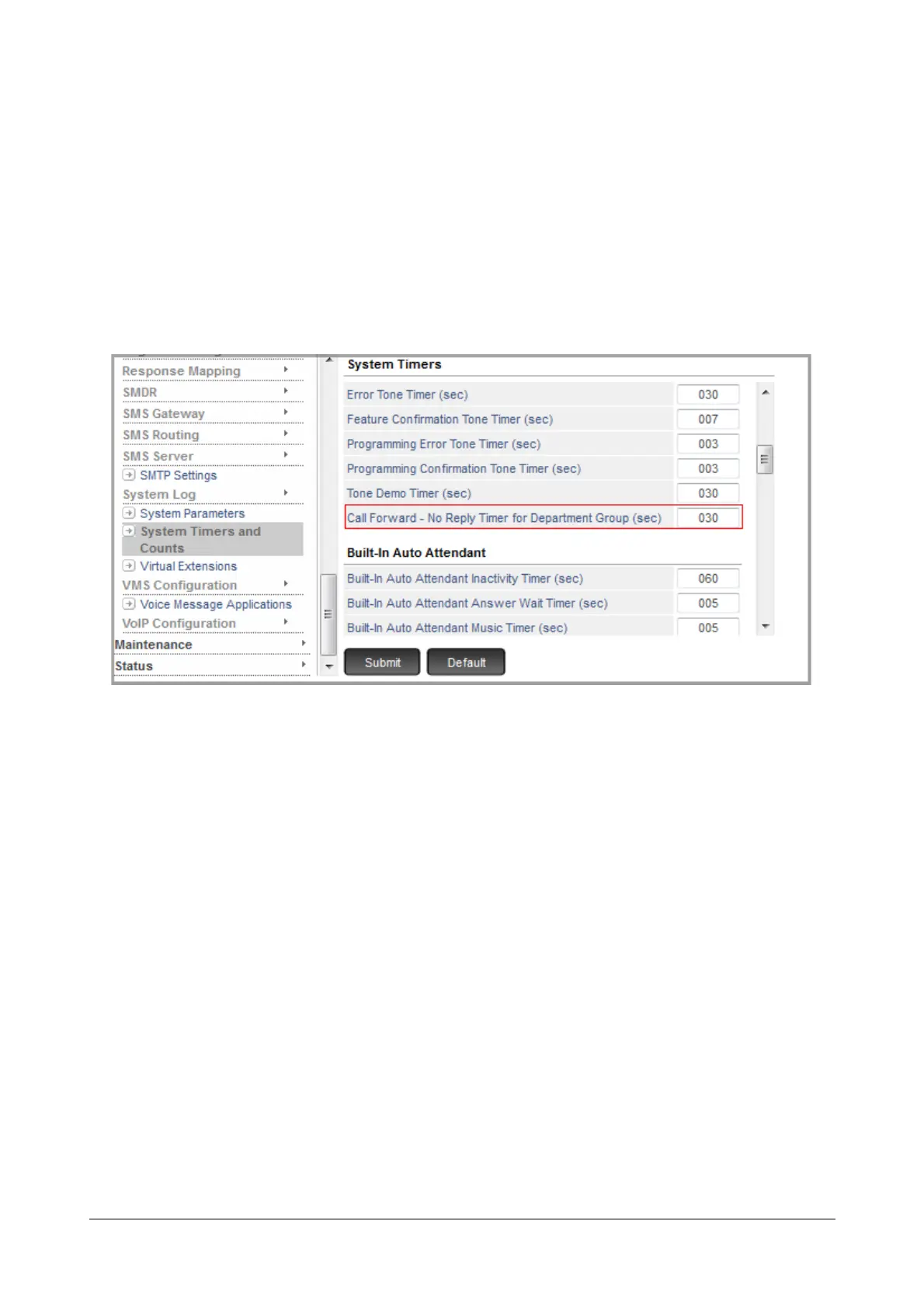
Setting Call Forward No Reply Timer for Department Group
If you have enabled Call Forward Department Group, you may change, if required, the Call Forward No Reply
Timer for Department Group. You can change this timer only from SE Mode. By default the Timer is set to 30
seconds.
To change the Call Forward No Reply Timer,
• Login as System Engineer.
• Under Advanced Settings, click System Timers and Counts.
• Scroll to Call Forward No-Reply Timer Department Group (sec).
• Set the timer to the desired value.
• Click Submit.
How to use
Making a Department Call
Making a department call is the same as calling another extension.
For Extended IP Phone Users
• Press DSS Key assigned to the desired Department Group.
OR
• Dial the desired Department Group Number (default: 391-395).
• You get Ring Back Tone as the call lands on an extension within the department group.
• Talk when the call is answered.
•Go Idle.



 To Next Page