Matrix ETERNITY NE System Manual 797
If this check box is disabled and you have selected the Continuous Ring check box, the extension that
rejects the call stops ringing while the system hunts for other extensions in the routing group to land the
call.
•In Voice Mail Settings, click the Voice Mail Settings link. The respective Extension Voice Mail Settings
window will open. You may edit the parameters. For details, see “Extension Voice Mail Settings”.
• Repeat the same steps to configure another Department Group number.
• Click Submit.
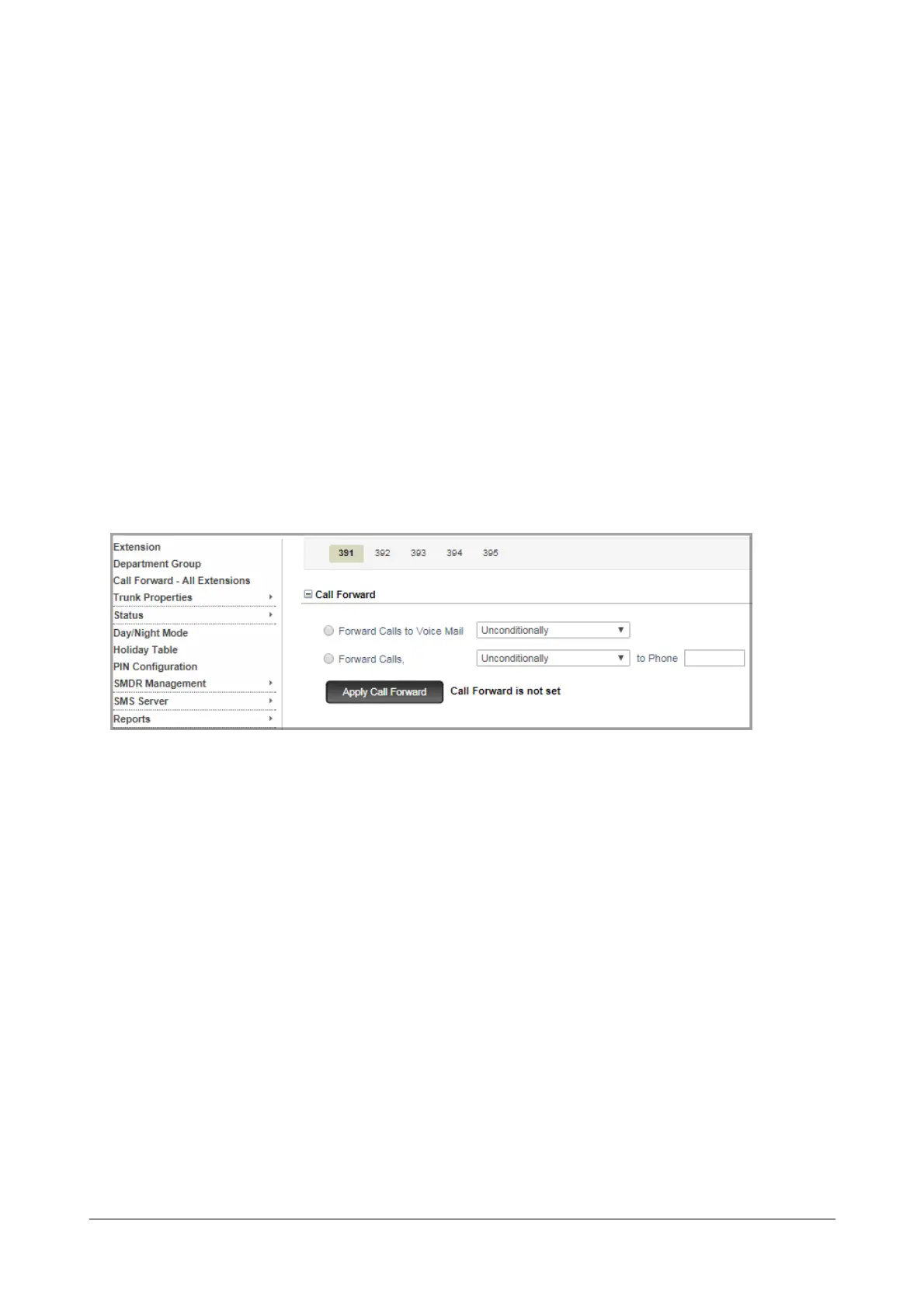
Setting Call Forward for Department Group
You can set Call Forward for Department Group from SA Mode only.
To set Call Forward,
• Login as System Administrator.
• Click Department Group.
• Click the desired Department Group Number tab for which you want to set Call Forward.
• Click Call Forward to expand.
• You have two options for Call Forward:
• To forward all department calls to Voice Mail, select the Forward Calls to Voice Mail and select the
Call Forward type.
• To forward all department calls to a specific number, select Forward Calls-to Phone and enter an
extension number where the call is to be forwarded.
• Click Apply Call Forward.
The color of the text indicating that Call Forward is set will change to red.
To cancel Call Forward,
• Click Cancel Call Forward.
The color of the text indicating that Call Forward is not set will change to black.



 To Next Page