796 Matrix ETERNITY NE System Manual
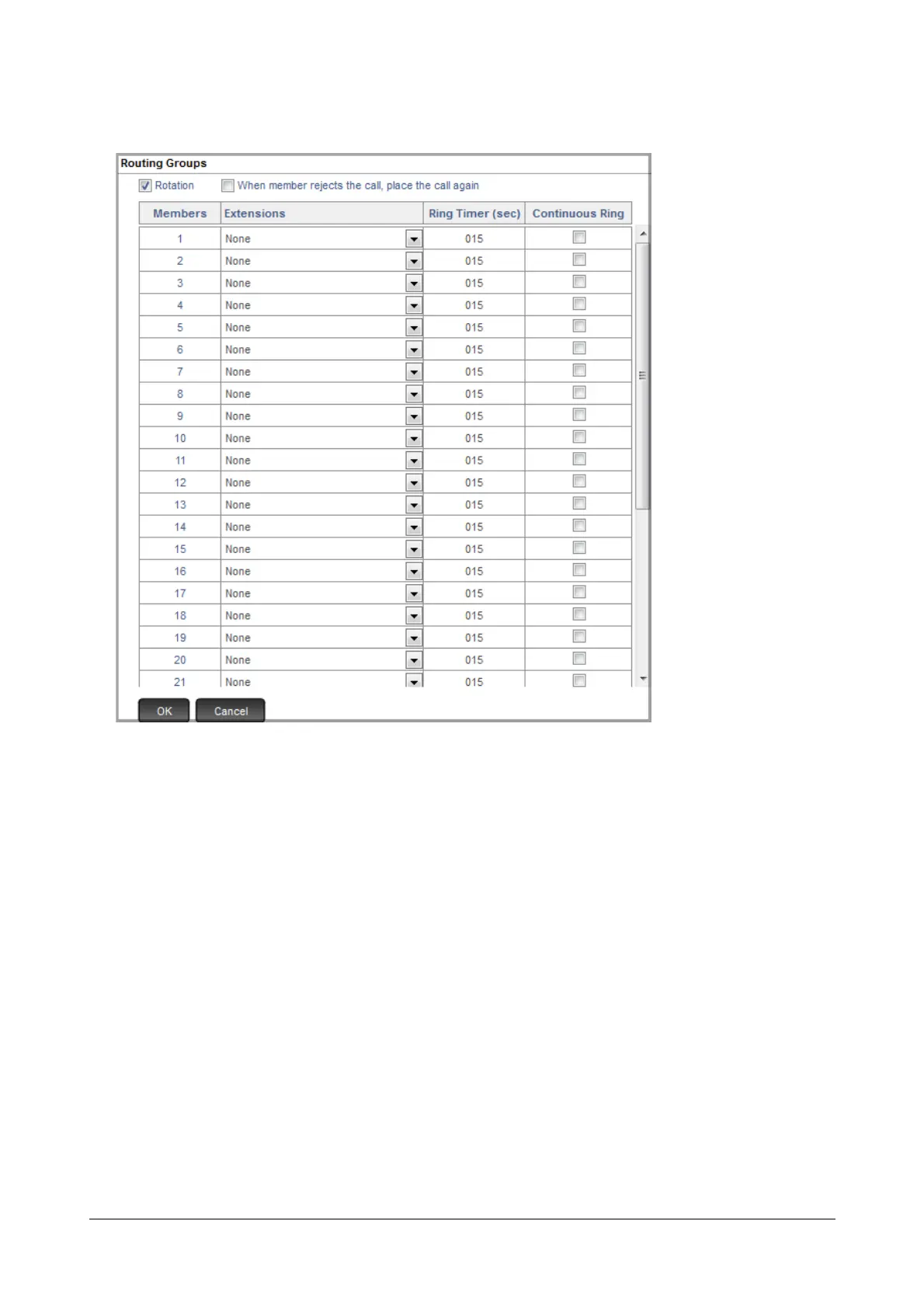
• Now, double click the Select Extension/s for Department Group field.
The Routing Groups window opens. Select the extensions you want to include in this Department group
from the list box.
• Configure Ring Timer (sec). This timer defines the time for which the extension, on which the call lands,
should ring. Default: 15 seconds.
• Select the Continuous Ring check box, if you want the extension to ring continuously until the call is
answered. The first extension will continue to ring even as the system hunts for other extensions in the
routing group to land the call. If the call still remains unanswered, the system will return the call to the first
extension once again. This parameter is of no relevance, if you have selected only one member extension
in the department group.
• Select the Rotation check box, if you want to enable rotation of calls in the department group having
multiple member extensions. When enabled, each fresh call will land on the extension which is next to the
one that received the last call. This ensures equal distribution of incoming calls to all the destinations within
the group.
Rotation has no relevance if the department group has only one member extension.
• By default, When member rejects the call, place the call again is disabled. Therefore, if any SIP
extension user rejects an incoming call, the system will not place the same call on this extension again
while checking the routing group to land the call. You may enable this check box, if required.


 To Next Page
 Loading...

